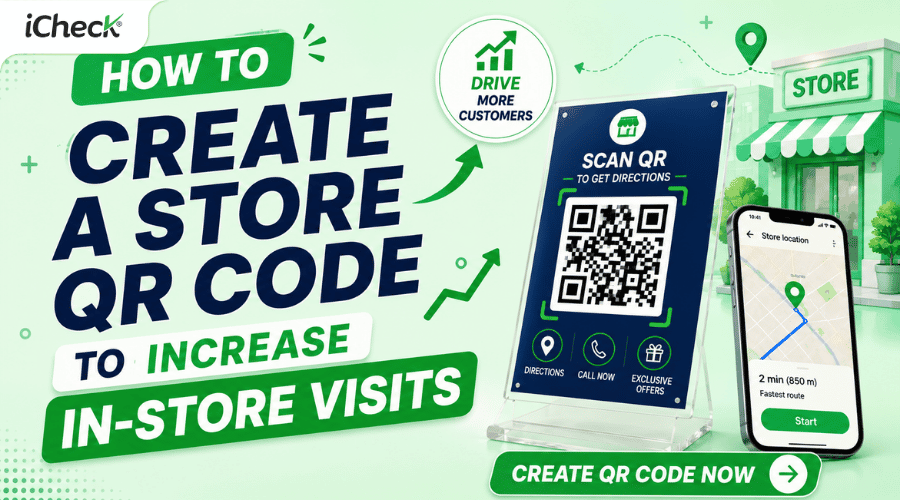

Creating Professional Product QR Codes for Businesses
QR codes help customers scan packaging to instantly access websites, tutorial videos, or detailed product information — no manual searching required.
However, many businesses struggle with implementation: codes that are hard to scan on packaging, content that can't be updated after printing, landing pages that display poorly on mobile, or difficulty managing an expanding product catalog.
This guide walks you through how to create product QR codes the right way — from common QR types to real-world deployment processes for businesses.
What Is a Product QR Code?
A product QR code is a QR code placed on packaging, labels, or accompanying materials that allows users to quickly access digital content related to that product with a single phone scan.
When scanned, customers can:
View detailed product information
Access an introduction or sales page
Watch tutorial videos
Receive offers or promotions
Connect with the brand's social media
Today, QR codes are widely used in smart packaging, QR code marketing, and digital product experiences — bridging physical products with a business's online ecosystem.
What Do Businesses Use Product QR Codes For?
Displaying Product Information
QR codes allow businesses to expand product information without overcrowding packaging. After scanning, customers can view ingredients, usage instructions, technical specifications, product catalogs, or warranty policies — content that simply can't fit on a small label.
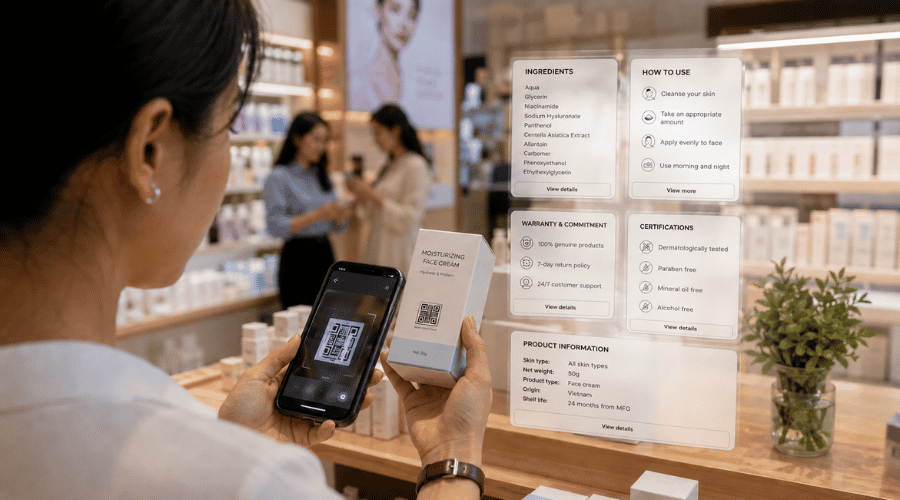 Buyers feel more confident when they can verify product information at the moment of decision.
Directing Customers to a Website or Landing Page
Many businesses use QR codes to connect products to their digital ecosystem. Users can be directed to a brand website, product introduction page, dedicated campaign page, promotions, or registration forms. This increases engagement and enables more effective tracking of customer behavior post-purchase.
 QR codes help businesses continue the customer journey after they leave the shelf.
Providing Tutorial Videos
Instead of printing lengthy instruction manuals, QR codes can lead to installation videos, usage guides, or product care instructions. This format is especially popular in electronics, home appliances, cosmetics, and furniture — where visual instructions deliver a far better experience than printed text.
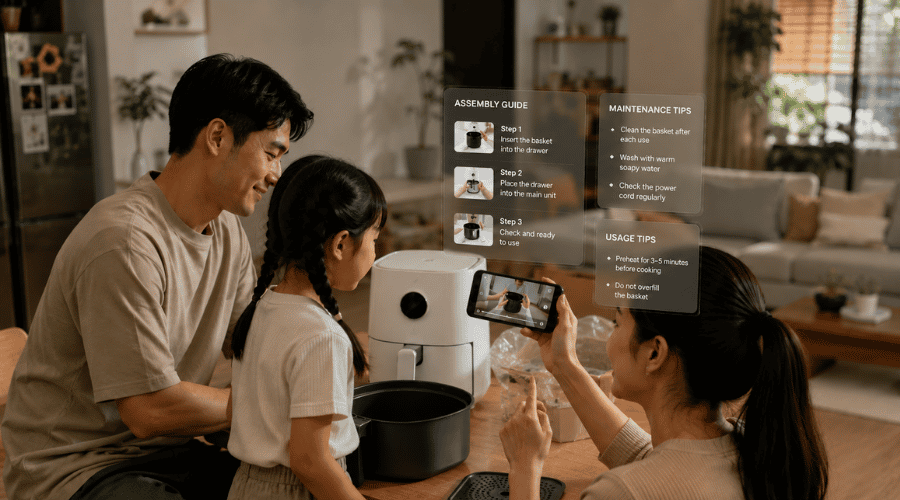 Video tutorials reduce customer support pressure and minimize product misuse.
Collecting Customer Feedback
QR codes are also commonly used to direct customers to feedback forms, satisfaction surveys, or product review pages. This is an effective approach for businesses to gather real-world data from end users at the moment of product use.
 QR-based feedback helps businesses identify real issues faster than traditional data collection methods.
What Types of Product QR Codes Are There?
QR Landing Page
This type of QR code directs users to a compact landing page containing product images, videos, call-to-action buttons, social media links, and brand information. QR landing pages are commonly used in marketing campaigns or point-of-sale activation programs.
 A QR landing page creates additional storytelling space for the product beyond physical packaging.
Multi-Link QR
A single QR code can contain multiple links — website, Facebook, TikTok, e-commerce platforms, hotline. This format suits multi-channel selling and cross-platform marketing, letting customers choose the channel they prefer.
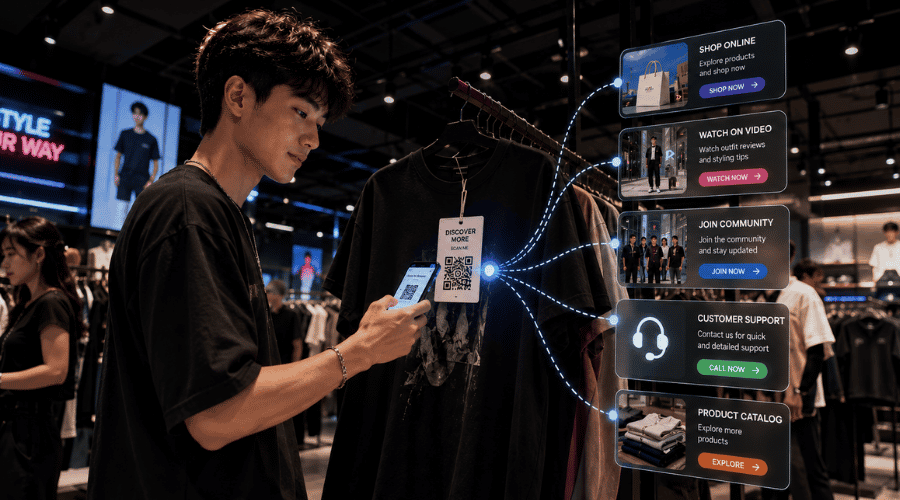 One scan gives customers the flexibility to choose the shopping platform that fits their habits.
Campaign QR
This is a QR code created specifically for short-term marketing campaigns. The content behind the code can change at each phase: promotions, interactive games, giveaways, or new product launches. Its key strength is the ability to track campaign performance by scan count, time, and geographic location. Learn more about marketing campaign QR codes to understand how to deploy and measure them.
 Campaign QR codes transform sales activities into more memorable interactive experiences.
How to Create a Product QR Code
Businesses can create product QR codes on iCheckQR either manually or using artificial intelligence to set up landing pages faster.
Method 1: Create a Product QR Code Manually
Step 1: Create Product Information
In the admin interface, go to Objects → Products → Create New, then enter basic information such as product name, SKU code, production batch, and product images.
The system also supports adding product videos, customer messages, call buttons, pricing, product variants, and social media links. Once complete, save to let the system automatically generate the product landing page.
Step 2: Create and Customize the QR Code
After creating the product, select "Create QR Code" to generate the corresponding code. Businesses can customize colors, styles, corner shapes, patterns, and brand logos. This keeps the QR code consistent with packaging design and brand identity rather than displaying in a plain default format.
Step 3: Save and Download
Once the design is complete, the QR code is saved in the system for management and download for printing purposes. Businesses can apply it to product packaging, labels, product catalogs, point-of-sale marketing materials, or marketing documents.
Method 2: Create a Product QR Code with Artificial Intelligence
In addition to manual creation, iCheckQR also supports AI-powered QR code generation, helping businesses save significant time on product landing page setup.
In the product interface, select "Create QR Code quickly with artificial intelligence," then enter or paste all product description information into the chat window. The system will automatically analyze the content, create a product landing page, organize the information, and help set up the QR code significantly faster than manual operation.
This feature is especially suitable for businesses with large product catalogs or those needing to deploy QR codes quickly for short-deadline campaigns.
Common Mistakes When Creating Product QR Codes
QR Code Too Small: This is a common mistake that makes it difficult for phone cameras to recognize. The recommended minimum size is approximately 2×2 cm to ensure stable scanning on real-world surfaces.
Colors That Are Hard to Scan: QR codes with colors that are too light or backgrounds with insufficient contrast often cause errors on packaging. The basic rule is that the code portion must be clearly darker than the background.
Landing Page Not Optimized for Mobile: Users scan codes with their phones, so the landing page must display well on small screens, load quickly, and be easy to navigate with fingers. Slow pages or misaligned layouts are the most common reasons customers leave immediately after scanning.
Content Can't Be Edited After Printing: Static QR codes don't allow content changes after printing. When landing page content, promotional information, or product details need updating, businesses often have to reprint all packaging or labels — costly and time-consuming. This is why dynamic QR codes are preferred for long-term deployment.
Which Businesses Should Use Product QR Codes?
Manufacturers and Brands: Food, cosmetics, pharmaceuticals, electronics, and home appliance sectors use QR codes to provide product information, usage instructions, and warranty information without needing to print additional physical materials.
Distributors and Retailers: Stores, supermarkets, and e-commerce platforms use QR codes to verify authentic products, display detailed information, and link promotional programs at point of sale.
Fashion and Accessories: Display material information, care instructions, and verify the authenticity of genuine products — especially useful for premium brands.
Export Businesses: Provide multilingual information, helping international customers easily look up product information without being limited by print space on packaging.
Digital Transformation Businesses: Digitize product information, optimize printing costs, and increase customer engagement through digital channels.
Which Platform Is Right for Creating Product QR Codes?
When businesses begin deploying large numbers of QR codes for many products or different campaigns, using a dedicated management platform will make operations far more efficient than creating individual codes with standard tools.
Some criteria to consider when choosing a platform:
Supports dynamic QR codes
Manages multiple codes on a single interface
Edit content after printing
Track scan counts in real time
Group by campaign or product code
Landing pages optimized for mobile devices
How Does iCheckQR Support Product QR Code Creation?
iCheckQR helps businesses create and manage product QR codes with features suited to real operational needs, from small businesses to brands with large product catalogs.
Businesses can:
Create dynamic QR codes for each product
Edit content after the code has been printed and put into use
Manage QR codes by SKU or campaign
Customize landing page display to match the brand
Track scan counts in real time
Manage the entire customer experience after scanning
This platform is suitable for businesses with many products, those running periodic marketing campaigns, those needing centralized QR code management, or those looking to synchronize experiences between online and offline channels.
FAQ
Is creating product QR codes free?
Yes. There are many tools available that support free QR code creation. However, advanced features such as dynamic QR codes, scan tracking, or managing multiple codes by campaign typically require a dedicated platform.
Can QR codes be edited after printing?
This depends on the type of code. Static QR codes cannot have their content changed after printing. Dynamic QR codes, on the other hand, allow content changes at any time — even after the code has been printed and put into real-world use.
Should I use dynamic or static QR codes?
If a business is deploying long-term or managing many products, dynamic QR codes are generally more suitable due to their ability to edit content and track scan counts without reprinting packaging.
What size should QR codes be when printed on packaging?
Generally at least approximately 2×2 cm to ensure phone cameras can scan stably across various surfaces and lighting conditions.
QR codes are becoming an increasingly important part of product digitization and enhancing the customer experience. Rather than being just a simple link-directing tool, product QR codes today can support marketing, mobile engagement, landing page management, and post-purchase customer behavior tracking.
Choosing the right type of QR code and the appropriate management platform will help businesses deploy more effectively — especially as product catalogs and campaign scale continue to expand.