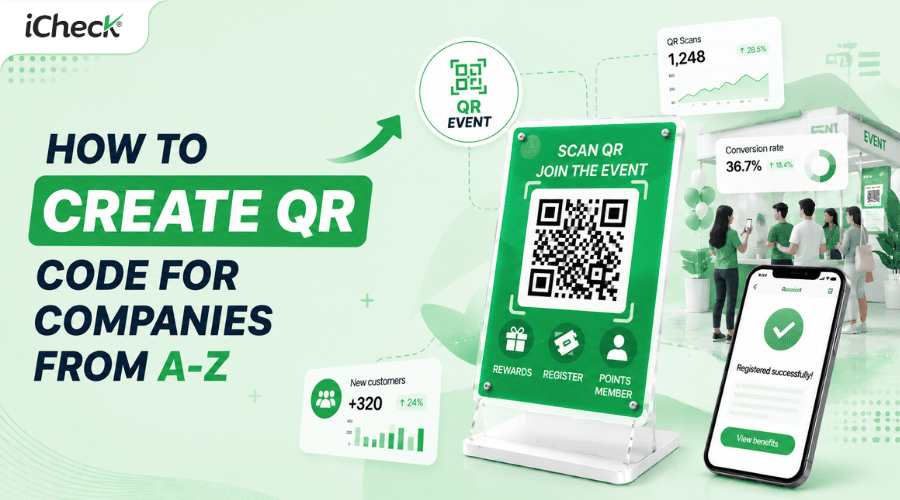

How to Create a Professional Company QR Code from A to Z
A company QR code lets customers, partners, and employees access business information with a single scan — from the website and company profile to hotlines and social media channels.
Yet many businesses run into the same problems when deploying them: content that can't be edited after printing, too many separate codes to manage, or no centralized system as operations scale up.
This guide walks through how to create a company QR code the right way — professionally, manageably, and built for real operational needs.
What Is a Company QR Code?
A company QR code directs customers, partners, or employees to business-related information with a single scan.
Unlike product QR codes or store QR codes, a company QR code typically connects multiple types of content within one ecosystem: the website, company profile, introduction page, social media channels, landing pages, or contact details. Instead of manually typing long URLs or searching through multiple steps, users simply open their camera and get there instantly.
How Do Businesses Use Company QR Codes?
QR codes are applied across a wide range of business operations and marketing activities.
Some businesses use QR codes to direct users to an introduction page or brand landing page, helping customers learn more without any extra searching. Others use them to display a full company profile — including an overview, hotline, email, address, social media links, and capability documents.
In sales and events, QR codes are used to share product catalogs, documents, or collect customer information more efficiently. For businesses with multiple branches or ongoing marketing campaigns, QR codes connect customers to specific touchpoints and make performance measurement far more straightforward.
Common QR Code Types for Businesses
Depending on the use case, businesses can choose the most suitable QR code type. Each serves a different deployment need.
Website QR Code: Directs users to the business website or a specific page such as a landing page, service introduction, or marketing campaign.
Landing Page QR Code: Displays richer content including images, videos, introductions, call-to-action buttons, and important links. Ideal when businesses want to deliver a complete post-scan experience.
 QR codes let businesses continue introducing their services even after an in-person meeting.
Multi-Link QR Code: Integrates multiple destinations into a single code — website, Facebook, TikTok, hotline, or email. Users choose the content most relevant to them after scanning.
 A single QR code keeps the multi-platform connection experience seamless.
PDF QR Code or Product Catalog QR Code: Enables sharing of capability documents, product catalogs, sales materials, or brochures without printing large quantities.
 Document QR codes give businesses flexible information sharing without relying on print.
Contact Information QR Code: Commonly used to quickly share phone numbers, email addresses, physical addresses, or digital business cards.
 Sharing contact details via QR reduces friction in professional business connections.
Identifying the right QR code type from the start helps businesses operate more smoothly and avoid having to overhaul their system as needs grow.
Static or Dynamic QR Codes — Which Is Right for Your Business?
Dynamic QR codes are generally the better choice for businesses because the content can be edited after printing without generating a new code.
Static QR codes only make sense for simple, fixed use cases — such as linking to a webpage that never changes. Dynamic QR codes are especially valuable when businesses need to update landing pages, refresh marketing campaigns, manage multiple content types, or deploy many codes simultaneously. They also provide superior scan tracking and user behavior insights — critical data for evaluating campaign performance.
How to Create a Company QR Code
Businesses can create a company QR code on iCheckQR in two ways: manually or using AI to set up a landing page faster.
Method 1: Create a Company QR Code Manually
Step 1: Create a Company Object
In the admin interface, go to Objects → Company → Create New. Enter basic information such as company name, tax code, phone number, email, website, country, and address.
Beyond the basics, the system also allows adding images, introduction videos, social media links, and detailed descriptions to build a more complete business landing page. Once done, select Save.
Step 2: Design the QR Code
After successfully creating the company object, select Create QR Code and the system will generate the corresponding code. In the customization interface, businesses can design the QR code to match their brand identity by adjusting colors, display style, corner style, or adding the company logo to the center.
Step 3: Save and Deploy
Once the design is finalized, select Create and Save QR Code, then download it in the appropriate format such as PNG. The company QR code can then be deployed on business cards, flyers, capability documents, packaging, or other communication channels to give customers fast access to business information.
Method 2: Create a Company QR Code Quickly with AI
For businesses that prefer not to fill in each field manually, iCheckQR offers an AI-powered quick QR code creation feature.
In the QR code creation interface under Company, select the AI feature in the top right corner. The system opens an assistant interface to help set up the business landing page. Simply type or paste all company information into the chat window — the AI will automatically analyze the content, generate the business information page, and set up the QR code significantly faster.
Once complete, businesses can still customize the QR code design, add a logo, and download it just as they would in the manual process.
Common Mistakes When Creating Business QR Codes
Linking to the homepage instead of specific content: Users who scan a code expect to land directly on relevant information — sending them to the homepage adds unnecessary steps and reduces engagement.
Using static QR codes for frequently updated content: When information changes, businesses have to reprint new codes — costly and time-consuming.
Landing pages not optimized for mobile: Users scan with their phones, so the landing page must display well on small screens, load quickly, and be easy to navigate.
Creating too many separate codes with no central management: Without a centralized system, businesses quickly lose control as the number of codes grows across campaigns and departments.
Not tracking scan performance: Deploying without data means businesses have no way of knowing whether a code is working or which campaigns are actually delivering results.
Overly complex QR code design: Codes with too many decorative elements or insufficient color contrast are often difficult to scan, especially in low-light conditions.
When Should a Business Use a Dedicated QR Code Management Platform?
If a business only needs one or two simple QR codes, a free tool is perfectly adequate. However, once there's a need to manage multiple codes simultaneously — across departments, campaigns, or different landing pages — manual management quickly becomes complex and error-prone.
The need for performance tracking and centralized control is also where single-purpose tools start to show their limits. In these cases, a dedicated QR code platform gives businesses the structure and precision they need to operate at scale.
How iCheckQR Supports Business QR Code Creation
iCheckQR helps businesses create and manage QR codes in a centralized way, built for large-scale operational needs.
Businesses can create a company object directly in the system and add information such as the business name, logo, images, hotline, introduction content, and relevant links. The system automatically generates a business landing page and the corresponding QR code once setup is complete. Businesses can also customize the QR code design to match their brand identity with their own logo, colors, and visual style.
A key differentiator is the ability to edit content even after the code has been printed or put into active use, along with centralized management across multiple campaigns, departments, or use cases. This solution is designed for businesses that need to deploy and manage QR codes at scale — rather than creating and operating each code individually by hand.
FAQ
Is creating a business QR code free?
Yes. Many tools today support free QR code creation. However, features such as editing content after creation, managing multiple codes, or tracking scan data typically require a dedicated platform.
Where should a business QR code link to?
It depends on the use case. Common destinations include the company website, an introduction landing page, a full business profile, or social media channels.
Should businesses use static or dynamic QR codes?
If the content needs to be updated or managed long-term, dynamic QR codes are generally the better fit — more flexible, easier to edit, and built for performance tracking.
QR codes are becoming an essential part of business digital transformation. Beyond faster information sharing, they support marketing, content management, and improved user experiences across multiple touchpoints.
Choosing the right QR code type and the right platform will help businesses deploy more effectively — especially as operational scale continues to grow.