

QR Code in Advertising - How business boost engagement & measure campaign performance
QR codes in advertising are giving businesses a way to turn billboards, POSM, flyers, and event booths into conversion channels they can actually measure. Over 62% of Vietnamese consumers have used a QR code, scanning an average of 16.2 times per month — more frequently than they swipe a bank card.
Yet many businesses continue pouring money into offline advertising with no clear picture of how many people actually act on what they see. QR codes change that — by tracking scans, traffic sources, and post-scan behavior, they make it possible to measure campaign performance and allocate budget with real precision.
What Is a QR Code in Advertising?
A QR code in advertising isn't just something to scan. It's a digital bridge embedded directly into physical ad materials — one that turns passive viewers into active participants while capturing data from every interaction.
In practice, QR codes serve four core functions within an advertising campaign:
Physical-to-digital connection: Viewers scan the code and land instantly on a product page, offer, or sign-up form — no URL to type, no extra steps.
A tangible CTA at every touchpoint: Billboards, POSM, standees, flyers, event booths, product packaging — all of them can carry a QR code as a real, actionable button.
User behavior tracking: Every scan logs the time, location, device type, and operating system — data that traditional advertising simply cannot provide.
Per-channel performance measurement: Businesses can see exactly which channel — billboard, flyer, or booth — is generating real engagement, then allocate budget based on evidence rather than instinct.
The Problems Businesses Run Into with Advertising
Even as ad budgets grow year over year, most small businesses are stuck in the same cycle: spend money — can't measure it — can't improve it. Here are the four most common pain points:
Offline advertising performance is nearly impossible to measure
There's no data on how many people actually engaged with a billboard, POSM, or flyer after seeing it.
Campaign ROI gets estimated through gut feel or small surveys — neither reflects reality.
Advertising stops at brand awareness, with no way to track what happens next.
Customers see the ad but don't act
Long, forgettable URLs get ignored even when someone is genuinely interested.
The customer journey breaks down: they notice the ad on the street, get home, and forget about it entirely.
The moment of highest interest passes — and the conversion opportunity goes with it.
No customer data from offline channels
Without scan data, there's no way to know who engaged with the ad or how they responded.
Post-ad customer behavior is a complete black box.
First-party data — increasingly critical as digital advertising tightens privacy rules — simply isn't being collected.
No visibility into which channel is actually working
Businesses can't distinguish real performance between a billboard, a flyer, a booth, or a social ad.
Budget allocation by channel comes down to guesswork, with no data to back it up.
How QR Codes Solve These Problems ?
Track performance at every individual ad placement
Each QR code is tied to a specific source — billboard on Route A, event flyer B, trade fair booth C — so businesses know exactly where each interaction came from.
Data collected includes: scan location, time of day, device type, operating system, and traffic source.
Campaign performance reports by channel and time slot, available in real time — no waiting until the end of the month.
Turn ad touchpoints into direct conversion points
The customer journey shrinks to three steps: scan → optimized landing page → action (purchase, sign-up, app download, or offer redemption).
No URL to memorize. No broken journey. No unnecessary steps in between.
Offline conversion rates become a measurable, data-backed metric.
Collect first-party data from offline advertising
Integrate a lead capture form directly into the post-scan landing page.
Customers willingly share their information in exchange for an offer — consent is clear, and the data feeds directly into future campaigns.
This becomes the foundation for personalized experiences and precise retargeting.
Optimize campaigns in real time
A dashboard tracks every QR code's performance live, with side-by-side channel comparisons.
Underperforming channels can be spotted within the first few days — before budget is wasted on the full campaign run.
With dynamic QR codes, CTAs and landing page content can be updated without reprinting a single piece of material.
Ways to Use QR Codes in Advertising
1. QR Codes on Billboards
Billboards reach a wide audience, but they've always had a built-in limitation: people can't memorize a URL or phone number while they're moving. QR codes fix that by creating an immediate action — one scan and they're there.
For billboard QR codes to actually deliver, a few deployment principles matter:
Location selection: Prioritize spots where people can stop or slow down — traffic lights, shopping center entrances, bus stops. Avoid placing QR codes on high-speed highway billboards where no one has time to scan.
Minimum size: For scanning distances of 1–3 meters, the QR code needs to be at least 10×10 cm. Larger distances require an on-site test before printing.
CTA right beside the code: Something like "Scan for today's offer" — people need to know what they're getting before they bother reaching for their phone.
Landing page loads in under 3 seconds: Pages that take longer lose 53% of users. For someone standing outside, patience runs even shorter.
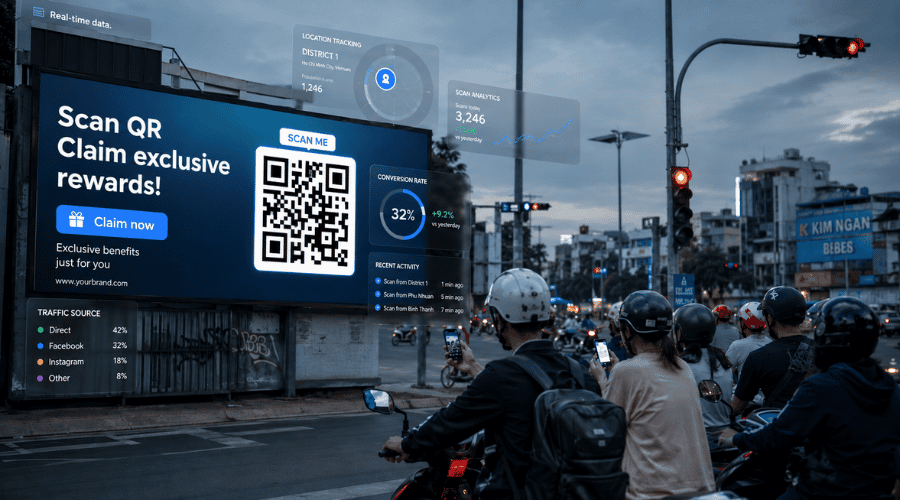 QR code applications in advertising help track instant conversions.
2. QR Codes on Standees & POSM
POSM is the touchpoint closest to the purchase decision — the customer is standing in front of the shelf, at the checkout counter, or right at the store entrance. It's the moment of highest intent, and the best conversion opportunity in the entire customer journey.
QR codes on POSM shouldn't point to the homepage — that's a common choice that wastes the moment. Instead:
Link to the specific product on display, with real-use video demos or verified customer reviews.
Integrate an offer form directly in the page — a customer leaves their phone number to receive a 10% discount code, and the business gains a qualified lead.
For products that need explanation (supplements, devices, specialized skincare), a 60-second mechanism video does more convincing than any amount of text on the packaging.
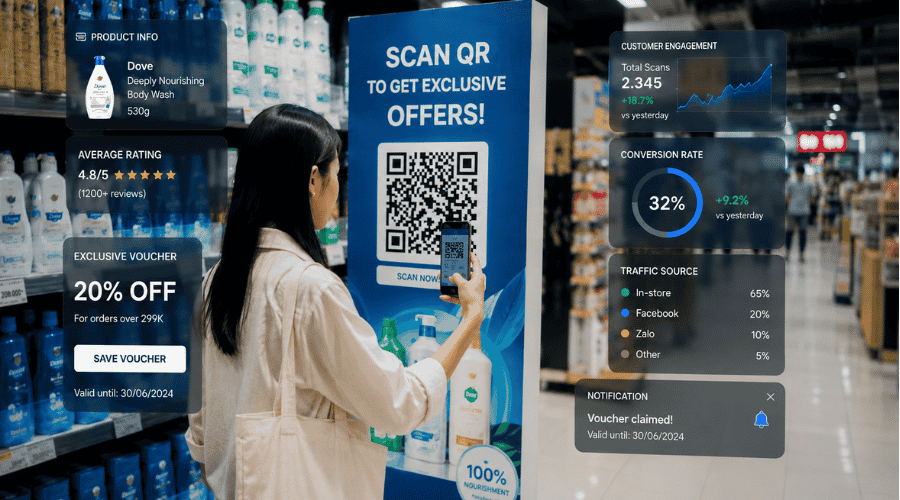 POSM touchpoints at retail shelves shorten the journey from consideration to purchase
Real example: A dairy brand placed a QR code on an in-store standee linking to a nutritional comparison video. In the first two weeks, QR-driven video views accounted for 34% of total views — the majority coming between 5–8 PM, matching the after-work supermarket rush. That data directly informed the marketing team's decision to shift social ad scheduling to the same window.
3. QR Codes on Flyers and Brochures
Traditional flyers get stuffed in a bag and forgotten. QR codes extend the lifespan of printed materials by creating an action that can happen immediately — or later, on the customer's own time.
The key difference from billboards: the person holding a flyer has already given it a few extra seconds of attention. That's an advantage worth using:
Place the QR at the end of the flyer alongside a summary CTA — once someone has read through the content, scanning is the natural next step.
Use different QR codes for each distribution run: Flyers handed out at Trade Fair A use Code A; Event B uses Code B. Even when both point to the same landing page, scan data reveals which distribution channel actually performs — and informs print and distribution decisions for the next campaign.
Pair it with a time-sensitive offer: "Scan to claim a 50,000 VND voucher — expires in 7 days" creates urgency to act now, while giving the business a precise redemption rate against total flyers distributed.
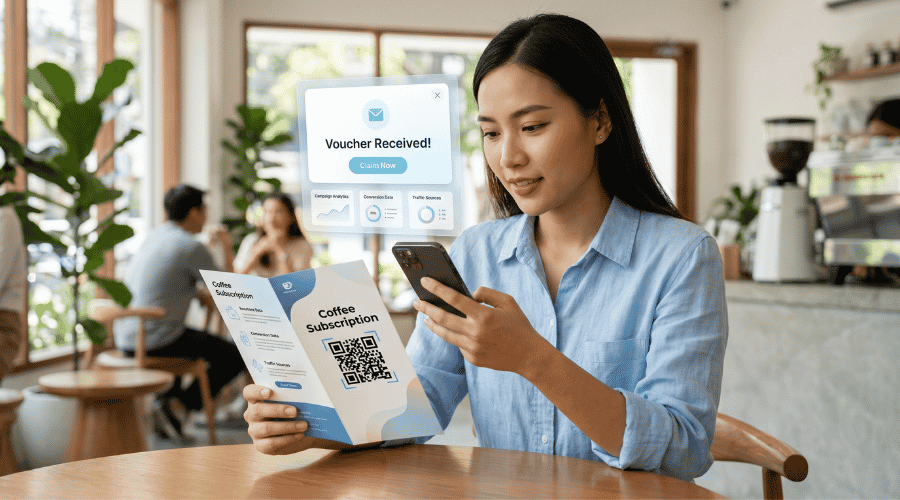 Extend the lifespan of printed marketing materials with mobile-based promotional experiences.
4. QR Codes in TV Commercials & Connected TV
Traditional TV advertising has no action point — viewers might love a product but have no way to do anything about it in the moment. A QR code appearing in the final 3–5 seconds of a TVC changes that.
QR codes in connected TV (CTV/OTT) advertising deliver 30% higher engagement than standard banner formats when paired with a time-limited offer.
Key principles for effective execution:
Minimum 5 seconds of screen time — enough for a viewer to pick up their phone and scan.
On-screen CTA must be immediate: "Scan now for today's offer only" — scarcity is the strongest motivator in this format.
The landing page should show a countdown timer or remaining offer count to sustain urgency after the scan.
Use a separate QR code for each broadcast channel (VTV, HTV, YouTube, Netflix, etc.) to identify which platform drives the most scans.
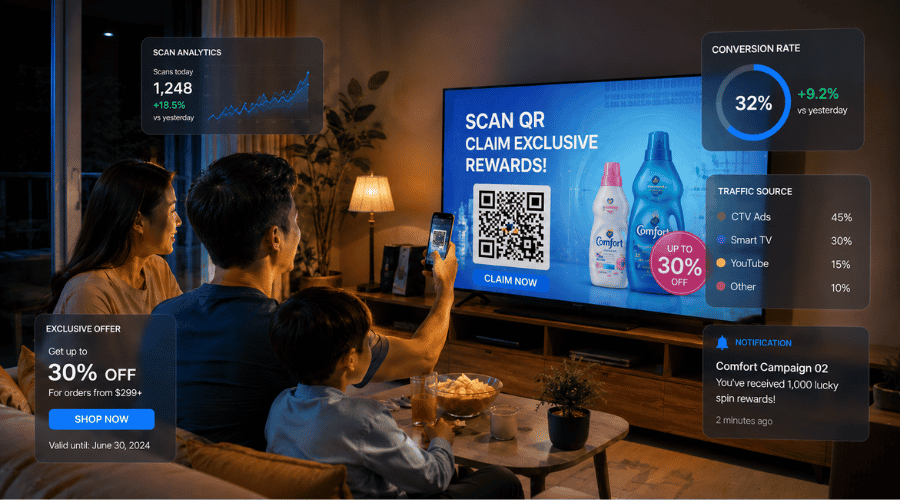 QR codes in TV advertising turn passive viewers into active participants.
5. QR Codes in Social Media Advertising
It sounds counterintuitive — placing a QR code designed to be scanned by a phone on an ad that someone is already viewing on their phone. But two scenarios make social media QR codes genuinely effective:
Scenario 1 — The ad appears on a large screen (smart TV or desktop): Users watching Facebook or YouTube on a TV or computer scan the QR code with their phone to shift into a mobile environment where completing a purchase is far more natural.
Scenario 2 — The ad is a static image that gets shared, printed, or screenshotted: A QR embedded in a creative asset lets viewers take action even when they encounter the ad in an offline format.
Additionally, combining QR codes with UTM parameters allows precise tracking of conversion behavior from each individual ad group — information a standard link can also provide, but QR adds a physical interaction layer that meaningfully increases user commitment.
 Synchronized cross-platform campaigns help manage the entire digital customer journey.
6. QR Codes at Booths & Events
Events are the highest-engagement advertising environment there is — attendees arrive curious, active, and ready to interact. QR codes are built for exactly this context.
Practical booth applications:
Replace flyer distribution with instant lead capture: Instead of handing out brochures and hoping people keep them, place a QR code on the booth display. Attendees scan, fill in a form to claim an offer, and the business has clean, organized lead data immediately — with zero printing cost for materials that typically get dropped on the floor.
Interactive product experience: QR links to demo videos, quick product-fit quizzes, or personalized recommendation tools — helping attendees understand the product more deeply during the brief time they spend at the booth.
Compare performance across booth positions: If a business has multiple booths at the same event, each location gets its own QR code. Interaction data by position informs smarter booth placement decisions at future events.
Real example: A tech company attending an industry expo placed QR codes on their demo tables. Over two event days, 240 scans were recorded — 68 of those resulted in fully completed lead forms. Cost per lead came in 60% lower than traditional flyer distribution at a comparable event the previous year.
 Digitizing event experiences with QR codes in advertising helps reduce operational costs.
7. QR Codes for Offers and Discount Vouchers
Paper coupons have two persistent problems: redemption rates are nearly impossible to track, and the codes are easy to copy or abuse. QR codes address both.
Each QR code is a trackable offer: Businesses know exactly how many people scanned and how many actually used the voucher — giving a precise redemption rate per campaign.
Usage limits are enforceable: Cap the number of times a code can be used to prevent offers from spreading beyond their intended audience.
Personalize offers by channel: Customers who scan from a flyer receive Offer A; those scanning from a billboard receive Offer B — enabling A/B testing of offers across distribution channels.
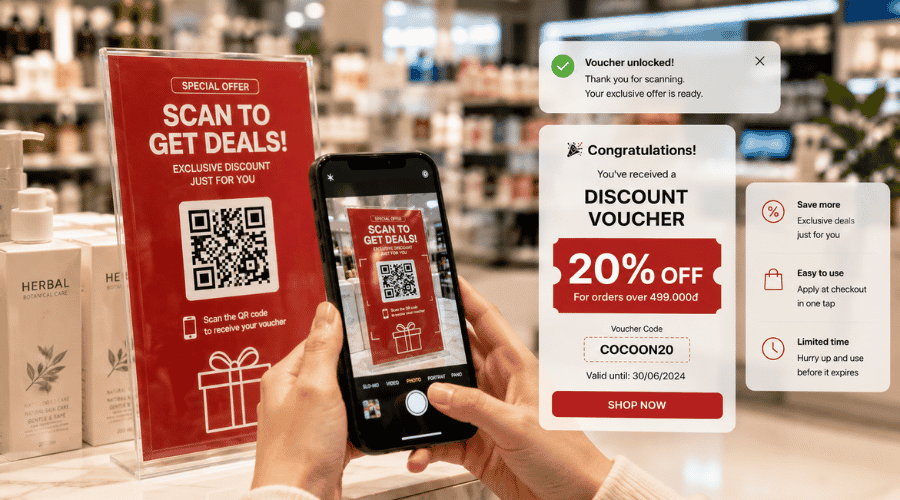 Manage voucher redemption rates and prevent promotional abuse.
8. QR Codes Linking to Product Pages
This is the most straightforward application — and the most commonly mishandled. Most businesses point their QR codes to the homepage rather than the specific product being advertised, forcing users to search for themselves and driving up bounce rates.
Principles for a product page that actually converts after a scan:
One QR = one specific product: Never link to a general category page. Someone scanning a QR code from a Product A ad wants to land on Product A — immediately.
The page content should extend the printed material, not repeat it: The print already has visuals and basic information. The landing page should add video, detailed comparisons, real customer reviews, and a clear order button.
Mobile-first, always: Every person scanning is on a phone. The buy button needs to be large enough to tap with a thumb, and the checkout form should involve as few steps as possible.
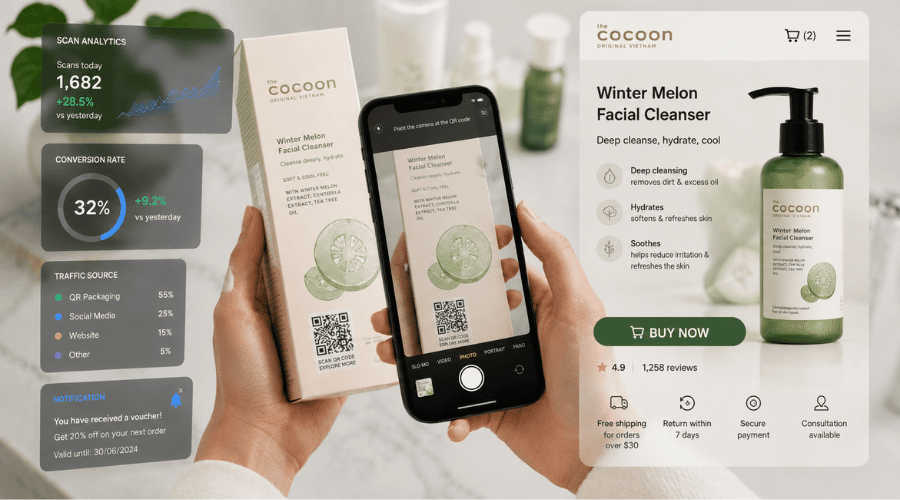 Shorten the purchasing journey with fully mobile-optimized product landing pages.
Best-fit industries: FMCG, electronics, health supplements, cosmetics — products that require more information to purchase than packaging can ever accommodate.
9. QR Codes for App Downloads from Advertising
The normal path to downloading an app from an offline ad involves opening the app store, typing in a search, and hoping to find the right one. Every one of those steps is a dropout opportunity. QR codes collapse the entire process into a single scan.
Smart links auto-detect the operating system: iOS users go straight to the App Store; Android users go to Google Play — no need for two separate QR codes.
Measure cost-per-install from offline channels: This metric was previously only trackable in digital advertising. QR makes it possible to calculate the real cost of acquiring one install from a billboard, flyer, or booth — and compare it directly against digital campaign performance for smarter budget decisions.
Pair with a post-install incentive: "Download now — get 100,000 VND added to your wallet" — incentives that activate after installation significantly improve the conversion rate from scan to active user.
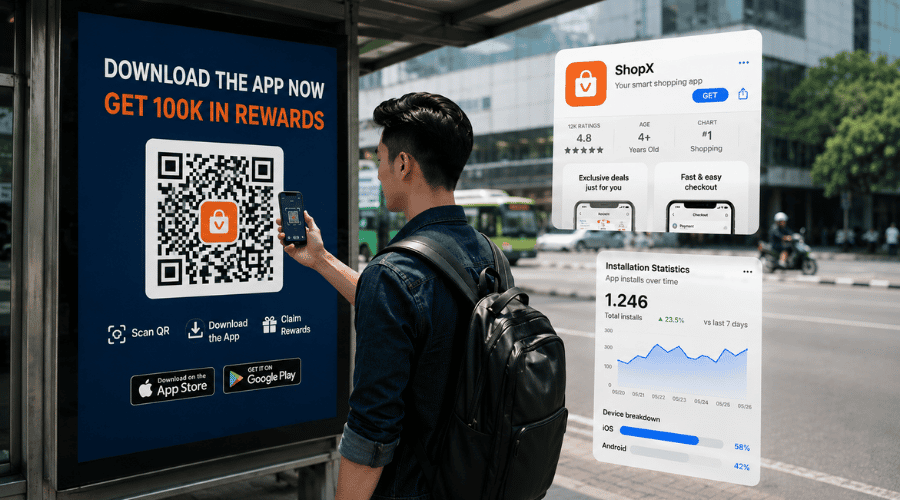 Smart linking technology automatically detects operating systems to optimize app downloads.
10. QR Codes for Gamification Campaigns
Gamification in advertising isn't new — but QR codes are the first tool that makes it possible to integrate interactive experiences into physical touchpoints instantly, with no app download required.
Spin-to-win: Customers scan a QR code at a store or event, spin a digital wheel, and claim a reward on the spot. Participation rates tend to run significantly higher than standard form fills — the entertainment element changes the dynamic entirely.
Multi-point QR hunts: QR codes placed at multiple locations within an event space, with a reward unlocked only after scanning all of them. This format extends the time customers spend engaging with the brand and encourages them to explore the full venue.
Shareable mini-games: After playing, participants are encouraged to share their results on social media in exchange for extra chances — creating organic word-of-mouth reach at no additional cost to the business.
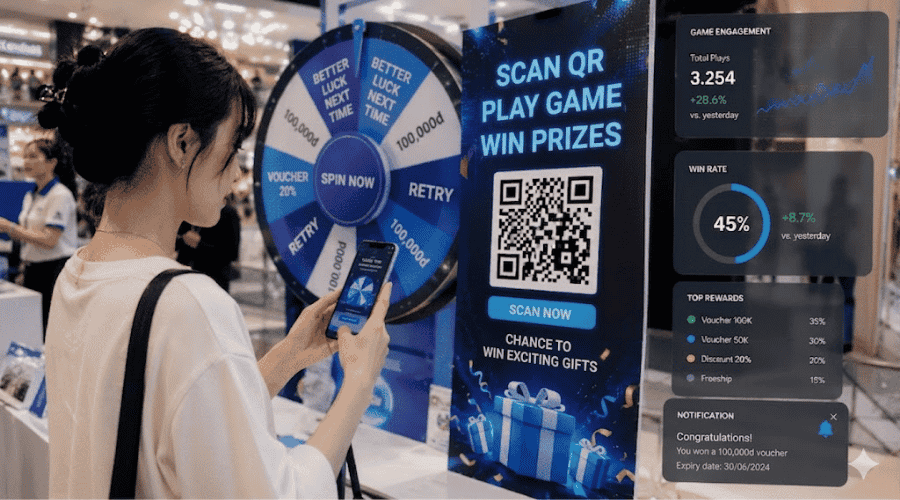 Interactive marketing experiences using QR codes in advertising encourage customer engagement.
Trackable metrics: game completion rate, average scans per user, share rate — all of which reflect genuine brand engagement, well beyond what a standard impression count can show.
What Businesses Actually Gain
Higher engagement with advertising QR codes create a specific, immediate action at the point of contact. Instead of just seeing an ad, customers have a reason to act right now. According to MobileIron, 83% of smartphone users have scanned a QR code at least once — and that habit has only strengthened since the pandemic normalized QR as part of everyday life.
Real-time campaign performance measurement No more waiting on end-of-month reports. Every scan is logged immediately — businesses can spot underperforming channels on day one and adjust before the budget runs out.
First-party data collected directly from customers As third-party cookies are phased out, first-party data is becoming a genuine competitive advantage. QR codes in offline advertising are one of the few mechanisms for collecting clearly consented data from customers who are already demonstrating active interest — data quality that passive cookie collection rarely matches.
Higher conversion from offline to online Fewer steps between seeing an ad and completing a purchase means fewer drop-offs. QR codes eliminate the biggest barrier in offline advertising: the gap between the moment of interest and the moment of action.
Personalized customer journeys Different QR codes for different audience segments — by region, event, or timing — leading to landing pages tailored to each group. This is how personalization gets built into the very first touchpoint.
Budget decisions backed by real data When it's clear which channel drives the most scans at the lowest cost per action, budget allocation stops being a judgment call. For businesses with limited budgets, that precision is everything.
iCheckQR Features That Support Advertising Campaigns
Dynamic QR codes — update destination without reprinting Static QR codes lock in a URL at the time of printing. iCheckQR's dynamic QR codes store the destination URL server-side, allowing the target page to be changed at any time without touching the printed code. For billboards and product packaging especially, this means campaigns can evolve while materials stay in use — eliminating reprint costs entirely.
QR Tracking — measure scans and campaign performance iCheckQR logs every scan in detail: total volume, daily and hourly distribution, device type (iOS/Android), geographic location, and traffic source. All of this feeds directly into campaign performance reports — no third-party tools needed.
Real-time dashboard A centralized management interface brings all active campaign QR codes into one view. Marketing teams can monitor and compare channel performance, track trends, and spot anomalies — spikes or drops — without switching between screens.
Build landing pages for each campaign No developers required. iCheckQR lets teams create simple landing pages directly within the platform — with built-in CTAs, lead capture forms, product images, and action buttons. Purpose-built for smaller businesses that can't afford a custom landing page for every campaign.
Manage multiple QR codes across multiple channels One account manages every QR code across all campaigns and channels — no fragmented tools. Practical for teams running simultaneous campaigns across billboards, flyers, booths, and social ads, each with their own QR code.
Role-based access for marketing teams Team members get access based on their specific role — QR code creator, report viewer, landing page editor — without sharing admin credentials. Designed for businesses with multiple teams, or those working alongside external agencies.
How to Deploy QR Code Advertising with iCheckQR
Step 1 — Create QR codes for the campaign
To create advertising QR codes for different channels, businesses simply access the platform → log in to iCheck QR → create a new QR code → name it based on the deployment location (for example: “Billboard_Q3_HCM”) → then select the dynamic QR code option.
Step 2 — Customize the landing page and CTA Choose a landing page template → Add product images, offer details, and a lead capture form → Set a clear CTA (Buy Now / Sign Up / Download App) → Preview on mobile before publishing.
Step 3 — Print QR codes on billboards, POSM, flyers, or TVC Export high-resolution QR files (SVG or 300 dpi PNG) → Hand off to the design team for integration → Test scan performance at the intended viewing distance before full-scale printing.
Step 4 — Monitor scan and conversion data Once the campaign is live → Open the dashboard and track daily scan volume → Connect with Google Analytics (if integrated) to follow post-scan behavior: time on page, form completion rate, conversion rate.
Step 5 — Optimize based on data After the first 7–14 days: Compare performance across channels → Adjust CTAs or landing page content (dynamic QR makes this possible without reprinting) → Shift budget from underperforming channels to those delivering results.
Things to Keep in Mind When Deploying QR Codes in Advertising
Place the QR code where scanning is comfortable. The code needs to be somewhere people can stop and scan without rushing. Effective placement: eye level, unobstructed, well-lit, and positioned so that someone pausing to scan doesn't block foot traffic.
Size the QR code to match viewing distance
Write a CTA that tells people exactly what they get A QR code doesn't explain itself. The CTA next to it needs to answer immediately: "What do I get for scanning?" — "Scan to claim a 50,000 VND voucher" is a much stronger prompt than "Scan for more information."
Make sure the landing page works on mobile Everyone scanning is on a phone. Pages that take more than 3 seconds to load lose 53% of visitors. Priorities: fast load speed, single-column layout, thumb-friendly CTA buttons.
Ensure enough contrast for reliable scanning QR codes need adequate contrast between the dark modules and the light background. Printing on busy patterns or closely matched colors is the most common technical mistake that renders a code unscannable in real conditions.
Use dynamic QR codes to avoid reprinting Dynamic QR codes let you change the destination URL without affecting the printed code. Campaign changes, new offers, new products — the same printed materials stay usable, and reprinting costs stay at zero. Of all the deployment decisions, this one has the greatest long-term impact on operating costs.
FAQ
Can QR codes track scan data in advertising campaigns?
Yes — if you're using dynamic QR codes. Trackable data includes: scan count, time of scan, location, device type, and traffic source. Static QR codes don't support tracking.
Can the destination URL be changed after printing?
Yes. Dynamic QR codes allow the target link to be updated at any time without reprinting the code itself.
Do QR codes help measure advertising campaign effectiveness?
Yes. QR codes can measure: scan volume, conversions, traffic sources, and per-campaign performance. Pair with UTM parameters and Google Analytics to track the full user journey from scan to action.
How can we increase scan rates on billboards or POSM?
Key factors: use a benefit-focused CTA, position the code where scanning is easy, size it correctly for viewing distance, and create urgency through a limited-time offer or exclusive reward.
Can different QR codes be used for different advertising channels?
Yes — and they should be. A separate QR code per channel is what makes it possible to measure performance accurately across billboards, flyers, booths, and social ads independently.
