Creating Barcodes for Pharmacies: GPP Compliance Guide + Practical Tools 2026
Without a barcode system, a pharmacy cannot obtain its license — this is explicitly stated in Circular 02/2018/TT-BYT. But setting up barcodes for a pharmacy is not just about passing GPP inspections. A properly implemented barcode system prevents dispensing errors, controls expiry dates, and enables product traceability when needed — from independent pharmacies to chains.
Why Are Barcodes Mandatory for Pharmacies?
Legal basis: Circular 02/2018/TT-BYT stipulates that barcodes are a mandatory technical standard under the GPP (Good Pharmacy Practice) framework. Pharmacies that do not meet this requirement will not be granted a pharmaceutical business license, or will have their license revoked if already operating.
Beyond compliance, a pharmaceutical barcode system delivers 3 direct operational benefits:
Prevent dispensing errors — the scanner alerts immediately if the barcode does not match the prescription
Automatic expiry date control by batch — no manual inspection of individual boxes required
Product traceability during incidents — identify the batch within minutes
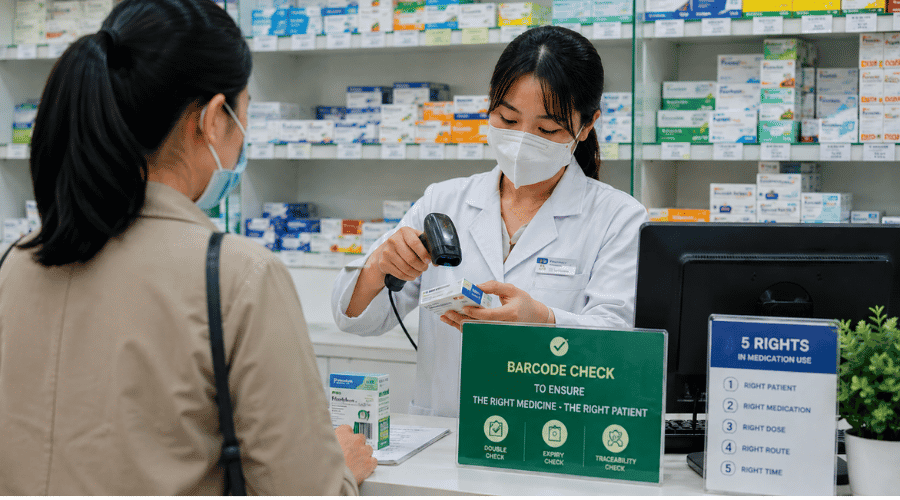 Every barcode scan adds one more safety checkpoint before medication reaches the customer
Types of Barcodes Used in Pharmacies
Conclusion: Retail pharmacies primarily need EAN-13 and QR Code. Pharmacode is for manufacturers — not a GPP requirement for retail pharmacies.
What Does a Pharmacy Need to Barcode?
Not just drug boxes. Items requiring barcodes in a GPP-compliant pharmacy include:
Drug boxes without barcodes (small domestic drugs, compounded prescriptions)
Stock-in slips by batch and expiry date
Stock-out slips and sales invoices
Loyalty cards
Supplementary labels for imported products without Vietnamese labeling
How to Create Barcodes for Pharmacies — By Method
Choose by scale: 1–2 person retail pharmacy → use method 1 or 2; pharmacy with management software → use method 3; pharmacy chain → use method 4.
1. Batch Generation with Excel / Google Sheets
Target audience: Retail pharmacies preparing for GPP, catalog under 500 SKUs, not ready to invest in paid software yet. Ideal for internal delivery slips and stock-in slips with fixed codes — where data already exists in the drug catalog file.
Column A contains the EAN-13 or internal code for each SKU
Download IDAutomationHC128 font (free) → install on your computer
Column B: enter formula ="*"&A1&"*" → change font to IDAutomationHC128
Barcode appears instantly in the cell → print at 300 DPI or copy into label template
Note: EAN-13 requires exactly 13 standard digits — do not assign arbitrary numbers if you want nationwide system integration.
2. Manual Creation with Free Online Tools
Target audience: Small pharmacies needing fewer than 20 codes, pharmacist-managed with no IT support, or needing quick supplementary labels for newly arrived imports.
Available options include: TEC-IT (highly customizable but English interface); Barcode Generator (instant single codes but no DPI/size control); iCheck QR is a tool developed by a Vietnamese company, optimized for domestic barcode standards — supports both EAN-13 and QR Code, Vietnamese interface, no account required.
Instructions for creating pharmacy barcodes with iCheck QR:
Visit the iCheck QR barcode generator page → select EAN-13 barcode type
Enter the 13-digit product code in the data field
Adjust dimensions: minimum width 25mm, minimum height 15mm
Select 300 DPI resolution → Download PNG
Print on thermal label → attach to drug box or supplementary label
Note: iCheck QR is suitable for individual creation — does not support batch generation. If your catalog exceeds 50 SKUs, combine with Excel (method 1) or upgrade to pharmacy management software in section 3.
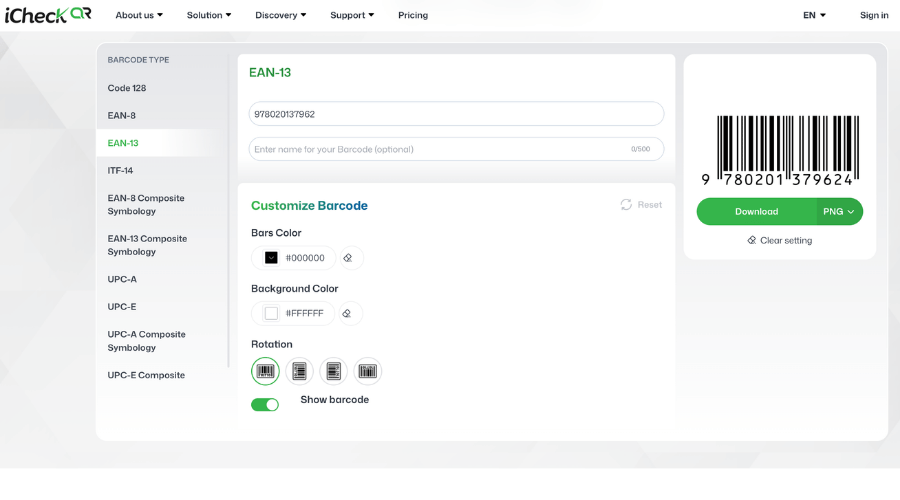 EAN-13 is the standard supported by most retail systems and pharmacy management software for inventory control and product traceability
3. Batch Generation with Label Printing Software
Target audience: Mid-size pharmacies with frequent large-volume restocking, needing batch label printing on each new shipment. Suitable for catalogs over 200 SKUs requiring professional label templates with drug name, expiry date, and price.
Import drug list from Excel → map data fields (drug name, batch number, expiry date, EAN-13) → print directly to desktop thermal printer. BarTender suits enterprises needing high customization; LabelJoy has a free version suitable for mid-size pharmacies.
4. Barcode Generation via Pharmacy Management Software
Target audience: Pharmacy chains, pharmacies with health insurance contracts, or any pharmacy wanting to standardize the entire workflow — from receiving stock to sales — in a single system.
Mandatory note: Pharmacy management software must be linked to the Ministry of Health management system — this is a GPP requirement, not optional.
Health insurance integration: Pharmacies with health insurance contracts need a 2D scanner capable of reading QR codes on digital health insurance cards. Workflow: scan health insurance card → look up patient information → generate prescription → print slip with integrated prescription barcode.
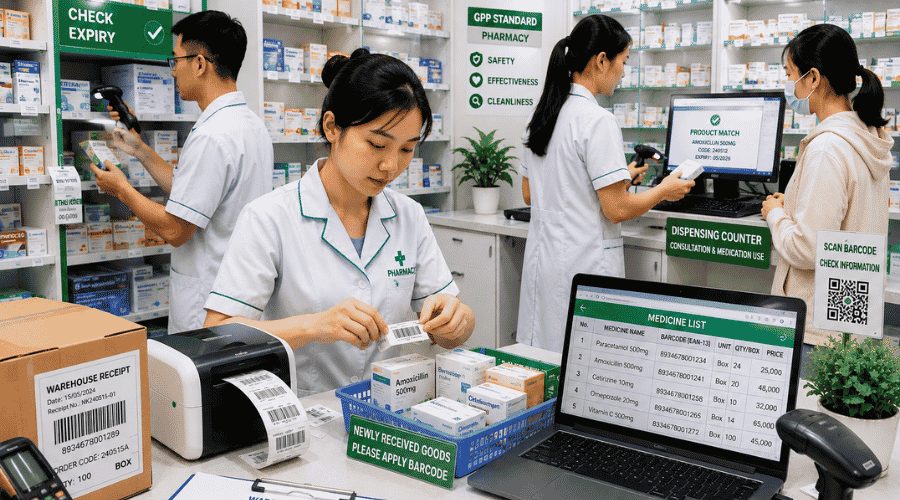 Accurate barcode data is the foundation for inventory management, sales, and product traceability
Step-by-Step Barcode System Implementation for a Pharmacy
Select pharmacy management software approved by the Ministry of Health
Enter the drug catalog into the system — assign barcodes to each SKU
Purchase printing and scanning equipment appropriate to your scale
Print and affix labels to all current inventory
Train staff on scanning procedures during sales and stock intake
Implementation timeline: A retail pharmacy with fewer than 500 SKUs can complete setup in 1–2 days if the catalog is already standardized.
FAQ
Can a pharmacy create barcodes before obtaining GPP certification?
Yes. Creating barcodes does not require GPP certification first — it is one of the preparation steps toward GPP, not a post-certification requirement.
Does pharmacy management software need to be registered with the Ministry of Health?
Yes. Under GPP regulations, pharmacy management software must connect to the national pharmaceutical data system of the Ministry of Health. The list of recognized software can be found on the Drug Administration of Vietnam portal.
What is the difference between GS1-128 and Code 128 in the pharmaceutical industry?
Code 128 is a standard encoding format. GS1-128 is an enhanced version following international standards, allowing batch number, expiry date, and quantity to be encoded within a single barcode. Pharmaceutical distributors need GS1-128; retail pharmacies can use Code 128.
Implementing a barcode system in a pharmacy typically starts with EAN-13 for retail and Code 128 for internal warehouse management. Online tools, Excel, label printing software, or integrated management systems — each tier serves a different scale. A comprehensive overview of barcode creation methods from basic to advanced can be a useful reference before choosing the right tool for your pharmacy’s scale.