
How to Create Barcodes for Lazada Free of Charge: Complete Guide from A to Z
Creating barcodes for Lazada is not a mandatory requirement, so most sellers leave the field blank and list products without issue. The problem only surfaces when expanding to other channels, integrating inventory management software, or when Lazada requires catalog standardization — at which point the backlog of work becomes significant.
Handling this early avoids that risk without much effort. This guide covers the entire process: identifying the barcode standard Lazada accepts, generating barcodes for free without installing software, and resolving common errors when submitting to Seller Center.
Is a Barcode Mandatory to Sell on Lazada?
Lazada does not require barcodes for all products — this is the clearest difference from Shopee. New sellers can list products without filling in the barcode field and they will still appear normally on the platform.
However, leaving it blank does not mean there are no consequences. When syncing inventory to Shopee or TikTok Shop, connecting order management software, or when Lazada conducts a catalog review, every product without a barcode will need to be updated from scratch.
What Barcode Types Does Lazada Accept?
Lazada accepts three main types: EAN-13, UPC-A, and internally defined SKU codes. EAN-13 is the most widely used standard in Southeast Asia and is best supported by the Lazada system.
EAN-13 consists of 13 digits — 12 are entered by the user and the 13th is a check digit calculated automatically by the algorithm. UPC-A is more common in North American markets and is rarely used on Lazada Vietnam.
Important note: Lazada does not use QR codes to identify products in its system. QR codes serve other purposes such as promotions or product lookup — do not enter them in the barcode field.
3 Ways to Create Barcodes for Lazada for Free
Method 1 — Free Online Tools (No Installation Required)
Best suited for small shop owners, new sellers, or anyone who needs to create individual barcodes quickly without installing software.
barcode.tec-it.com
Go to tec-it.com, select EAN-13 from the barcode type list. Enter 12 digits of your choice — the system automatically calculates and appends the 13th check digit. Download as PNG or SVG, then use directly in Lazada Seller Center or print and attach to products. The tool is completely free, requires no account registration, and supports many barcode standards beyond EAN-13.
2. iCheckQR
Create standard EAN-13 barcodes at icheckqr.com/barcode#ean13, export as PNG or SVG, with history tracking for previously created codes and support for multiple barcodes in one session. More suitable when managing multiple SKUs at once without needing dedicated software.
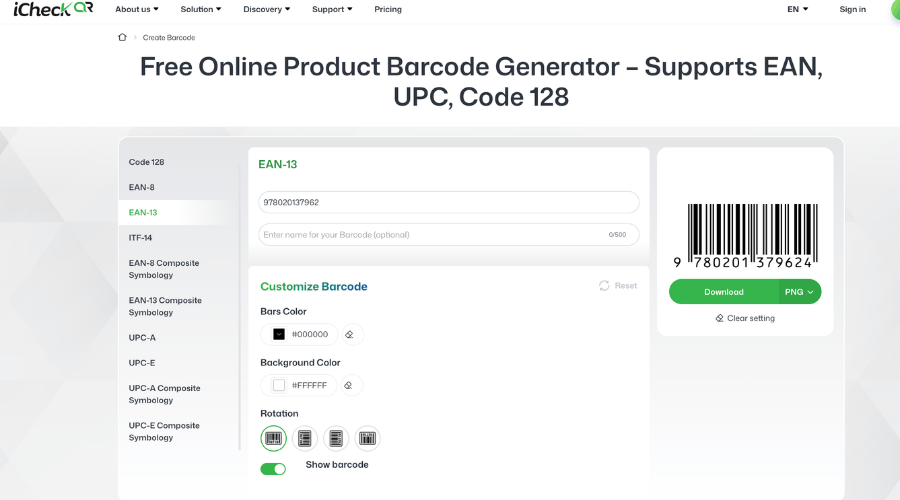 Seller selects EAN-13 standard, enters digits and downloads barcode instantly — no account or installation needed
Method 2 — Google Sheets / Excel Combined with Online Barcode Rendering (Bulk, Free)
Best suited for sellers with 20 to 100 SKUs. Create a list of incrementally numbered EAN-13 values in Sheets, apply the check digit formula, then export barcode images in bulk via tec-it or a barcode rendering API. Name each file after its SKU for easy uploading to Lazada.
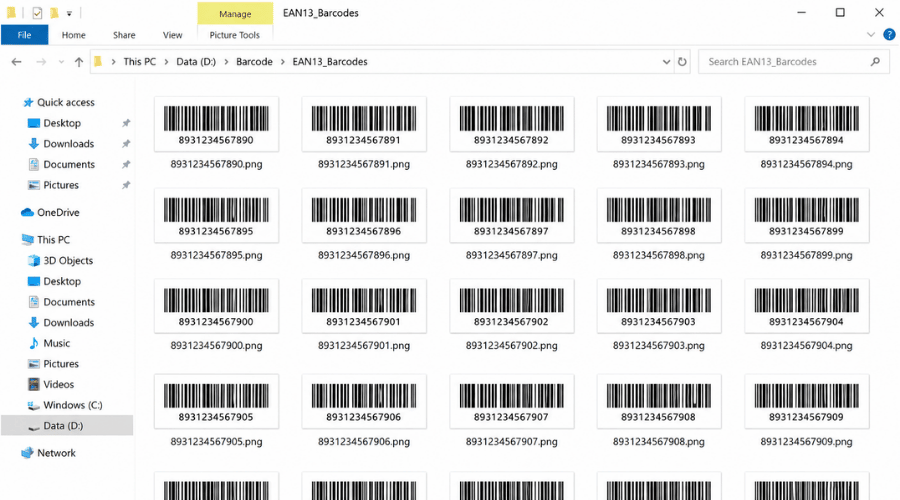 Folder of 100 EAN-13 barcode files named by SKU number — proof that bulk Lazada barcode creation is fully achievable for free
Method 3 — Desktop Software (Professional Bulk Printing)
Best suited for large-scale self-producers, professional dropshippers, or warehouses that need to print labels for hundreds of products per day.
Zint (Free, Open Source)
Suitable for sellers running their own warehouse who need high-quality image files for label printing, or shops with large SKU counts.
Download and install Zint on Windows or Mac
Open the software, select barcode type: EAN-13, Code 128, or UPC
Enter product code numbers manually or paste a list from Excel
Adjust barcode size and resolution as needed
Set output format to PNG or SVG
Select Export / Batch Export to generate all barcodes at once
Use the exported images to print labels, attach to packaging, or send to a label printing service
2. Bartender / NiceLabel (Paid, Free Trial Available)
Install the software on your computer
Connect an Excel file containing: product name, SKU, barcode
Design the label template: logo, product name, price, barcode, QR code if needed
Connect directly to a thermal label printer
Select the Excel file — the software automatically pulls data, generates barcodes, and prints in bulk using the template
For new products: just update Excel or hit print again without redesigning from scratch
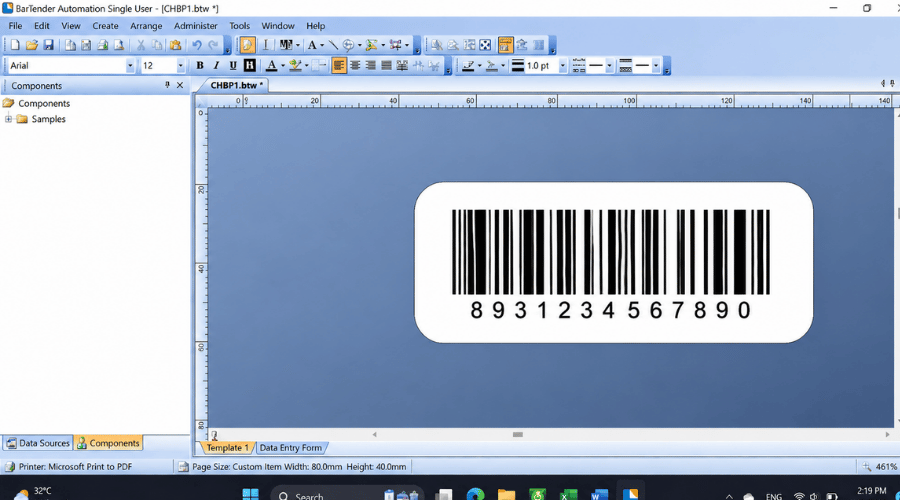 Bartender label design interface showing actual 80x40mm label dimensions — ideal for warehouses or dropshippers standardizing product labels at scale
Can You Still List Products on Lazada Without a Barcode?
Yes — but scaling up will be difficult. Shops can sell normally on Lazada without a barcode, but as product count grows, inventory management becomes error-prone, syncing to Shopee or TikTok Shop is nearly impossible, and integrating management software requires individual product codes. With a handful of products this is not a problem, but from around 50 SKUs upward, the absence of barcodes starts to create real operational friction.
Common Errors When Creating Barcodes for Lazada
Lazada reports the barcode as invalid
The most common cause is an incorrect check digit (the 13th digit). This happens when entering the digit manually instead of letting the system calculate it. Using a tool like tec-it handles this automatically — no manual calculation needed.
Barcode created but cannot be scanned
Usually caused by an image with too low a resolution or incorrect bar width-to-height ratio when printed. When printing labels, use a minimum resolution of 300 DPI and do not manually stretch the barcode image.
Barcode conflicts with another product
Self-created barcodes are not registered in any global system, so they could theoretically conflict with a manufacturer's barcode. To reduce this risk, use number prefixes between 200 and 299 — this range is reserved for internal-use barcodes and does not overlap with commercially distributed codes.
Self-Created Barcodes vs Official GS1 Barcodes: What's the Difference?
FAQ
Does Lazada verify barcodes?
Lazada does not verify barcodes in real time during listing. However, during catalog review cycles, products with invalid or duplicate codes may be flagged for update.
What barcode should handmade products use?
Use a self-created EAN-13 with an internal prefix (200–299). No need to purchase a GS1 code unless planning to distribute through traditional retail channels.
Can a free barcode be used long-term?
Yes, as long as it is used consistently and not changed after being attached to the product. The issue is not the origin of the code but consistency in how it is managed.
Is bulk barcode creation possible?
Yes. Use Google Sheets to generate a list of EAN-13 numbers in bulk, then use a batch image export tool or software like Zint to export image files for the entire list at once.
Whether you are a new seller just opening a storefront, a self-producer needing codes for handmade goods, or a dropshipper creating barcodes in bulk for multi-channel sync — the process starts from the same point: pick the right tool and generate a valid EAN-13 code.
Use the iCheck barcode generator to create EAN-13 barcodes for free — no registration, no software installation, export PNG/SVG and use immediately within 30 seconds.