
Create a Free Personal QR Code – Generate Your Personal Info QR Online
Personal QR codes help you share your profile, social media accounts, contact details, and digital business card through a single QR code — allowing others to access everything instantly without manually entering multiple links.
With iCheckQR, you can create a personal QR code with a complete profile, including avatar images, videos, social media links such as Facebook and Zalo, email, phone number, and website — or generate separate QR codes for specific purposes. Dynamic QR codes also allow you to edit content and track scans without reprinting the code.
What Is a Personal QR Code?
A personal QR code is a QR code that represents you as an individual. When someone scans it, they instantly access your profile or whatever information you want to share — no manual input needed.
A personal QR code can contain your full name, profile photo, email, phone number, Facebook, Zalo, website, introduction video, social media links, and digital business card. Unlike a standard QR code that only holds a single link, a modern profile QR code works like a mini personal introduction page.
Common use cases include: freelancers sharing their portfolio, sales professionals sending contact details instantly, content creators consolidating all their social platforms, job applicants adding a QR code to their CV, or business owners directing customers to their Facebook or Zalo page. Instead of sending multiple separate links, you create one personal QR code and share it just once.
How Is an Advanced Personal QR Code Different from a Standard One?
If you only need to link to a single webpage or URL, a basic QR code is sufficient. But if you want a personal QR code for professional networking, business, or personal branding, the advanced profile QR code is a far better fit.
How to Create a Personal QR Code in Just 4 Steps
Step 1: Choose Personal QR Code: Go to iCheckQR's QR code generator at icheckqr.com/qrcode/personal and select the personal QR code type.
Step 2: Add Basic Information: Enter your full name, profile photo, description, job title, and contact details.
Step 3: Add Social Media and Links: Integrate the platforms you want to share: Facebook, Zalo, email, TikTok, website, YouTube.
Step 4: Customize and Download: Customize your logo, colors, QR code frame, and call-to-action button. Then download your QR code and start using it.
When Should You Use a Personal QR Code?
On a job application:
Applicants can attach a QR code linking to their portfolio, LinkedIn, personal website, or a video introduction — giving recruiters more information with a single scan.
For sales professionals:
Instead of reading out or typing a phone number, customers simply scan to save the full contact details directly to their phone.
For content creators and influencers:
Connect all your social media platforms in one code, helping followers find you across every channel faster.
At events and professional networking:
Instead of exchanging information verbally or typing it in manually, users scan the QR code to connect on the spot.
As a digital business card:
A personal QR code can replace the traditional name card — easy to update and no reprinting costs whenever your information changes.
Individual QR Code Types for Specific Personal Needs
In many cases, users only need a QR code for one specific piece of information. iCheckQR supports separate creation tools for each individual need.
Ideal for sharing your personal page, Facebook shop, or growing your following. Simply paste your Facebook link and the system generates the corresponding QR code automatically.
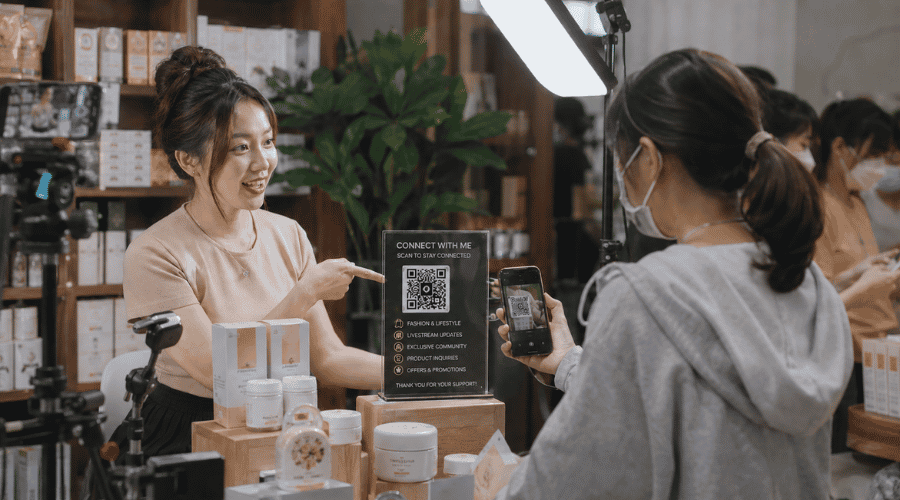 Social media QR codes help individuals maintain stronger community and customer connections.
Suitable for customer consultation, order closing, and customer support through Zalo — one of the most widely used messaging platforms for business communication in Vietnam. Users can instantly connect by scanning the code instead of manually entering contact information, while businesses can also easily create a Zalo QR code to streamline consultations and improve customer support experiences.
Ideal for resumes, recruitment materials, personal portfolios, and digital business cards when professional contact sharing is needed. With a single scan, users can instantly open a pre-filled email interface without manually typing an email address. This is why many individuals and businesses choose Email QR codes as a smarter and more efficient solution for modern communication and networking.
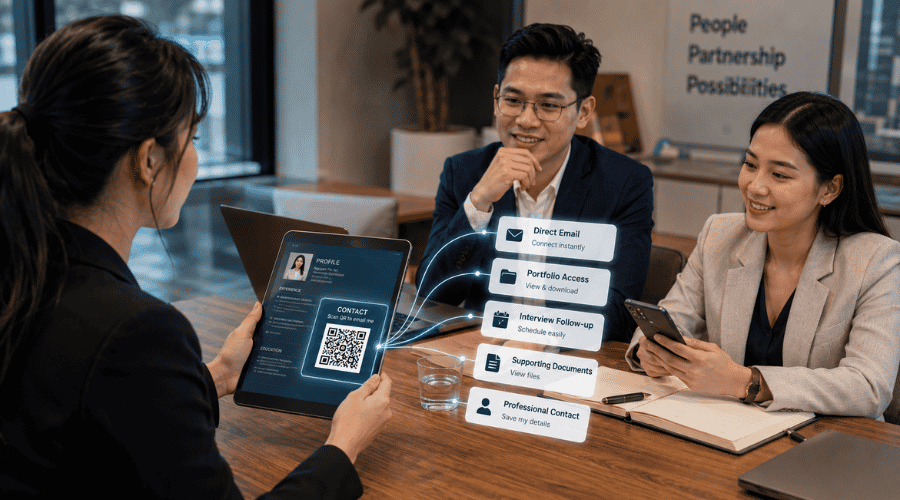 Sharing email via QR shortens the contact process in professional recruitment.
Users can instantly make a phone call after scanning the code without manually saving or entering the number. This type of QR code is commonly used for customer support hotlines, technical teams, sales consultations, and other situations where fast communication matters. Instead of making customers search for contact details manually, many businesses now prefer creating phone QR codes to simplify communication journeys and improve response speed.
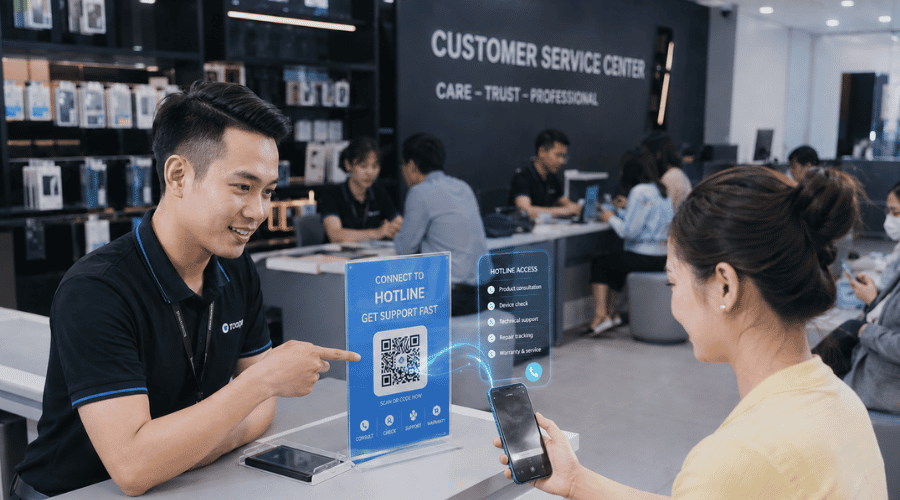 Hotline QR codes let customers connect for support instantly without saving the number.
Create a Digital Business Card QR Code
Digital business cards allow users to instantly save names, companies, job titles, email addresses, websites, and social media profiles into their phone contacts with just one scan, creating a more modern and professional networking experience. Instead of using traditional paper business cards, many professionals now prefer creating VCard QR codes to share information more conveniently during work and networking activities.
 Business card QR codes help maintain professional connections after real-world meetings.
When Should You Create a Personal Info QR Code?
A personal info QR code fits naturally into many real-world situations. On a CV, it lets recruiters scan to view your portfolio or extended profile. On a business card, it saves print space and makes updating information effortless. In business settings, it lets customers reach you quickly without saving your number manually. For content creators, it consolidates all social channels into one place. At events, it enables faster professional networking without exchanging information verbally.
Why Create Your Personal QR Code on iCheckQR?
Besides helping users create personal QR codes, iCheckQR also supports businesses in deploying QR codes for marketing, loyalty programs, landing pages, and broader digital transformation initiatives.
FAQ
What can a personal QR code contain?
A personal QR code can include a profile photo, bio, phone number, Facebook, Zalo, email, website, and multiple other links — all within a single code.
Can I add multiple social media platforms to one QR code?
Yes. You can add multiple social media platforms to a single advanced personal QR code.
What's the difference between a personal QR code and a digital business card QR code?
A digital business card focuses primarily on contact information for saving to a phone's contacts. An advanced personal QR code allows for a fuller profile with photos, descriptions, videos, and multiple custom links.
Can I edit the content after creating the code?
If you use a dynamic QR code, you can update your information at any time without reprinting a new code.
Should I create a separate Facebook QR code or a personal QR code?
If you only need to share your Facebook, a Facebook QR code is enough. If you want to share your full profile and multiple links at once, the advanced personal QR code is the better fit.
Creating a personal QR code does more than speed up information sharing — it helps build a professional image across work, business, and personal branding. If you're looking for a more flexible alternative to the traditional business card, a personal profile QR code is well worth considering.