QR Code in Retail: Drive Engagement, Loyalty, and Measurable Results
QR code in retail is helping store chains boost in-store conversion rates by up to 22% — with a single scan. Yet most SMEs still let customers walk out the door without a single digital touchpoint. No email. No follower. No data. Just a completed transaction with no path back.
QR codes close that gap. Every physical touchpoint in your store becomes a mechanism for data collection, loyalty activation, and campaign measurement — without increasing your media budget.
What Is QR Code in Retail?
QR code in retail means placing QR codes at customer touchpoints throughout your store to bridge the offline shopping experience with digital engagement — driving higher conversion, loyalty, and campaign performance that you can actually measure.
At its core, a QR code is a bridge between your physical store and your digital funnel. Every scan is a trackable behavior signal.
Common goals when deploying QR codes in retail:
Connecting your physical store to your website, app, or ecommerce platform
Increasing in-store product engagement
Activating promotions and campaigns in real time
Collecting customer feedback and reviews
Building loyalty and encouraging repeat purchases
Tracking customer behavior by channel, location, and campaign
Reducing friction through self-service and instant product information
Common Pain Points for Retail Businesses
Before evaluating any solution, it’s worth naming the specific challenges that retail SMEs and marketing teams run into every day.
1. No Bridge Between Offline and Online
Customers browse your store, look at products, and leave — but you have no mechanism to bring them to your website, catalogue, social channels, loyalty program, or app. In-store foot traffic doesn’t convert into digital touchpoints.
2. No Customer Data at the Point of Sale
You don’t know which products attracted the most interest, which store zones had the highest engagement, or which campaigns actually worked. This is one of the biggest blind spots in retail analytics.
3. POSM and Promotions That Can’t Be Measured
Standees, posters, and banners have no built-in tracking. You’re spending budget on point-of-sale materials without knowing whether customers actually interact with them — or where they drop off.
4. Low Loyalty and Repeat Purchase Rates
Once a transaction is complete, the connection between retailer and customer effectively breaks. There’s no systematic re-engagement mechanism and no trigger to bring people back.
5. Friction in the Shopping Experience
Customers lack product information, have to hunt down staff, don’t know the returns policy, and find checkout slow. These small friction points accumulate and quietly drag down your conversion rate.
How QR Codes Solve These Retail Challenges
Low product engagement
Problem: Customers stop to look at a product but don’t have enough information to decide — and don’t want to ask staff.
QR Solution: A shelf QR code lets customers access demo videos, usage guides, and product comparisons on the spot.
KPI: Increased dwell time at shelf, lower walk-away rate, scan volume as a proxy for product interest.
Offline–online disconnect
Problem: Retailers lose the connection with customers the moment they leave the store.
QR Solution: QR codes move customers from the physical store to your website, social platforms, app, or loyalty program.
KPI: Digital traffic from in-store, organic follower growth, app install rate.
Untrackable in-store activation
Problem: Marketing teams can’t tell which POSM or activations generate real interaction and conversion.
QR Solution: Each QR code tracks scans by time, location, and campaign.
KPI: POSM attribution, cost-per-scan, post-scan conversion rate.
Low loyalty and repeat purchases
Problem: Staying connected post-purchase is hard, and complicated loyalty flows reduce sign-up rates.
QR Solution: QR codes make loyalty sign-up faster and next-purchase offers easier to redeem.
KPI: Membership sign-up rate, retention rate, repeat purchase rate.
Missing customer feedback
Problem: Retailers don’t collect enough feedback to understand the real in-store experience.
QR Solution: QR codes let customers submit a survey or leave a review right after purchase.
KPI: Review volume, NPS score, survey response rate.
Friction in the shopping experience
Problem: Customers encounter friction: missing product info, waiting for staff, slow checkout.
QR Solution: QR codes give instant access to product details, fast payment, and self-checkout.
KPI: In-store conversion rate, checkout time, complaint volume.
Every use case maps to a specific KPI. That’s the difference between QR codes as strategy and QR codes as decoration.
8 Ways to Use QR Code in Retail
Each use case below represents a distinct touchpoint in the customer journey inside your store.
1. Shelf QR Codes
Shelf QR is the most widely adopted use case — and the one with the most direct impact on in-store conversion. Instead of letting customers leave because they lack information, a shelf QR gives them instant access to:
Detailed product information: ingredients, certifications, country of origin
Demo videos and usage guides — especially effective for electronics, cosmetics, and home appliances
Product comparisons — helping customers decide without needing a staff member
Real user reviews — social proof right at the point of purchase
Shelf QR works best when the landing page is mobile-optimized and loads in under two seconds — because customers are standing at the shelf, and they won’t wait.
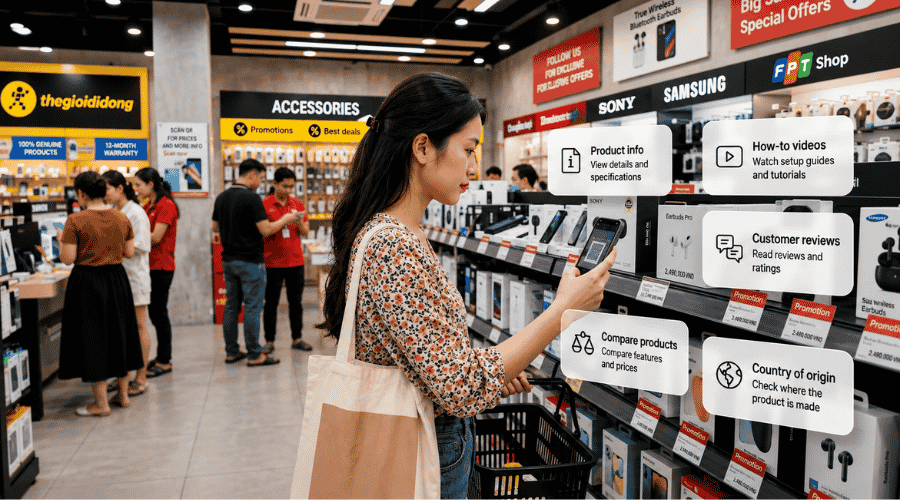 Shelf QR converts at the shelf, rather than letting customers walk away because they lacked information.
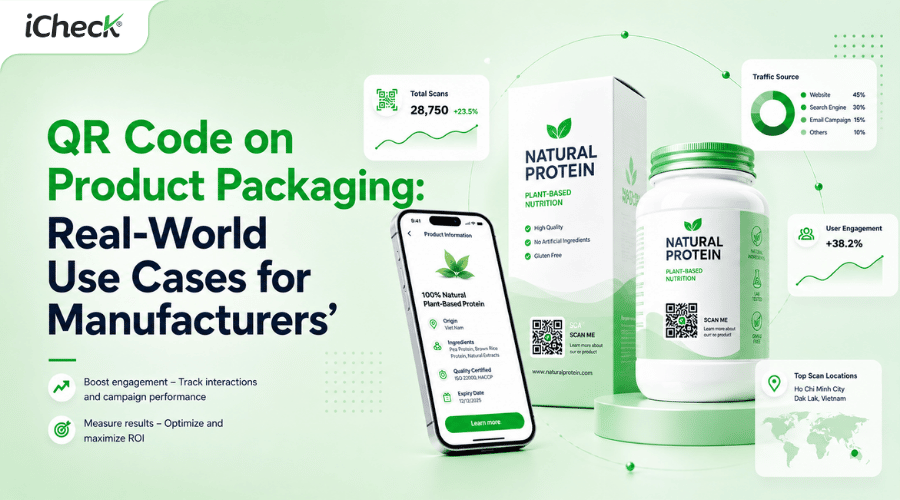
2. QR Codes on Product Packaging
Packaging QR codes serve two goals at once: building trust before purchase and extending engagement after. Common applications:
Authenticity verification — especially valuable for premium goods, supplements, and cosmetics
Usage and care guides — replacing paper inserts with updatable digital pages
Cross-sell and upsell — suggesting related products post-purchase
Loyalty sign-up — prompting membership registration right after the first purchase
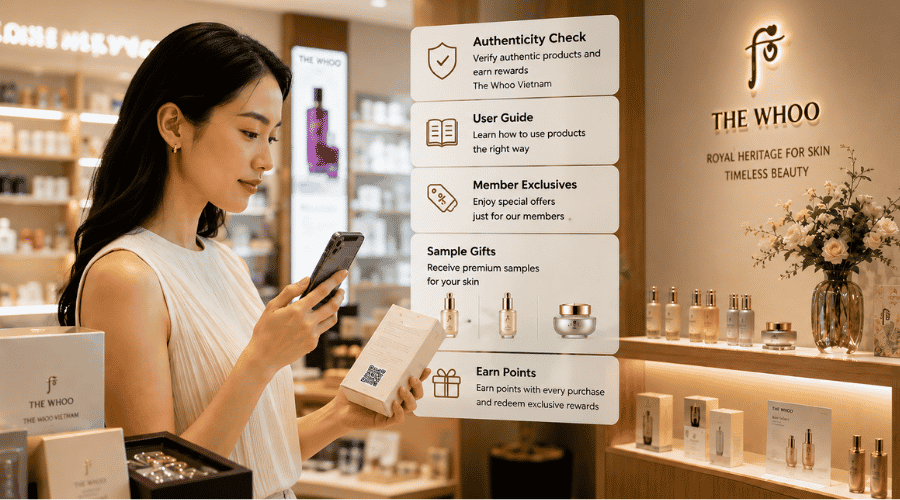 Packaging with QR extends engagement beyond the sale — turning usage guides, cross-sells, and loyalty prompts into measurable marketing touchpoints.
3. QR Codes on POSM, Posters, and Standees
Every piece of point-of-sale material can trigger a specific action through QR:
Promotions and vouchers — customers scan to claim a discount right in-store
Campaign landing pages — destinations that can be updated without reprinting (when using Dynamic QR)
Event registration — for workshops, product launches, or brand events
One rule that matters most here: always include a clear CTA directly below the code. "Scan to get 20% off" works. Vague CTAs don’t.
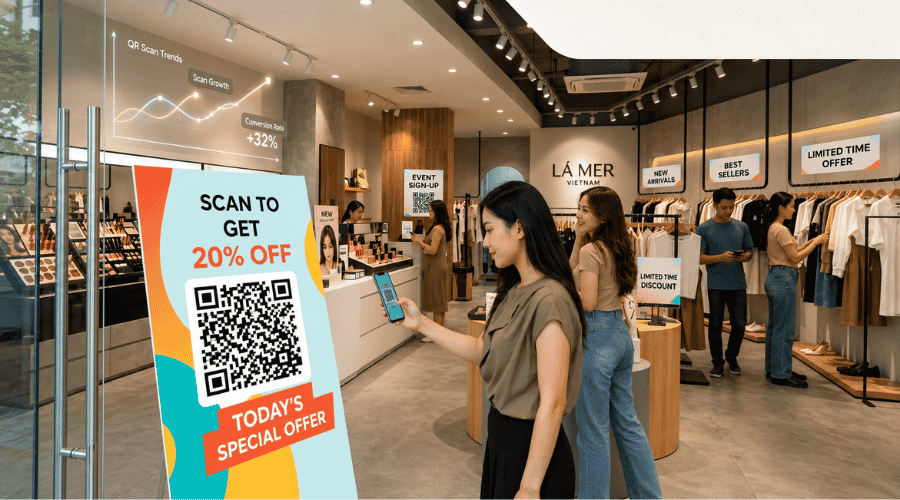 Dynamic QR on POSM lets your marketing team measure scan rates by location and update campaign content without reprinting a single sheet.
4. QR Codes in Window Displays
Window display QR is underused in most markets, despite being standard practice at H&M, Zara, and IKEA.
When the store is closed or a product is out of stock, a window QR code lets passersby:
Browse the catalogue and available online inventory
Order an out-of-stock product for later delivery
View the lookbook or style guide
Sign up to be notified when an item is back in stock
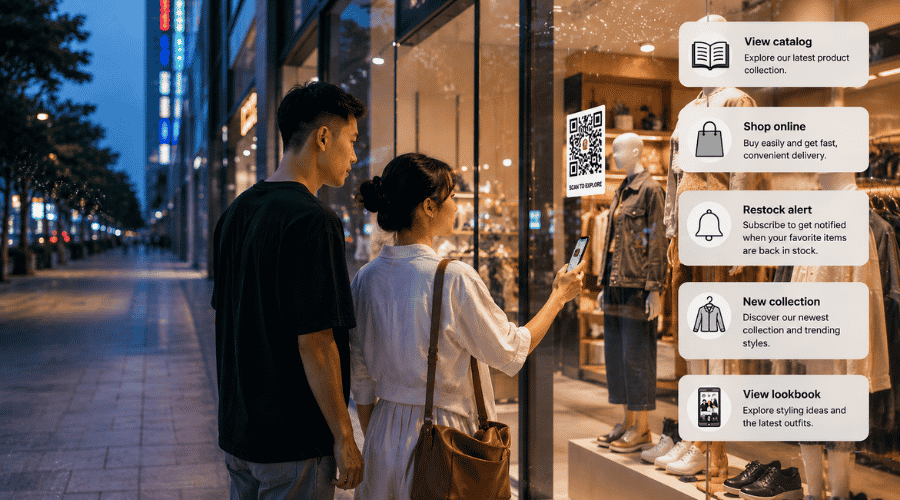 Window display QR captures digital leads from foot traffic — even when the store is closed.
5. QR Codes for Loyalty Programs
QR code loyalty significantly reduces the friction of signing up and earning points. Instead of filling out a paper form or memorizing a card number, customers simply:
Scan QR → pre-filled membership form
Scan at checkout → points added automatically
Scan personalized QR → view exclusive member offers
According to Bond Brand Loyalty (2023), 73% of consumers say they’re more likely to join a loyalty program if signing up is quick and simple. QR codes address exactly that friction point.
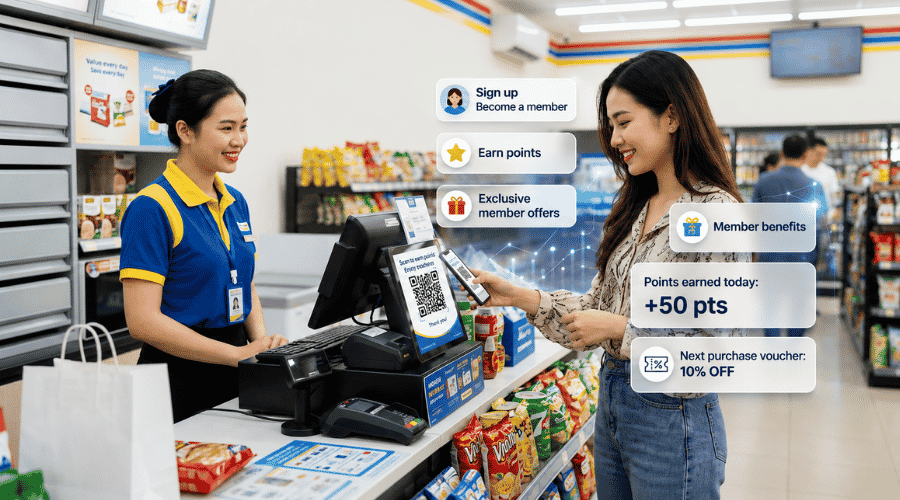 Joining via QR reduces membership sign-up to a single scan — increasing loyalty participation right at the point of sale.
6. QR Codes on Receipts
The receipt is the last touchpoint in a transaction — and one of the most overlooked in most engagement strategies. A receipt QR code can:
Collect feedback — link to a 3–5 question survey (NPS, shopping experience)
Drive reviews — direct customers to Google Reviews, Facebook, or the app store
Trigger repeat purchase — time-limited coupon or offer for the next visit
Upsell after purchase — suggest accessories or extended warranties
Receipt QR is the lowest-cost remarketing channel in retail — no additional media spend required. You’re just adding a code to the receipt you’re already printing.
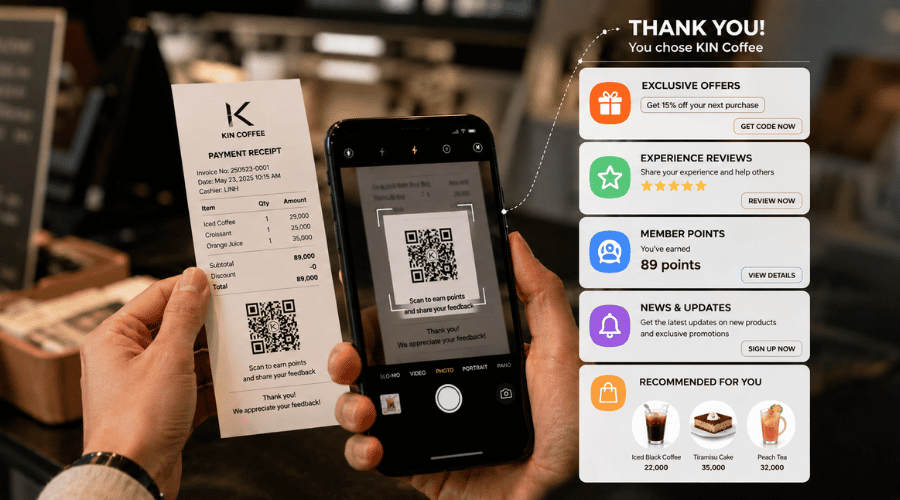 Receipt QR turns a completed transaction into a trigger for the next purchase — with zero media spend.
7. QR Codes for Social Media and Community
A common weakness for retail chains is a large social following built almost entirely on paid ads — not real customers. QR codes help convert in-store visitors into organic followers:
Place QR at checkout counters, waiting areas, and fitting rooms: "Follow us for exclusive offers"
Connect customers directly to your Facebook Page, Instagram, TikTok, or community group
Invite them to join a loyalty community or VIP customer group
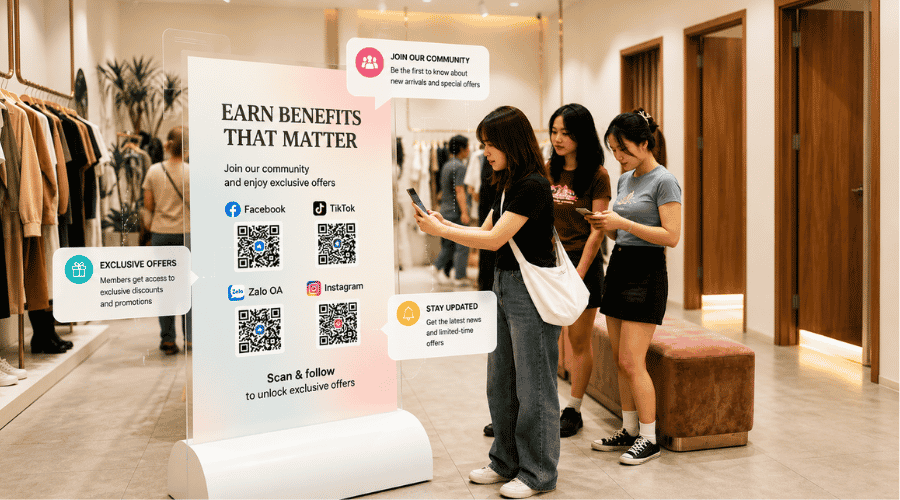 QR at checkout converts real customers into organic followers — instead of relying entirely on paid audience.
8. QR Codes for Payment and Checkout
QR payment is already familiar to most consumers — but in retail, the potential goes further than just transactions:
Cashless payment via bank transfer or mobile wallets
Self-checkout — customers scan products and pay without queuing
Mobile ordering — order at the counter, pay by QR, collect when ready
For small and mid-sized retail chains, QR checkout reduces operational costs without requiring any new hardware.
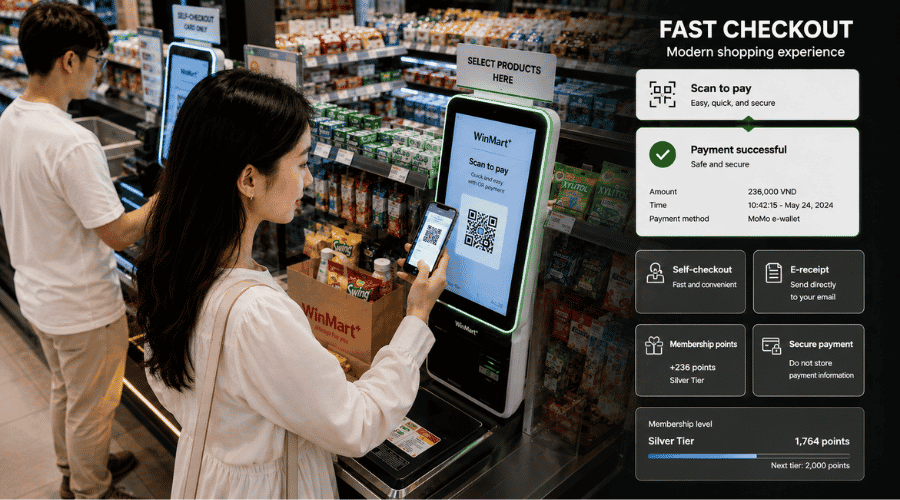 QR checkout extends into self-checkout and mobile ordering without additional hardware investment or behavior change from customers.
Key Benefits for Retail Businesses
Higher in-store engagement.
When customers can access product information, watch demos, or read real reviews on the shelf, dwell time increases and walk-away rates drop — without adding headcount.
Offline–online connection.
Every scan is an opportunity to collect a digital contact: email, phone number, social follow, or app install. Foot traffic normally leaves no trace. QR codes create a digital footprint from each visit.
Data collection and campaign measurement.
Instead of only knowing total revenue, you can see which products drew the most interest, which store zones had the highest engagement, and which campaigns actually drove action.
Loyalty and repeat purchases.
QR creates a sustained post-transaction connection — points, vouchers, new product alerts — rather than letting the customer relationship end the moment they walk out the door.
iCheck QR Features That Support Retail Use Cases
Dynamic QR lets you change the destination URL after the code has already been printed and placed in-store. The same standee QR can run your holiday campaign in December, switch to a Valentine’s promotion in February, and redirect to a new branch launch in March — without reprinting.
QR Tracking & Analytics is what separates a strategic QR deployment from a decorative one. Every scan is logged in real time — including device, location, and campaign — giving your marketing team the data to compare performance across touchpoints and optimize your POSM budget.
Multi-location management and role-based access solves the operational challenge for chains with multiple branches. Each store can view its own data, while the marketing team manages everything from a single dashboard — no manual consolidation required.
How to Deploy QR Code in Retail with iCheck QR: Step by Step
Step 1: Define your goal and KPI.
Choose one primary objective per touchpoint — engagement, lead capture, loyalty activation, reviews, or sales. Set a current baseline so you have a number to compare against after launch. One QR code, one goal.
Step 2: Choose the right QR type.
You can create a QR code for your store to select the right code type based on your deployment goal and enable data tracking from the start
Use Dynamic QR for POSM, standees, and reusable packaging where the destination may change.
Use Static QR for fixed URLs: product pages, membership forms, payment pages.
Enable tracking from day one — adding it later means losing early data.
Step 3: Place QR codes at the right touchpoints.
Prioritize locations where customers naturally pause: eye-level shelves, checkout counters, fitting rooms, waiting areas. Assign a unique QR code to each location — sharing one code across spots makes the data unreadable. Always include a clear CTA next to the code.
Step 4: Monitor your scan data.
Review your dashboard at least weekly for the first four weeks. Track: total scans, scan rate by code and touchpoint, peak scan times, device types, and location. Compare scan-to-completion rate on the landing page to find drop-off points.
Step 5: Optimize continuously.
A/B test your CTA copy and placement to improve scan rates. Use Dynamic QR to update landing page content as campaigns evolve. If a touchpoint has a low scan rate after two weeks, try moving it — the issue is often location, not content.
What to Get Right When Using QR Code in Retail
Place QR codes where customers can see and scan them easily.
Minimum print size is 2.5 × 2.5 cm, at eye level. Avoid reflective surfaces, hidden corners, or positions that are too high. Most smartphone cameras scan at 10–30 cm — design placement with that in mind
Always include a clear CTA next to the code.
A QR code doesn’t explain itself. The CTA determines your scan rate. Effective examples:
“Scan to get 15% off,”
“Scan to watch the demo,”
“Scan to earn points.”
Avoid “Scan to learn more” — it’s the weakest CTA and almost always ignored.
Optimize your mobile landing page.
Everything after the scan happens on mobile. Load time should be under two seconds, layout single-column, CTA prominent, forms limited to three fields. According to Google PageSpeed Insights, each additional second of load time reduces mobile conversion by 20%.
Choose the right touchpoints.
Not every spot needs a QR code. Focus on where customers naturally pause: eye-level shelves, checkout counters, fitting rooms, waiting areas. Placing QR codes where people move quickly — entrances, narrow corridors — rarely works.
Review data and keep optimizing.
Scan data should be reviewed at least weekly in the early weeks. Key metrics: scan rate by touchpoint, landing page completion rate, peak scan times, performance by store location.
FAQ
What is a QR code at POS?
A QR code at POS is placed at the checkout counter to help customers pay, sign up for membership, claim offers, or submit post-purchase feedback.
Can QR codes improve customer loyalty?
Yes. QR codes simplify membership sign-up, points earning, and offer redemption — which directly improves participation rates in loyalty programs.
Can I track scans from each in-store QR code?
Yes. Dynamic QR codes log every scan with data on location, timing, and campaign — giving you clear visibility into which touchpoints are performing.
How do I create a QR code for my store?
Start by defining your goal, choosing the right QR type (Dynamic or Static), generating the code with tracking enabled, and testing before deployment.
Where should I place QR codes for the most scans?
The highest-performing spots are eye-level shelves, checkout counters, product packaging, and receipts — anywhere customers naturally pause during their store journey.