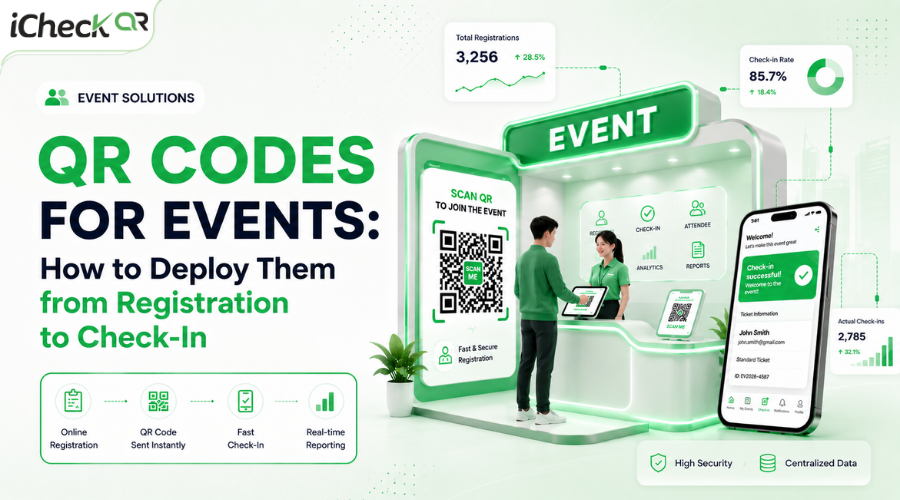
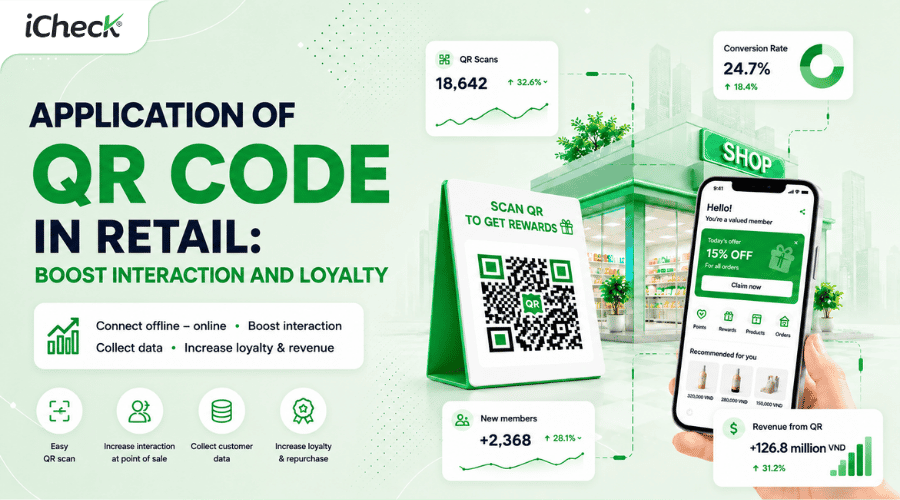
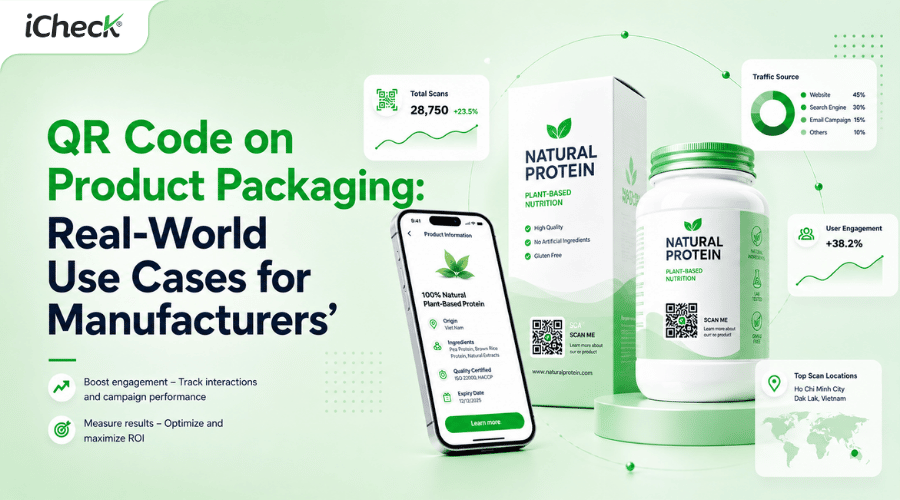
QR Codes for Events: How to Deploy Them from Registration to Check-In
Can QR codes for events really help businesses reduce check-in congestion, streamline operations, and improve attendee engagement? As events increasingly demand faster workflows, seamless experiences, and measurable data, manual processes using printed lists or spreadsheets are becoming less effective.
From registration and e-ticket distribution to contactless entry check-in, QR codes help automate event operations and track performance in real time. This article explores how businesses can implement QR codes for events effectively from registration to check-in.
What Is a QR Code for Events?
QR codes in event management means integrating QR codes into touchpoints before, during, and after an event to support registration, gate check-in, attendee interaction, and campaign performance measurement.
Three core objectives:
Event promotion — driving attendees from flyers, posters, and emails to your registration page
Registration and ticketing — quick sign-ups, digital ticket delivery, and attendee verification
Contactless gate check-in — replacing paper checklists entirely
Common Challenges Businesses Face When Organizing Events
Entry bottlenecks from the very start
When the attendee list exists only as an Excel file or printout, staff have to flip through pages, look up names, and manually tick boxes — a process that takes 2 to 4 minutes per person. For an event with 300 people arriving at the same time, just the entry process alone creates a 30 to 40-minute jam, ruining first impressions before the event even begins.
Attendees left with no clear next step
Without clear touchpoints to guide the journey, attendees are easily left adrift — unsure which session is on, which booth to visit, or what activities to join. The result: low engagement and a missed opportunity for your brand, even when guests are physically in the room.
Marketing spend with no way to measure results
Businesses spend money on flyers, ads, and email campaigns — yet have no way to know which channel actually drove people to the event. Without data, every budget decision for the next event is just a guess.
The event ends — and so does the data
Most small businesses have no on-site feedback process. Attendee impressions have to wait 24 hours, and response rates for late follow-up emails rarely exceed 10% — meaning nearly all the insight needed to improve the next event is simply lost.
Registration and ticketing drain unnecessary manpower
Disconnected registration forms, tickets sent manually one by one, attendance confirmations entered by hand — all of this can be fully automated, yet many businesses still do it manually, wasting time and inviting errors.
What Problems Do QR Codes Solve for Events?
Fast entry — no staff needed to look up lists
Every digital ticket carries a unique QR code. Staff simply bring a scanner to the door — the system validates instantly and updates the real-time headcount. Multiple gates can run simultaneously without any risk of duplicate entries or data loss.
Guided touchpoints throughout the entire event
QR codes on lanyards, reception desks, and area signage let attendees independently check the schedule, navigate the venue, download session materials, or join interactive activities — no need to ask staff, no extra printing required.
Each marketing channel gets its own tracking code
Flyers at partner cafés, emails to past customers, social media posts — each uses a different QR code. Scan data will tell you exactly which channel drove how many people to the registration page, so you can optimize your marketing spend for the next event.
Capture feedback while the experience is still fresh
A stand near the exit with a QR code leading to a 3–5 question survey gets far higher completion rates than a reminder email sent the next day. Attendees scan, respond in 60 seconds, and organizers have the data before the day is over.
Registration and ticketing run automatically end to end
Attendees scan a QR code on a poster or email, fill out a form, and receive their digital ticket directly in their inbox — all without any staff involvement. The system also sends automatic reminders before the event, reducing no-shows.
8 Ways to Use QR Codes at Events
1. QR Code for Event Registration
Registration is the first touchpoint — and the place where many businesses lose interested people to a process with too many steps. A QR code reduces the entire journey to a single action: scan, open the registration page, fill in the form, done. People sign up at the exact moment they see the event information, instead of having to remember a link and look it up later.
Dynamic QR codes are especially useful when the registration page URL changes after materials have already been printed — just update the destination in the system and the code on the flyer will automatically point to the new page, no reprinting needed.
Best for: industry conferences, product launch events, multi-track summits, capacity-limited workshops.
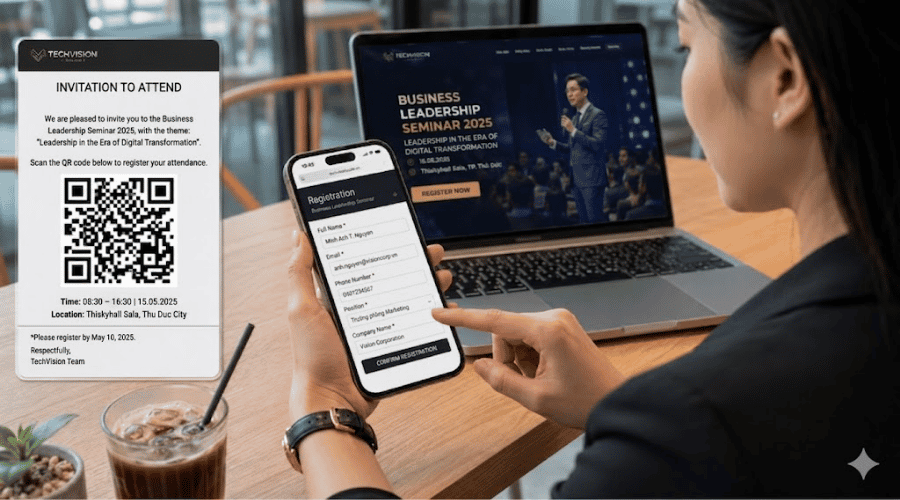 Attendees register for the seminar the moment they receive the invite — no missed opportunities
2. QR Code on Invitations and Digital Tickets
Every QR code on a digital ticket is linked to a unique record in the system — the attendee's name, ticket type, zone access, and usage status. When staff scan at the gate, the system validates instantly: valid, already used, or invalid — eliminating any possibility of reused or counterfeit tickets.
For events with multiple ticket tiers, the system automatically directs attendees to the correct zone without any manual staff checks. The ticket email also serves as a natural reminder channel: attendees open it to find their ticket and conveniently absorb venue details and the schedule before the day of the event.
 QR digital tickets eliminate the risk of counterfeits, protecting event revenue and reputation
3. QR Code for Event Gate Check-In
Multiple gates operate simultaneously, each requiring just one scanning device — the check-in process moves many times faster than manual list-checking. Gate data updates in real time on the dashboard: organizers immediately know how many people have entered, when peak hours hit, and can manage staffing proactively rather than reacting to bottlenecks after they form.
For multi-session events, QR codes also control access at the session level — no supplementary slips to print, no manual marking required.
 Thousands of attendees checked in within minutes — QR codes for large-scale events deliver
4. QR Code on Flyers, Posters, and Event Signage
Print materials are typically hard to measure — but when each distribution channel uses a unique QR code with its own tracking, every flyer and standee becomes a comparable data source. The flyer at a partner café uses code A, the poster at the mall uses code B, the email to past customers uses code C — after the event, scan data shows which channel generated actual registrations versus which only generated views.
This is how you turn fixed marketing spend into optimization data for the next event.
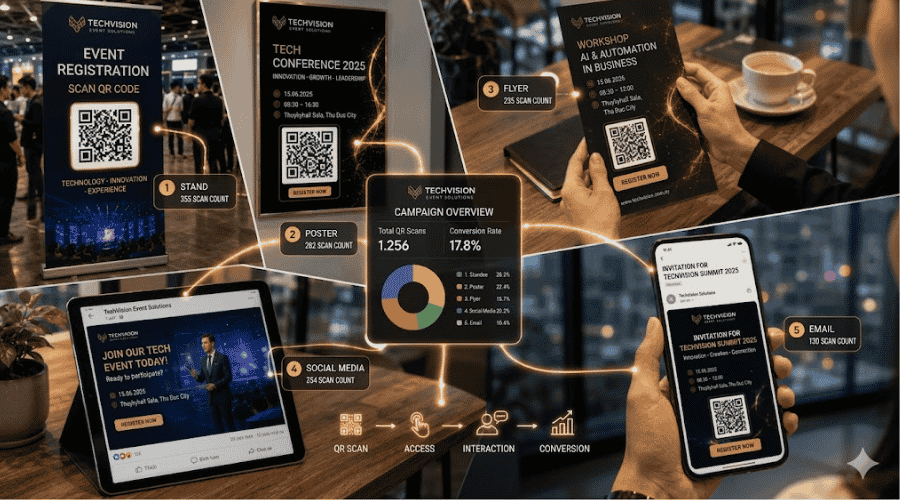 Each channel using its own code makes ROI measurable instead of leaving budget allocation to guesswork
5. QR Code for Schedule and Event Information
Print 500 programs, run out in the first hour, then have a session time change mid-day — and every copy you distributed is now wrong. A QR code solves this by separating content from the carrier: the lanyard only needs to print a single QR code, and attendees scan at any time to see the latest schedule, venue map, and speaker information. When the agenda changes, organizers update it once in the system — and every lanyard automatically points to the new information.
The QR code information page is also a natural place to add calls to action: register for a specific session, download materials, or connect with a speaker after their presentation.
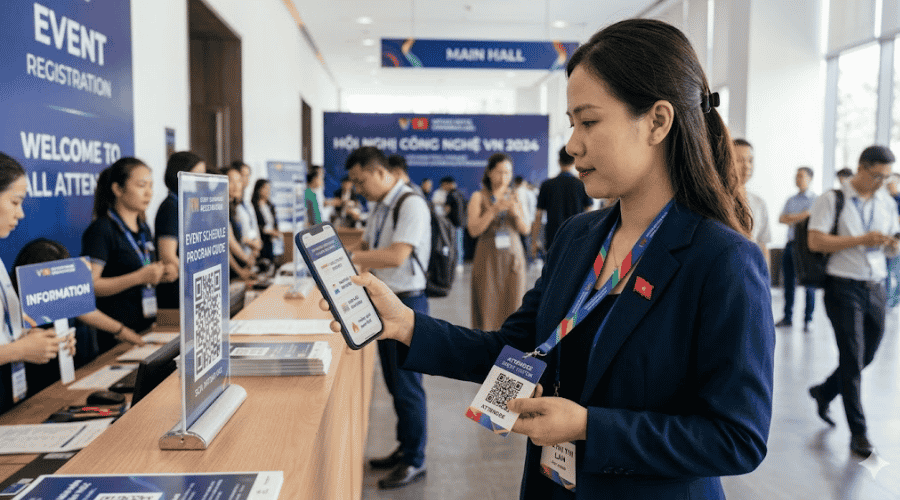 Lanyards with a QR code for events replace all printed materials that can go out of date
6. QR Code for Booth Activation and Attendee Interaction
A booth has two parallel goals: building brand awareness and capturing lead information. Attendees scan to receive a discount, download materials, or enter a prize draw — and in doing so, they fill in their contact details via an embedded form. All data is stored centrally, with no business cards to collect or manual data entry afterward.
More importantly, the QR code gives attendees a reason to stop and actively engage rather than accepting a flyer and tucking it away.
 Booths turn foot traffic into measurable lead data
7. QR Code for Post-Event Feedback Collection
Feedback is most valuable when collected on the spot, before attendees leave. A standee at the exit with a QR code leading to a 3–5 question survey takes under 90 seconds to complete and requires no account. For those who have already left, a QR code in a thank-you email sent within 2 hours of the event still outperforms a follow-up sent the next day — because the memory of the experience is still vivid.
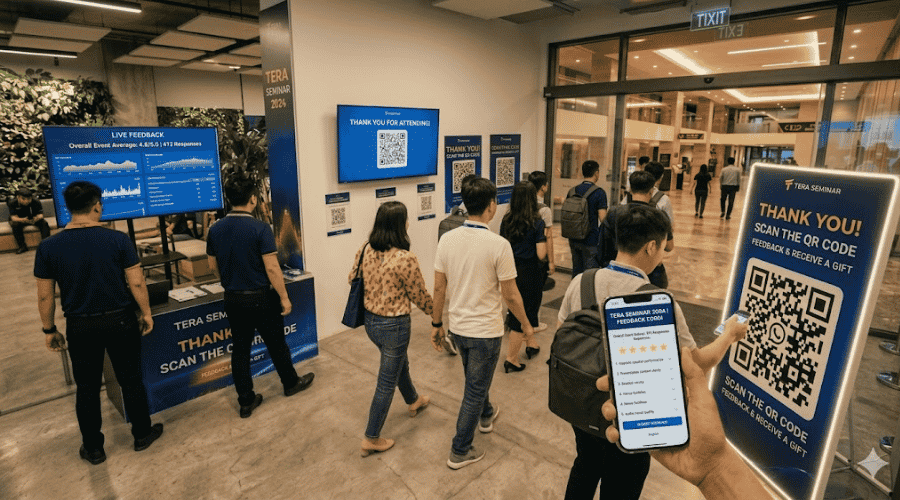 Capturing feedback at the exit significantly increases survey completion rates
8. QR Code for Networking and Contact Exchange
Paper business cards tend to sit untouched in a drawer after the event. A personal QR code takes the scanner directly to where they can act immediately — a LinkedIn profile to connect, a website to learn more, or a digital business card to save a phone number with a single tap. The information stays current because it points to a page that can be edited at any time, unlike printed cards that are fixed the moment they are made.
 Personal QR codes create actionable connections that aren't forgotten like paper business cards
Benefits of QR Codes for Events for SMEs
Higher attendee engagement during the event
QR codes placed at booths, session areas, and in-hall touchpoints give attendees a reason to stop, scan, and take action — rather than passing through without leaving any trace of engagement.
A smoother, more satisfying attendee experience
Fast entry, easy access to information, no waiting and no need to ask for help — these small things add up to a seamless experience that attendees remember and associate positively with the organizing brand.
Lighter operational load at the entry gates
Instead of deploying multiple staff to manually look up names, you need just one scanner per gate. The entry process moves many times faster, freeing your team to focus on higher-value tasks during the event.
Channel-by-channel marketing measurement
Every marketing channel uses its own QR code — scan data reflects exactly which channels drove visits to the registration page and which converted best. This is the foundation for optimizing promotional budgets rather than distributing them by instinct.
First-party attendee data collection
The information attendees submit through a QR-linked registration form is first-party data — not filtered or pre-aggregated by a third party. This is a valuable source for building a customer database and personalizing post-event communication.
Higher post-event response rates
QR-based surveys placed at the venue capture feedback while the attendee's experience is still fresh — completion rates are significantly higher than survey emails sent 24 hours later, when people are already back in their daily routine.
iCheck QR Features for Event Deployment
Accelerate registration and gate check-in
Registration QR codes, digital tickets, contactless scanning — the entire process runs automatically.
Track attendee interactions at every touchpoint
Measure individual scan counts for each booth, session, flyer, and standee — know exactly which touchpoints generate the most engagement.
Flexible content updates
Dynamic QR codes let you change the schedule, event page, or call to action without reprinting — saving on printing costs whenever information changes.
QR management by event stage
Organize QR codes by phase: pre-event (registration, promotion), during the event (gate check-in, booths, networking), and post-event (feedback, follow-up communications).
Collect feedback and attendee data
Embed surveys, lead-capture forms, and session evaluations directly via QR code.
Real-time performance monitoring
The dashboard updates scan data, engagement levels, and activation performance in real time throughout the event. iCheck QR supports QR code for events across the entire workflow — from pre-event promotion through to post-event wrap-up.
How to Deploy QR Codes for Events with iCheck QR
Step 1 — Define your event goals
Before creating any QR code, clearly define the metrics you want to track: number of attendees, engagement rate, leads captured, satisfaction score, or response rate. Your goals determine how the QR code structure is built and how touchpoints are distributed.
Step 2 — Create purpose-specific QR codes
Each goal needs its own QR code with a unique destination URL and tracking parameter. Don't share a single QR code between registration and booth activation — the data won't be separable.
Step 3 — Map QR codes to event touchpoints
Distribute QR codes along the attendee journey: flyers and invitation emails (pre-event) → lanyards, signage, booths (during the event) → surveys and follow-up communications (post-event). Every touchpoint needs a clear call to action placed directly beside the QR code.
Step 4 — Monitor attendee interaction data
Monitor the dashboard in real time throughout the event: scans by hour, by touchpoint, by channel. Identify booths or sessions with low engagement and adjust on the spot.
Step 5 — Optimize your event campaign
After the event, analyze the full scan dataset to identify the most effective marketing channels, peak engagement moments, and weak points in the attendee journey — and use these as the basis for improving the next event.
Practices for Deploying QR Codes at Events
Place QR codes where attendees can easily see them: At eye level, well lit, and not obstructed by decorations.
Always include a clear call to action next to the QR code: "Scan to enter", "Scan to register", "Scan to download" — never leave attendees guessing.
Optimize the destination page for mobile: The majority of QR code scans come from smartphones — the destination page must load fast and display correctly on a small screen.
Test every QR code before the event: Test on multiple devices, multiple camera apps, and under the actual lighting conditions of the venue.
Monitor data continuously to optimize: Don't wait until after the event — monitor in real time to handle issues as they arise.
FAQ
How to use QR codes for event planning?
Map touchpoints by phase: pre-event QR codes for promotion and registration, during the event for gate check-in and booth interaction, post-event for feedback collection. Each touchpoint needs its own QR code with independent tracking.
How to create a QR code for an event?
Use a dynamic QR code platform like iCheckQR: create the code, attach a destination URL (registration page, digital ticket, survey), set up per-channel tracking parameters, then download and print or embed in digital materials.
How to use QR codes for event check-in?
Each attendee receives a digital ticket with a unique QR code after registering. At the gate, staff scan to validate — the system updates the attendee count in real time, prevents ticket reuse, and requires no paper list.
Do QR codes help increase attendee engagement?
Yes. QR codes placed at booths, sessions, and event touchpoints create opportunities for active interaction: downloading materials, entering contests, following social accounts, filling out forms — all measurable through scan data.
Where should you place QR codes at an event to maximize scans?
Prioritize: check-in gates, reception desk, entrance signage, stage backdrop, booth tables, and hall walls. Place them at 120–150 cm height, alongside a clear call to action, and avoid backlit or obstructed positions.