What is a Barcode? Definition, Classification, and Practical Applications
Have you ever noticed the parallel black and white lines printed on product packaging, labels, or documents? That’s a Barcode – a data encoding technology that emerged in the mid-20th century and has since become ubiquitous across various industries.
1. What is a Barcode? Characteristics and Development History
A Barcode is a series of parallel black and white lines used to encode information in numeric or alphanumeric form. Each barcode represents a specific set of data, allowing devices like scanners to quickly read and identify products, goods, or documents.
Key Features of Barcodes
The structure consists of alternating black and white bars of varying thicknesses.
Data is typically encoded using numbers, letters, or both.
Printed on packaging, labels, documents, etc., to automate information identification and management.
History and Development
1948: The idea of the barcode was first proposed by Norman Joseph Woodland and Bernard Silver.
1974: The first official use of a UPC (Universal Product Code) barcode occurred in the U.S. on chewing gum packaging.
From the 1980s to present: Barcodes have seen global expansion, with widely adopted standards such as EAN, Code 128, and QR Code applied in retail, logistics, healthcare, manufacturing, and more.

2. Common Types of Product Barcodes
Barcodes are classified into two main types: 1D (one-dimensional) and 2D (two-dimensional), each suited for different purposes and industries.
1D Barcodes (One-Dimensional)
1D barcodes are the traditional form with vertical black and white lines that encode data linearly.
Common Examples
UPC-A: Commonly used in U.S. retail.
EAN-8: An 8-digit short barcode used on small product packaging, popular in Asia.
EAN-13: An extended version of UPC, widely used in Europe and Asia.
Code 128: Supports numbers, letters, and special characters – used in shipping and logistics.
Code 39: Encodes both letters and numbers – used in industrial settings.
ITF-14: Used on shipping cartons, representing grouped EAN codes.
Codabar: Used in banking, libraries, and archival systems.
Comparison Table of 1D Barcode Types
To understand each barcode type in detail, its practical applications, and how to generate them properly, refer to the full article on 1D barcodes.
2D Barcodes (Two-Dimensional)
2D barcodes encode data in both horizontal and vertical directions, allowing for much higher data storage compared to 1D barcodes.
Common Examples
QR Code: Widely used in advertising, payment, and website linking.
Data Matrix: Compact, used in industry and electronic component manufacturing.
PDF417: Encodes multiple lines of text – used in documents and ID cards.
Aztec Code: Optimized for low-quality printing – commonly found on train and airline tickets.

Comparison Table of 2D Barcode Types
For a comprehensive overview of formats, data structure, and standardized creation methods, check out our detailed guide on 2D barcodes.
3. Applications of Barcodes in Daily Life and Industry
Barcodes play a critical role in streamlining operations, speeding up data processing, and enhancing user experience across various sectors.
Retail and Supply Chain
Barcodes are foundational to automating sales and inventory processes in retail and logistics:
In supermarkets: Each product carries a UPC or EAN code, allowing quick scanning at checkout, reducing service time and input errors.
In warehouse management: Inventory software integrates barcode scanning to track real-time stock, monitor batches, expiration dates, and manage inbound-outbound flow accurately.

Healthcare, Logistics, and Manufacturing
Barcodes enhance accuracy and efficiency in fields requiring strict management:
Healthcare: Barcode labels on patient wristbands, test forms, and prescriptions allow doctors and nurses to accurately retrieve medical records, reducing critical errors.
Logistics: Barcodes manage parcels across the entire supply chain, optimizing routes and enabling real-time order tracking.
Manufacturing: Each component or semi-finished product is tagged with a unique barcode for quality control, traceability, and assembly line management.
Marketing and Payment
2D barcodes, especially QR codes, are powerful tools in marketing campaigns and digital payments:
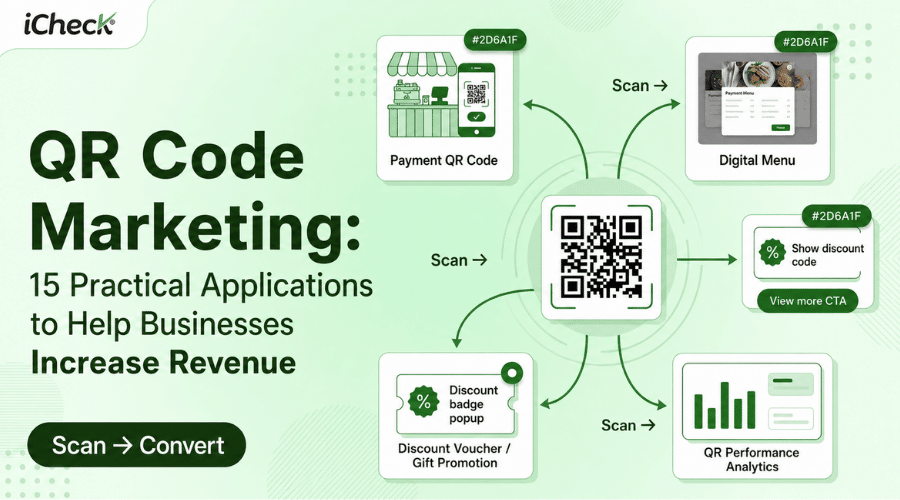
Printed in advertisements: QR codes on posters, flyers, and packaging allow customers to scan and access websites, product videos, or promotional landing pages instantly.
Discount vouchers: Brands use QR codes as digital coupons, easily integrated into e-wallets or apps.
Mobile payments: QR codes enable contactless payments via e-wallets or banking apps, extremely popular at stores, cafes, supermarkets...

4. Barcode Generation Tools and Step-by-Step Guides
Creating and using barcodes is now simple, even for non-tech users. Below are practical guides from generation to mobile scanning.
Free Online Tools to Generate Product Barcodes
You can generate barcodes entirely for free using the following tools:
iCheck QR: Supports EAN-13, Code 128, ITF-14, EAN-8, UPC-A... → User-friendly, Vietnamese language support, includes code management and scan tracking features.
Barcode.tec-it.com: Supports various formats (Code128, EAN, ITF-14, PDF417...) with advanced customization → Ideal for technical users or businesses.
DoraBot.io: AI-based artistic QR code generation with high customization → Ideal for creative marketing and personalized QR campaigns.
Free-Barcode.com: Quickly generate multiple 1D barcodes (Code128, EAN, UPC, ITF, Codabar...) → Customize content and size, download for free.
Barcode Creation Guide for Each Tool
Generate with iCheckQR (Free, Ad-Free)
Step 1: Visit https://icheckqr.com/barcode
Step 2: Select barcode type: EAN-13, Code 128, ITF-14, UPC-A, etc.
Step 3: Enter your data and customize bar and background colors → Preview will be shown.
Step 4: Choose the format (PNG, JPEG, PDF, WEBP) and click “Download”.

Generate with Barcode.tec-it.com
Step 1: Visit https://barcode.tec-it.com/en
Step 2: Choose barcode type from the left menu: Code 11, Code 39, Code 128, EAN-8, EAN-13, UPC-A, etc.
Step 3: Enter the data in the “Data” field → Barcode updates automatically.
Step 4: Click “Download” to save the barcode image.

Generate with DoraBot.io
Step 1: Go to https://dorabot.io/in-ma-vach-barcode-mien-phi/
Step 2: Choose barcode type (Code 39, Code 93, Code 128, EAN-8, EAN-13, etc.)
Step 3: Enter the data (letters or numbers), customize size, color, layout...
Step 4: Click “Generate Barcode” → Then click “Download” to save as PNG.
 Note: To create multiple barcodes, enter each on a new line.
Generate with Free-Barcode.com
Step 1: Visit https://www.free-barcode.com
Step 2: Select barcode type: EAN-13, Code 128, UPC-A, etc.
Step 3: Under “Barcode Data,” enter the content (e.g., 8934567890123) and adjust size.
Step 4: Click “Generate Barcode” → Right-click the image and select “Save Image As” to download.

5. Benefits and Limitations of Barcodes
Barcodes are widely used for data management, offering significant advantages but also certain limitations to consider.
Benefits
Fast processing speed: Scanning and retrieving data takes only seconds.
High accuracy: Minimizes errors compared to manual entry.
Cost-effective: Simple to print, no need for complex systems.
Reduces process errors: Ensures accurate data retrieval and object identification.
Improves management efficiency: Supports inventory, product, and logistics tracking.
Limitations
Printed barcodes are prone to damage, dirt, or fading.
Requires specialized scanning equipment.
Easy to duplicate if lacking security features.
Limited data capacity: Especially in 1D barcodes (typically under 20 characters).
6. Barcode vs QR Code – Which Should You Use?
1D Barcodes and 2D QR Codes are the most common types today. Each has unique features, storage capacity, and use cases. Choosing the right type depends on your specific purpose.
Key Differences
Summary
Use Barcodes (1D) when:
Managing large volumes of simple products (e.g., supermarkets, warehouses)
Encoding short data (e.g., product ID, serial number)
Your system already uses traditional barcode scanners
→ Best suited for internal management, retail, and logistics.

Use QR Codes (2D) when:
Sharing diverse data (URL, contact info, coupons...)
Integrating with marketing or digital payment campaigns
Needing scan compatibility with phones or small print areas
→ More flexible for user interaction, data digitization, and modern engagement.
7. Frequently Asked Questions About Barcodes
How many characters does a barcode have?
Depends on the type: UPC-A (12 digits), EAN-13 (13 digits), Code 128/39 (letters and special characters), typically under 20 characters for 1D for optimal readability.
Can barcodes on products be counterfeited?
Yes. Barcodes can be easily copied or reprinted without added protection.
Can QR codes replace barcodes?
Yes, in many cases. QR codes offer better flexibility and scanability, though 1D barcodes remain widely used in traditional systems.
Do barcodes store product information?
Not directly. They contain identifiers used to retrieve full product details from a backend system or database.
Conclusion
From a simple set of lines, barcodes have evolved into an essential tool for modern data management, operation, and digitization – spanning supermarkets, factories, hospitals, marketing, and digital payments. Choosing the right barcode type (1D or 2D) helps you maximize efficiency, save time, and reduce costs.
We hope this article by iCheckQR has helped you better understand barcodes and how to apply them to your work. If you have questions or want to share your experience, feel free to leave a comment below or share this article with the community.