How to Create Logistics Shipping Label Barcodes: Detailed Guide + Free Tools
Knowing how to generate correctly formatted shipping label barcodes in logistics reduces stuck orders, unscanned packages, and unexplained returns. These issues don't come from the carrier or a wrong address — they come from a barcode string generated incorrectly from the start.
To help sellers understand the practical approach, this guide covers how to choose the right barcode type, generate barcodes in bulk without paid software, print to technical standards, and integrate directly with GHN, GHTK, and Viettel Post.
What is a Shipping Label Barcode?
A shipping label barcode is a data string encoded into a bar symbol, tied to a specific shipment and directly linked to the carrier's tracking system. Each scan at a sorting hub updates the order status in real time.
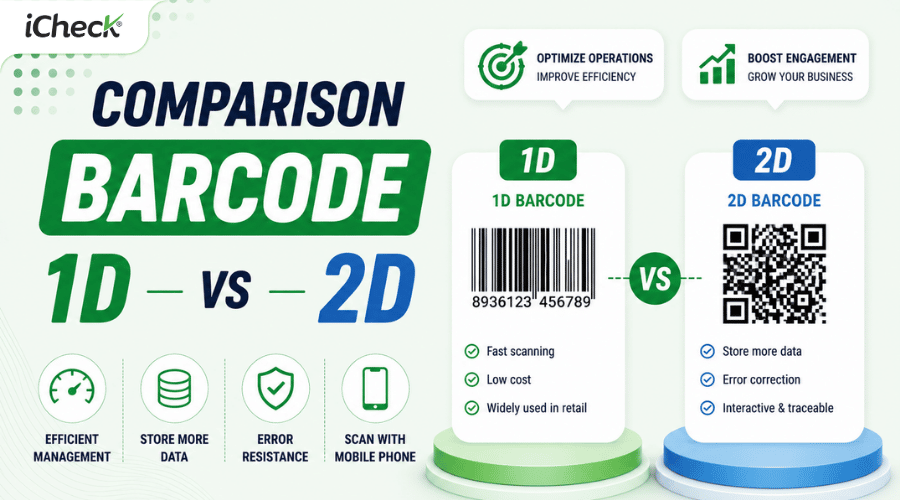
Unlike a product barcode (EAN-13), which is a static identifier fixed to a single SKU — a logistics barcode is a dynamic identifier — each order gets its own unique code, linked to the recipient, address, and shipping history. The two cannot be used interchangeably.
Which Barcode Type is Used for Shipping Labels?
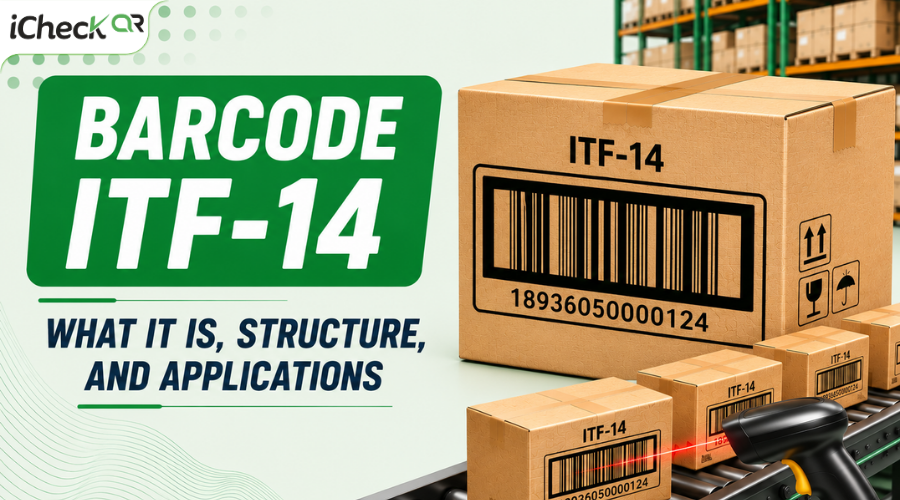
In summary, Code 128 is the standard for individual shipping labels. QR Code serves as a supplement when additional lookup is needed. PTF-14 is only required for carton/pallet deliveries to distributors.
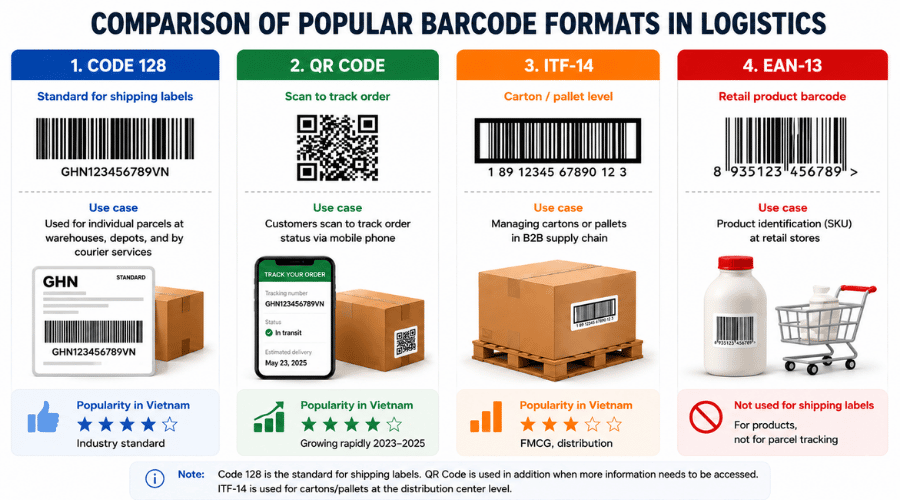 A guide to choosing the right barcode type for each logistics use case — from individual shipping labels to B2B supply chains.
How to Create Shipping Label Barcodes by Tool
1. Bulk Generation from Excel
This method is suited for standard domestic shipping labels (GHN, GHTK, Viettel Post) — where the tracking number is a fixed string assigned by the carrier, requiring no complex data encoding. There are 2 ways to generate barcodes in bulk from Excel at zero software cost:
Method 1 — Free Code 128 Font (PDAutomation):
Download PDAutomationHC128 font from idautomation.com → install on Windows/macOS
Column A contains the raw tracking number (e.g., VN123456789)
Column B: enter the formula: ="*"&A1&"*"
Change Column B font to PDAutomationHC128 → the barcode appears directly in the cell
Print directly on a 300 DPP laser printer or copy into a label template
Method 2 — LabelJoy / BarTender Plugin: Import Excel → map the tracking number column to the barcode field → adjust the A6 label template → print directly on a thermal printer. More complex to set up, but more stable for large batches and produces more professional labels.
Comparison: The Excel font method is completely free but cannot print directly to thermal printers and is prone to errors if the font is not correctly installed. The plugin requires initial setup but is more stable for large print runs.
This method is widely used by small shops because it is cost-free and requires no additional software — everything is handled within an existing Excel file. Guide to Creating Barcodes with Excel covers font setup and common print errors in more detail.
2. Free Online Tools
This tool is for small shops with under 20 orders/day, new freelancers, and sellers who need to generate individual barcodes instantly without installing software. Several options are available: TEC-PT offers strong customization but an English-only interface; Barcode Generator generates individual barcodes instantly but lacks DPP and size control. Another option is iCheck QR, a tool developed by a Vietnamese company, optimized for domestic barcode standards.
Among these, iCheckQR is a free barcode generator that offers a Vietnamese-language interface, no account required, support for both Code 128 and QR Code, and high-quality PNG export directly in the browser.
Step-by-step guide to creating shipping barcodes with iCheck QR:
Go to the iCheckQR website → select the barcode generation solution → select barcode type Code 128
Enter the tracking number in the data field (e.g., GHN123456789VN)
Set dimensions: minimum width 25mm, minimum height 10mm
Check the quiet zone (white space on both sides) — ensure ≥5mm on each side
Select resolution 300DPP → Download PNG
Pnsert into the shipping label template or print directly onto a sticker
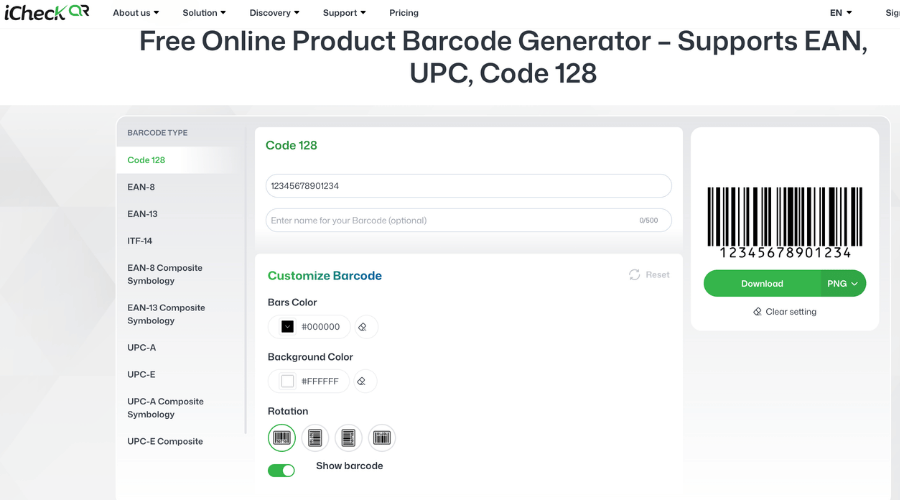 iCheck QR — a free online tool supporting color customization, rotation, and direct PNG export in the browser.
3. Built-in Order Management Software
This software is suited for online shops already using KiotViet, Sapo, or Nhanh.vn — this is the fastest method and requires no external tools.
Basic steps to generate shipping barcodes in KiotViet:
Go to Orders → select shipping carrier → click "Print Shipping Label" → Code 128 barcode is auto-generated and prints directly on an A6 thermal printer.
4. Dedicated Label Printing Software
Designed for pure-logistics warehouses handling 50–500 orders/day that don't need inventory management — only fast label printing with direct carrier connectivity.
New or mid-sized warehouses should start with ZPrint — it comes pre-integrated and requires no configuration. Only upgrade to BarTender when there is a need for complex label template customization or connecting multiple systems simultaneously.
5. Carrier APP
This option is for logistics businesses or in-house e-commerce platforms processing over 500 orders/day, with development teams, seeking full automation, at scale with a dedicated dev team. Not suitable for small shops or those without development resources.
The barcode generation process with this approach:
Call the order creation APP
Response returns the tracking number + PNG barcode image URL
Print directly — no third-party tool needed. GHN, GHTK, Viettel Post, and SuperShip all offer sandbox testing environments and public documentation.
Technical Notes When Printing Barcodes
Minimum Code 128 Size: width 25mm, height 10mm
Quiet zone: ≥5mm on each side — missing quiet zone is the #1 cause of scan failures
DPP: minimum 300 DPI for laser; thermal printers at 203 DPI are acceptable
Material: use direct thermal labels with thermal printers — regular label paper causes ink adhesion failure and faded barcodes within hours
Label placement: flat surface only, avoid box fold edges, avoid shrink wrap covering the barcode
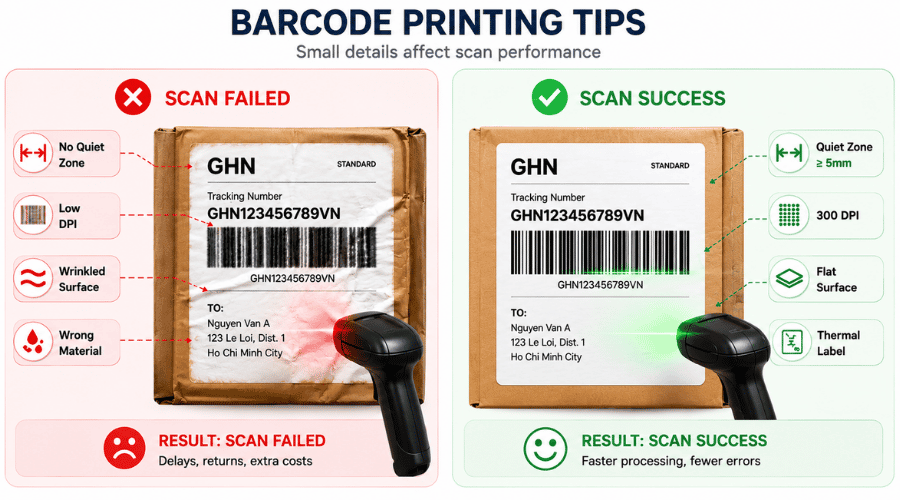 4 common reasons shipping barcodes fail to scan — and the technical standards to fix them.
Common Errors and How to Fix Them
FAQ
How is a shipping label barcode different from a product barcode?
A product barcode (EAN-13) is fixed to a SKU. A shipping label barcode (Code 128) is a dynamic identifier — each order gets its own unique code and they cannot be used interchangeably.
Can a QR Code replace Code 128 as a shipping barcode?
Technically yes, but many warehouses and post offices in Vietnam only read 1D barcodes. Code 128 remains the safest choice — adding a supplementary QR Code for customer self-lookup is a reasonable combination.
Are GS1-128 and Code 128 different?
Code 128 is the encoding standard. GS1-128 is an application of Code 128 based on GS1 standards, adding Application Identifiers to encode expiry dates, lot numbers, and weights. Code 128 is sufficient for standard domestic logistics.
Every operational scale has its right tool, and when scale changes, sellers need to find the tool that fits. Shops under 20 orders/day can rely entirely on iCheckQR with no additional setup. From 20–200 orders, Excel with a Code 128 font or KiotViet begins to show a meaningful difference in processing time.