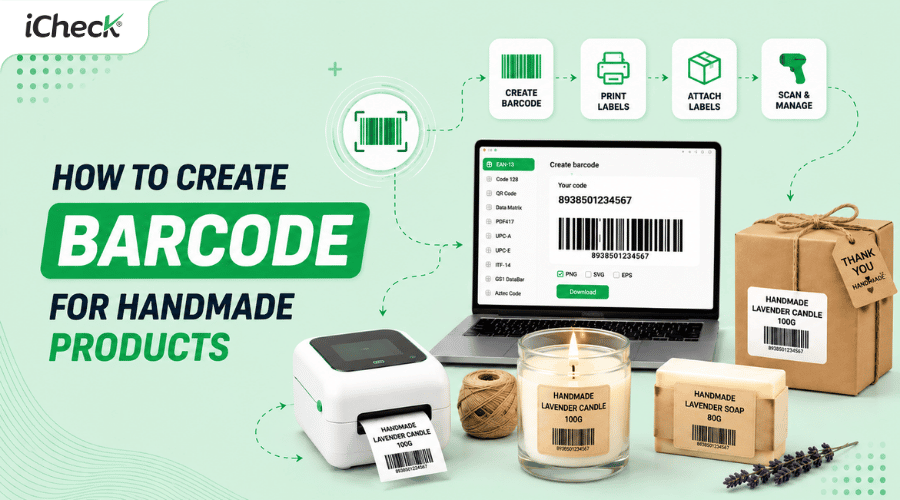

How to Create Barcodes for Handmade Products — Free, Valid, and Ready to Use
Creating barcodes for handmade products is a common problem for new sellers: since the products are homemade, there's no barcode ready to go — but e-commerce platforms still require barcode information when listing items. Many shops want labels that look more professional to stick on packaging, take product photos, or manage orders more easily, but aren't sure whether they need to register with GS1.
In reality, most handmade shops can create barcodes for free and use them immediately on Shopee, TikTok Shop, or Lazada — no complicated procedures needed.
Can handmade product sellers create their own barcodes?
Yes. A barcode is not a government-issued license — it's simply a sequence of numbers encoded into an image for a scanner to read. Anyone can create a barcode without needing permission.
The key distinction is that two types of barcodes serve different purposes:
Self-generated barcode (no GS1 registration): Works well for listing products on domestic e-commerce platforms like Shopee, Lazada, and TikTok Shop. Also useful for internal inventory management and printing product labels. Has no international legal validity.
GS1 barcode (official registration): Required when exporting, selling in large supermarkets, or listing on international platforms like Amazon or Etsy. This barcode is globally recognized and supports product traceability.
The majority of domestic handmade sellers do not need to register with GS1. A self-generated barcode is sufficient.
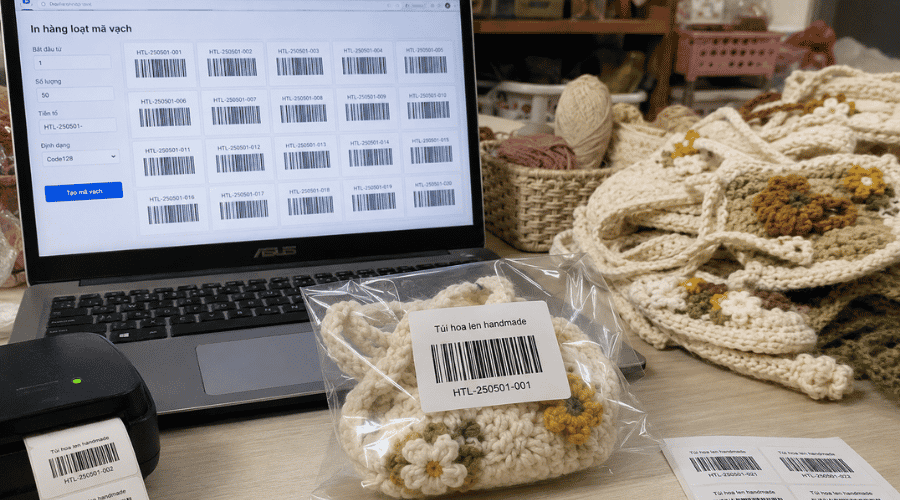 Handmade sellers creating and printing free barcodes to list products on e-commerce platforms without GS1 registration
Common problems handmade sellers face without barcodes
Not having a barcode isn't just a missing field to fill in on a marketplace — it directly impacts day-to-day operations.
Affects search ranking on the platform: Leaving the barcode field blank when listing on Shopee or Lazada won't get your listing rejected, but the product may rank lower in the platform's internal search results.
Confusion when packing multiple variants: Without a unique code for each variant — color, size, scent — mix-ups happen during order fulfillment. For example, a 100g lavender soap shipped instead of a lemon one — completely avoidable if each variant has its own identifier.
Loss of inventory control as orders scale: Manual notes and memory are error-prone at high order volumes. Barcodes combined with inventory management software enable real-time stock tracking.
Unprofessional product labels: Products without barcodes look amateur compared to other brands — directly affecting how customers perceive the product when they hold it.
Free barcode creation tools for handmade products
Google Sheets with checksum formula
This approach suits shops with 20 or more SKUs that want centralized management.
How it works: create EAN-13 number sequences following a systematic logic (e.g., product category + variant + serial number), use a Google Sheets formula to automatically calculate the check digit — the last digit of an EAN-13 code based on a standard algorithm. Then use a barcode conversion service via an image URL (API) to display barcode images directly in the spreadsheet.
The advantage is that all barcode data stays in one file, easy to filter and search, and won't be lost when you change devices. Anyone already familiar with Google Sheets won't need much setup time.
Free online barcode generators
Some tools that work well: barcode.tec-it.com supports multiple barcode standards, has a clear interface, and can export both image and vector files. free-barcode-generator.net is simpler, suitable when you only need to create a few codes at a time.
The iCheck barcode tool supports Vietnamese and saves a history of created codes, making it simple and easy to use — ideal for small shops with few SKUs where an online tool is the fastest option — no installation or account required.
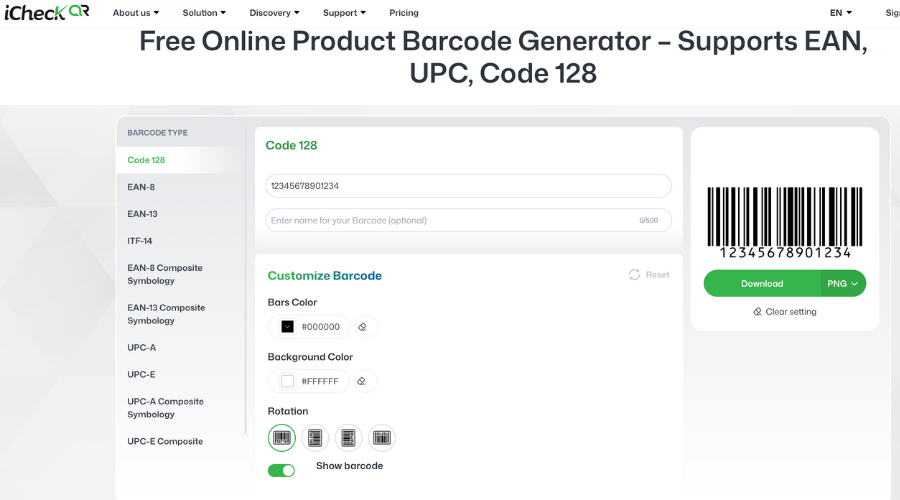 iCheck supports free online barcode creation for handmade sellers and small shops that need to print product labels quickly without installing software
General workflow: choose a barcode standard → enter a number sequence → download the image as PNG or SVG → print directly or import it into label design software.
If a shop needs to create many variants at once, some tools support uploading a list of numbers in bulk and exporting images in batch — saving significant time compared to creating codes one by one.
Canva and label design tools with barcode integration
What sets handmade goods apart from mass-produced items is that product labels need to look attractive and reflect the brand's style — not just carry a code.
The process involves two steps: generate the barcode image using an online tool, then import it into Canva as a component in the label design. Canva has pre-built label frames in common sizes, and you can adjust the font, colors, and layout to match your brand identity.
The result is a complete label file including the product name, ingredients, brand information, and barcode — ready to print or send to a print shop.
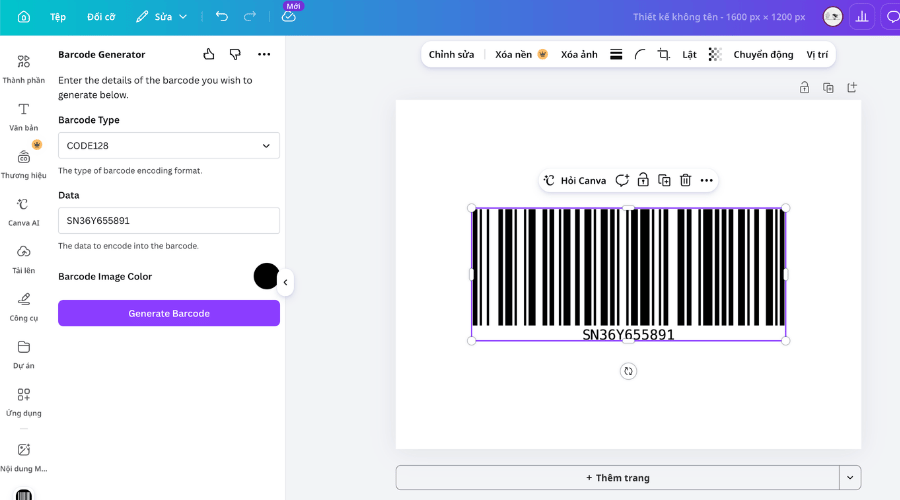 Canva helps handmade sellers combine barcodes with product label design to create cohesive packaging that matches brand identity before printing
Step-by-step guide to creating barcodes for handmade products
Step 1 — Build a SKU system for your handmade products
Before creating barcodes, you need a clear SKU (Stock Keeping Unit) system. A barcode is just an external encoding layer — the foundation underneath is a logical, non-duplicated number sequence.
Suggested structures by popular handmade product type:
Scented candles: CANDLE-SCENT-SIZE → e.g. CANDLE-LAVENDER-100G
Soap: SOAP-INGREDIENT-WEIGHT → e.g. SOAP-LAVENDER-80G
Fashion: FASHION-COLOR-SIZE → e.g. FASHION-BLUE-M
A few rules to keep: avoid special characters (@, /, &), no spaces between parts, and each variant must have a completely unique code. Record all codes in a centralized table right from the start — fixing it later will be very time-consuming.
Step 2 — Choose the right barcode standard
The three most common standards for handmade goods, each serving a different purpose:
EAN-13 — The default standard for Shopee, Lazada, and e-commerce platforms. Consists of 13 digits, with the last digit being an automatic check digit.
Code 128 — Can contain both letters and numbers, with no length limit. Used internally for warehouse management, no need to follow platform standards.
QR Code — Can embed a product URL, brand page, or usage instructions. Note: cannot be read by single-line laser scanners at fairs or older point-of-sale equipment.
Step 3 — Generate the code and export the image file
Using barcode.tec-it.com:
Go to the website, choose a barcode standard from the list on the left (EAN-13, Code 128, or QR Code)
Enter your number sequence or content into the input field
The system automatically displays the barcode and calculates the check digit for EAN-13
Choose the export format: PNG for standard printing, SVG if you need to scale without pixelation
Download the file and save it in a folder named after the corresponding SKU
If you need to create barcodes in bulk, use the list import feature — one code per line — and export everything at once.
Step 4 — Design and print product labels
Label sizes by product type:
3×5 cm — lipstick, essential oils, and small products
4×6 cm — soap, candles
5×10 cm — boxed or bagged products
Minimum barcode size: EAN-13 needs at least 2.5 cm wide for a scanner to read — printing smaller than this is the most common reason a barcode won't scan.
Printer: A laser printer is sufficient for small quantities. A thermal label printer (Xprinter, iDPRT) is more cost-effective for large volumes — no ink, only thermal paper.
Label material: For candles, soap, and essential oils — use waterproof labels or PET plastic labels instead of regular paper to prevent peeling after a few days.
Common mistakes when creating barcodes for handmade goods
Generating an EAN-13 barcode with a wrong check digit. The last digit of EAN-13 is calculated using a fixed algorithm — if entered incorrectly, Shopee will flag the barcode as invalid. Use a tool that automatically calculates the check digit to avoid this.
Using the same barcode for multiple variants. A barcode can only be assigned to one unique variant. A 100g rose scented candle and a 100g lemon scented candle must have different codes. Sharing a code is a direct cause of fulfillment mix-ups.
Printing the barcode too small. Below 2.5 cm wide, most handheld scanners cannot read it. This error is often discovered at fairs or when warehouse staff need to check inventory.
Using a QR code where only a 1D barcode can be read. Cash registers at many fairs, traditional markets, or small retail points only have laser scanners that read 1D barcodes. A QR code on the label looks nice but won't work in those situations.
FAQ
Does Shopee require barcodes for handmade products?
Shopee doesn't make it strictly mandatory, but adding a barcode helps the system index your product better and avoids duplication with other sellers' products. Products without barcodes can still be listed, but having one gives a small advantage in platform search rankings.
Can you use a phone to create and scan handmade product barcodes?
Creating: yes — use a barcode generator app like Barcode Generator on Android/iOS, or visit an online tool through your phone's browser. Scanning: yes — the camera app on most modern phones can read QR codes and many common 1D barcode formats.
When does a handmade product need GS1 registration?
GS1 registration is needed when you want to place products in supermarkets or large retail chains, sell on international platforms like Amazon or Etsy, export abroad, or need an official product traceability system. Most domestic handmade sellers don't need GS1 registration — a self-generated code is sufficient.
Creating barcodes for handmade products is not as complicated as many people think. For new sellers, one free online tool like iCheckQR and 10 minutes is all you need to have a valid barcode, ready to print and use immediately on Shopee. Having a clear SKU system will save a tremendous amount of effort down the road.