iCheck QR LogoiCheck QR Logo

Create Dynamic, Secure & Smart QR Codes with iCheckQR
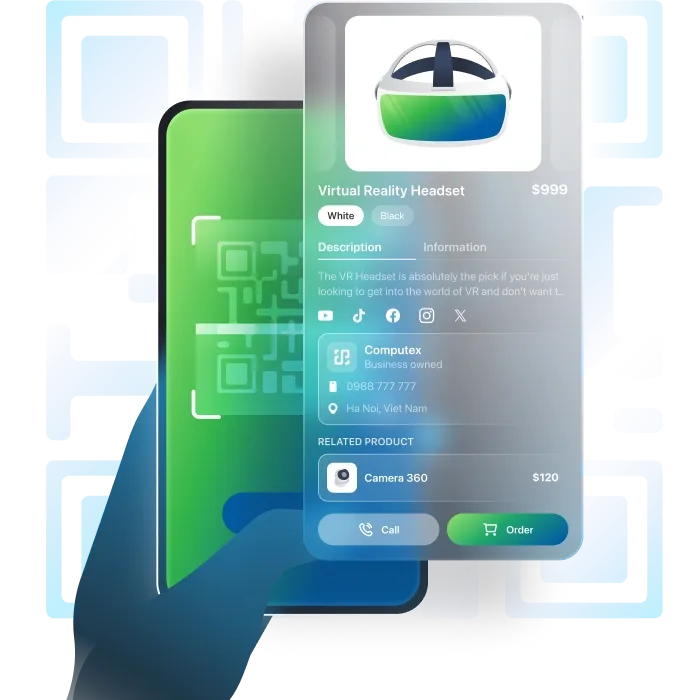
Crea un QR Code Avanzato

Soluzione professionale completa per le imprese.

QR Code avanzato con grande capacità di dati, una libreria di pagine di destinazione variegata, aggiornamenti dei contenuti flessibili dopo la creazione e altre caratteristiche superiori.
Product

Prodotto

Pro

Product

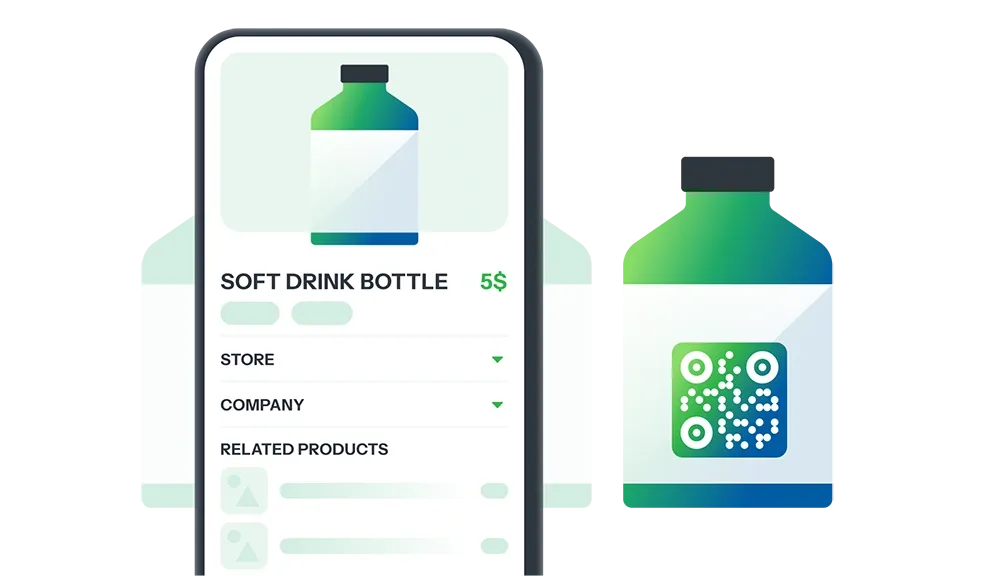
Trasforma il Packaging del Prodotto in un Punto di Contatto Unico

Attira clienti e costruisci fiducia con un QR Code che condivide dettagli del prodotto, origine, benefici e promozioni—tutto in una scansione.

Genera codice QR
Company

Azienda

Pro

Company

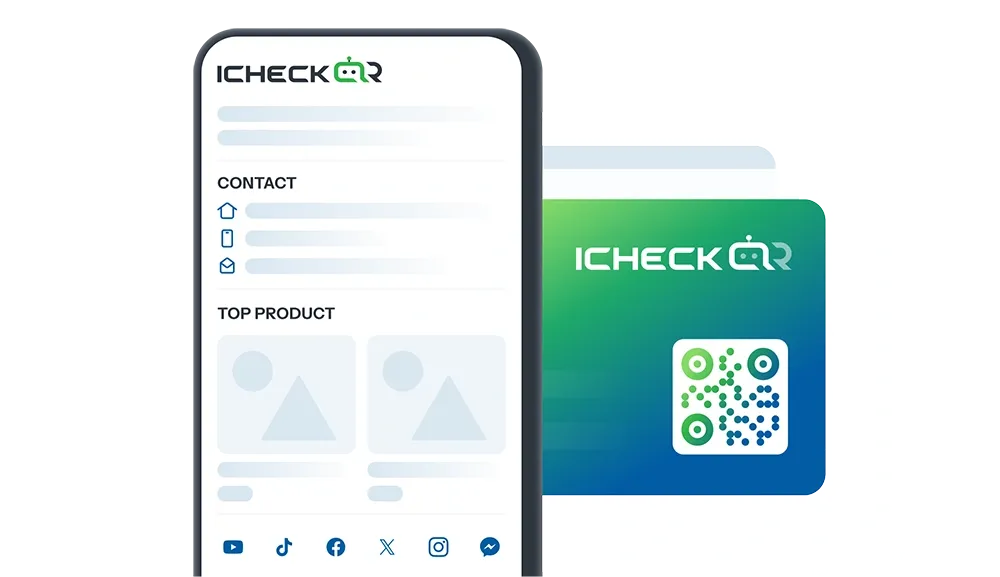
Presenta la Tua Azienda in Modo Più Professionale

Usa il QR Code per condividere dettagli essenziali—informazioni legali, prodotti/servizi, visione e missione, realizzazioni, informazioni di contatto

Genera codice QR
Store

Negozio

Pro

Store

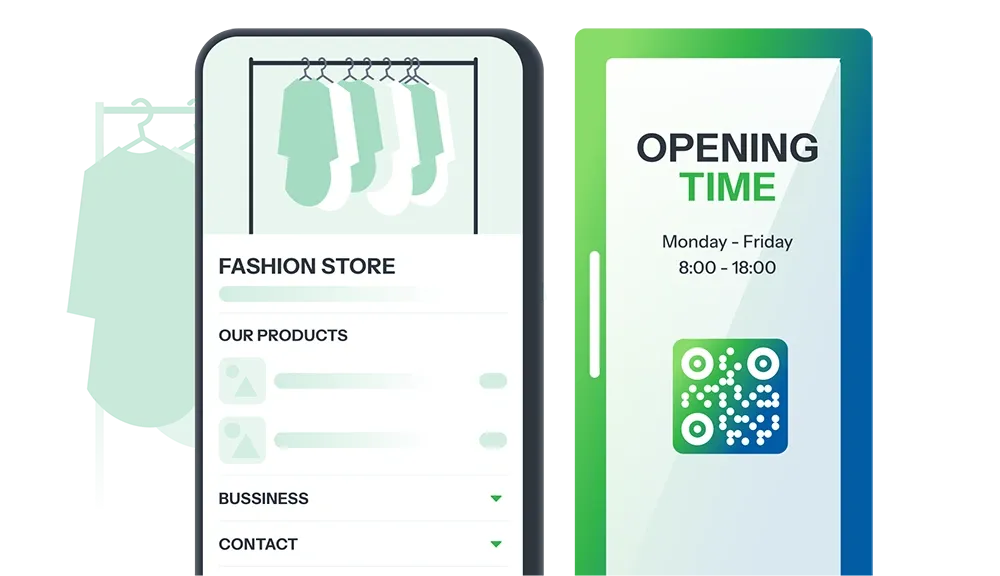
Presenta il Tuo Negozio in Modo Efficace ed Efficiente

Il QR Code condivide informazioni sul negozio: dettagli di contatto, informazioni su prodotti/servizi, politiche di spedizione, promozioni.

Genera codice QR
Personal

Personale

Pro

Personal

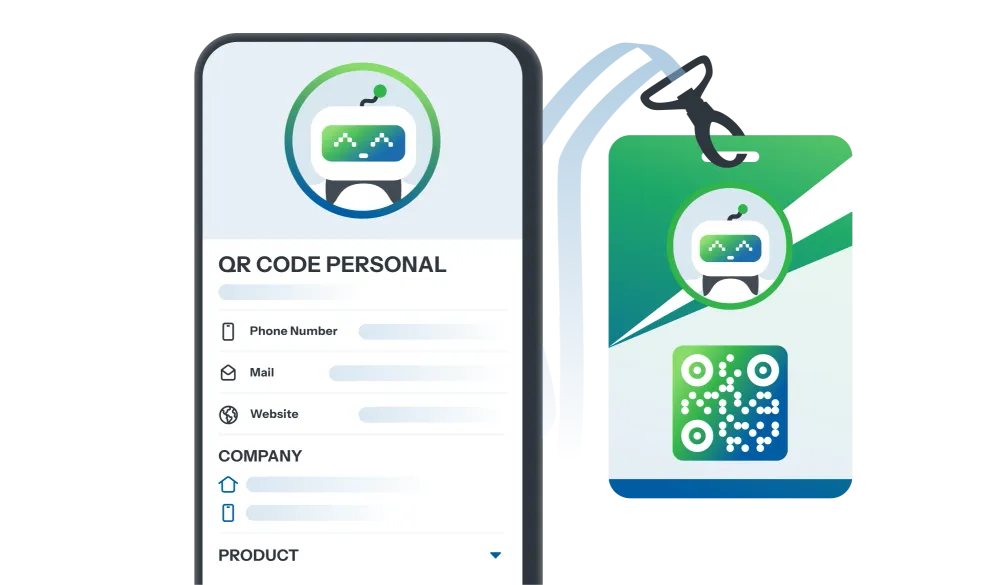
Costruisci un'Immagine Personale Professionale

Il QR Code condivide le tue informazioni personali: dettagli di contatto, professione, realizzazioni, contenuto creativo.

Genera codice QR
Event

Evento

Pro

Event

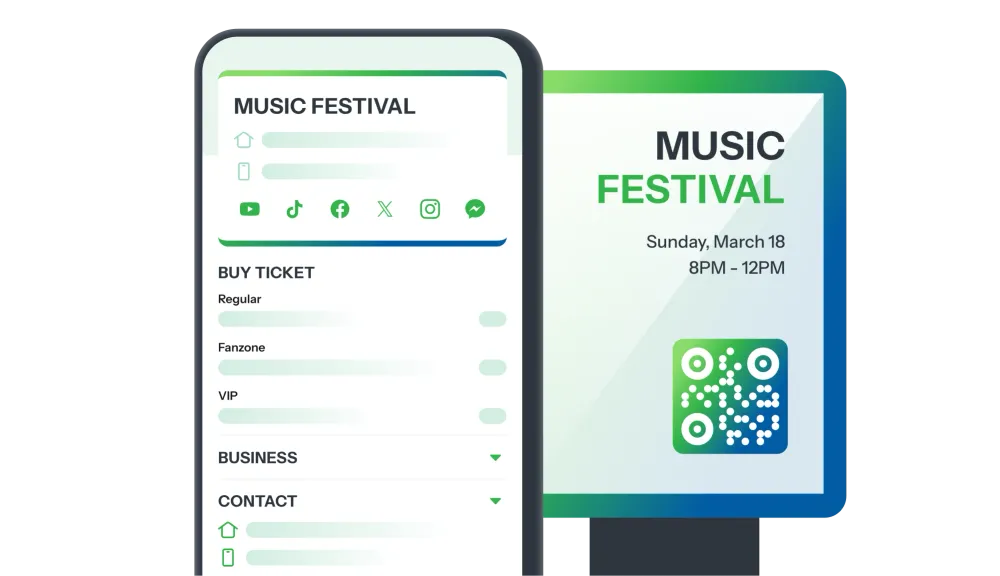
Presenta il Tuo Evento in Modo Più Professionale

Fai impressione con un QR Code che condivide dettagli dell'evento: programma, descrizione, luogo, registrazione facile.

Genera codice QR
Survey

Sondaggio

Pro

Survey

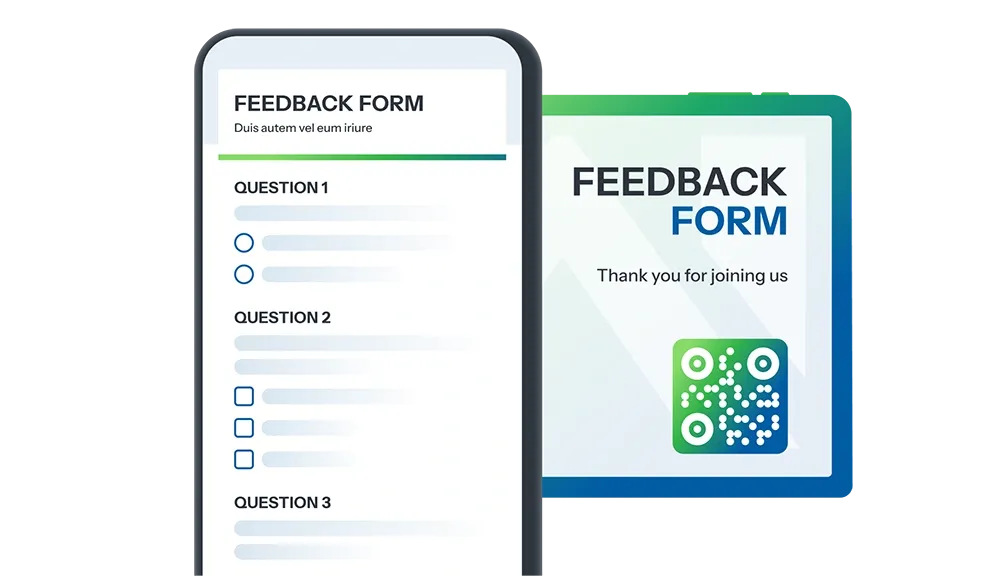
Raccogliere Feedback Non È Mai Stato Così Facile!

Il QR Code condivide sondaggi dei clienti, feedback sugli eventi, recensioni dei servizi, ricerca di mercato, e altro ancora.

Genera codice QR
Game

MAKE IT YOURS

Minigame market

Esplora una ricca collezione di minigiochi costantemente aggiornata, con design realistico per ogni settore.

Trasforma ogni tua campagna in un campo da gioco coinvolgente per stimolare l'interazione e attirare clienti potenziali.

Esplora
Layout

MAKE IT YOURS

Mercato di destinazione

Esplora una collezione variegata di modelli di pagine di destinazione personalizzabili, ottimizzati per ogni settore.

Scegli il design perfetto per i tuoi obiettivi di marketing e business, quindi crea il QR Code immediatamente!

Esplora
Millions Globally Trust Our QR Code Tech
0M+

QR Code has been created

0+

QR Happy global use

0K+

Rating

Explore Our Amazing Features

Tutto ciò che il tuo team sta cercando.

La flessibilità unica di iCheckQR può soddisfare tutte le tue esigenze di QR Code. Non smettiamo mai di innovare per servirti meglio.

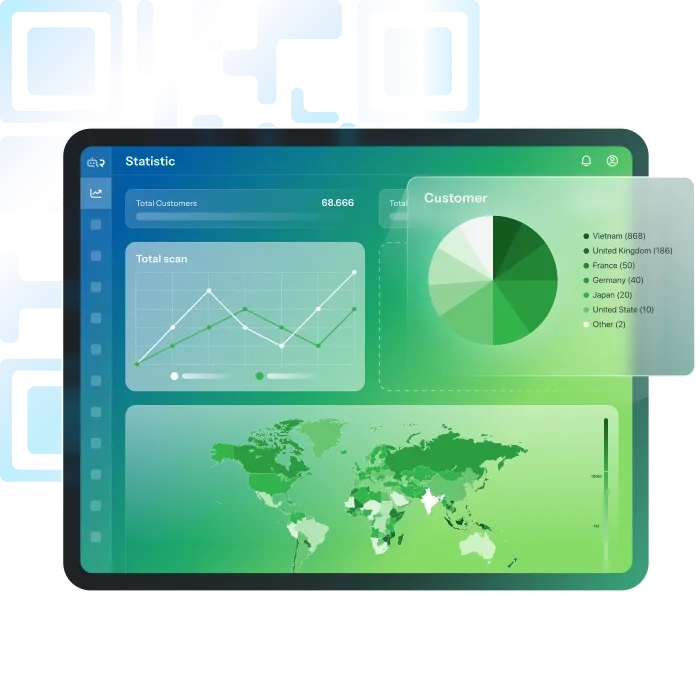
Analisi del QR Code

Ti sei mai chiesto se il tuo QR Code è davvero efficace?

iCheckQR fornisce analisi dettagliate delle scansioni, inclusi:

  • Numero di scansioni
  • Tempo e luogo delle scansioni
  • Dispositivo e sistema operativo
  • Raccolta dati del cliente: nome, numero di telefono, indirizzo, ultimo aggiornamento

Vantaggi:

  • Comprendere il livello di interazione e il comportamento dei clienti
  • Misurare il ROI e ottimizzare la strategia aziendale
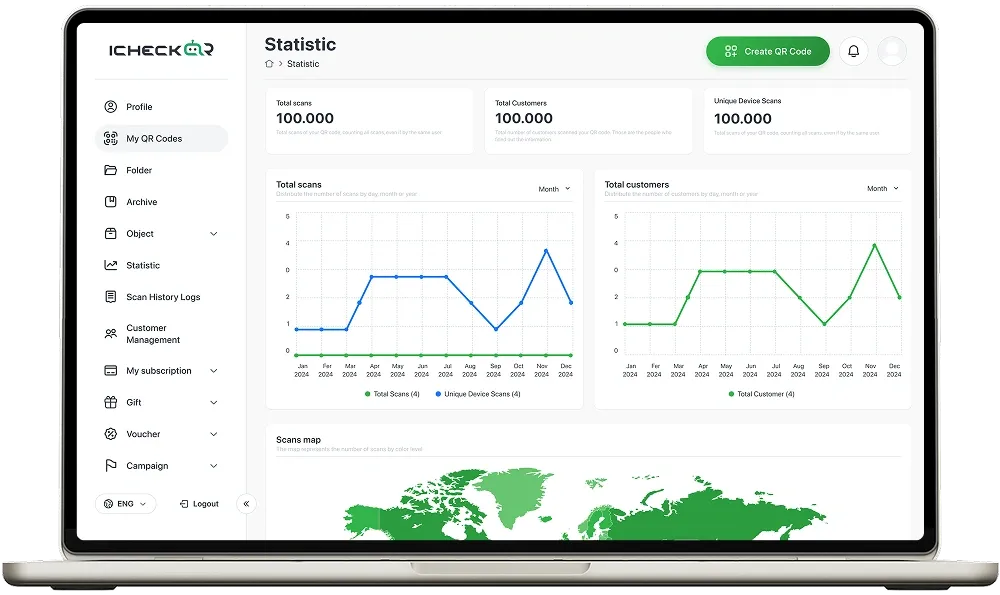
QR Code Analytics

Trusted by teams of all sizes

“Davvero impressionato dall'interfaccia senza interruzioni di iCheckQR. Personalizzare il mio codice QR è stato un gioco da ragazzi.”

Gareth Pronovost

Gareth Pronovost

Consulente per l'automazione

“Il QR code finale di iCheckQR si scansiona rapidamente e ha un bell'aspetto sui miei materiali di marketing.”

Richard Chamberlain

Richard Chamberlain

Consulente di automazione

“Veloce ed efficace! iCheck ha reso la creazione dei QR code semplice e diretta.”

An R Beevers

An R Beevers

Consulente di automazione

“Adoro la varietà di opzioni di design su iCheckQR! Ha aiutato il mio QR code a distinguersi.”

Emma Ford

Emma Ford

Assistente alle vendite

“iCheckQR è conveniente ed efficiente. Perfetto per le piccole imprese che hanno bisogno di soluzioni QR rapide.”

Robert Powers

Robert Powers

Editore

“Ho avuto un problema con il download del mio QR, ma l'assistenza clienti è stata rapida ad aiutarmi. Ottimo supporto!”

Charles Pringle

Charles Pringle

Illustratore

“Davvero impressionato dall'interfaccia senza interruzioni di iCheckQR. Personalizzare il mio codice QR è stato un gioco da ragazzi.”

Gareth Pronovost

Gareth Pronovost

Consulente per l'automazione

“Il QR code finale di iCheckQR si scansiona rapidamente e ha un bell'aspetto sui miei materiali di marketing.”

Richard Chamberlain

Richard Chamberlain

Consulente di automazione

“Veloce ed efficace! iCheck ha reso la creazione dei QR code semplice e diretta.”

An R Beevers

An R Beevers

Consulente di automazione

“Adoro la varietà di opzioni di design su iCheckQR! Ha aiutato il mio QR code a distinguersi.”

Emma Ford

Emma Ford

Assistente alle vendite

“iCheckQR è conveniente ed efficiente. Perfetto per le piccole imprese che hanno bisogno di soluzioni QR rapide.”

Robert Powers

Robert Powers

Editore

“Ho avuto un problema con il download del mio QR, ma l'assistenza clienti è stata rapida ad aiutarmi. Ottimo supporto!”

Charles Pringle

Charles Pringle

Illustratore

“Davvero impressionato dall'interfaccia senza interruzioni di iCheckQR. Personalizzare il mio codice QR è stato un gioco da ragazzi.”

Gareth Pronovost

Gareth Pronovost

Consulente per l'automazione

“Il QR code finale di iCheckQR si scansiona rapidamente e ha un bell'aspetto sui miei materiali di marketing.”

Richard Chamberlain

Richard Chamberlain

Consulente di automazione

“Veloce ed efficace! iCheck ha reso la creazione dei QR code semplice e diretta.”

An R Beevers

An R Beevers

Consulente di automazione

“Adoro la varietà di opzioni di design su iCheckQR! Ha aiutato il mio QR code a distinguersi.”

Emma Ford

Emma Ford

Assistente alle vendite

“iCheckQR è conveniente ed efficiente. Perfetto per le piccole imprese che hanno bisogno di soluzioni QR rapide.”

Robert Powers

Robert Powers

Editore

“Ho avuto un problema con il download del mio QR, ma l'assistenza clienti è stata rapida ad aiutarmi. Ottimo supporto!”

Charles Pringle

Charles Pringle

Illustratore

“Davvero impressionato dall'interfaccia senza interruzioni di iCheckQR. Personalizzare il mio codice QR è stato un gioco da ragazzi.”

Gareth Pronovost

Gareth Pronovost

Consulente per l'automazione

“Il QR code finale di iCheckQR si scansiona rapidamente e ha un bell'aspetto sui miei materiali di marketing.”

Richard Chamberlain

Richard Chamberlain

Consulente di automazione

“Veloce ed efficace! iCheck ha reso la creazione dei QR code semplice e diretta.”

An R Beevers

An R Beevers

Consulente di automazione

“Adoro la varietà di opzioni di design su iCheckQR! Ha aiutato il mio QR code a distinguersi.”

Emma Ford

Emma Ford

Assistente alle vendite

“iCheckQR è conveniente ed efficiente. Perfetto per le piccole imprese che hanno bisogno di soluzioni QR rapide.”

Robert Powers

Robert Powers

Editore

“Ho avuto un problema con il download del mio QR, ma l'assistenza clienti è stata rapida ad aiutarmi. Ottimo supporto!”

Charles Pringle

Charles Pringle

Illustratore

“Davvero impressionato dall'interfaccia senza interruzioni di iCheckQR. Personalizzare il mio codice QR è stato un gioco da ragazzi.”

Gareth Pronovost

Gareth Pronovost

Consulente per l'automazione

“Il QR code finale di iCheckQR si scansiona rapidamente e ha un bell'aspetto sui miei materiali di marketing.”

Richard Chamberlain

Richard Chamberlain

Consulente di automazione

“Veloce ed efficace! iCheck ha reso la creazione dei QR code semplice e diretta.”

An R Beevers

An R Beevers

Consulente di automazione

“Adoro la varietà di opzioni di design su iCheckQR! Ha aiutato il mio QR code a distinguersi.”

Emma Ford

Emma Ford

Assistente alle vendite

“iCheckQR è conveniente ed efficiente. Perfetto per le piccole imprese che hanno bisogno di soluzioni QR rapide.”

Robert Powers

Robert Powers

Editore

“Ho avuto un problema con il download del mio QR, ma l'assistenza clienti è stata rapida ad aiutarmi. Ottimo supporto!”

Charles Pringle

Charles Pringle

Illustratore

“Comodità e flessibilità. Facile generare codici QR velocemente. Uno strumento prezioso per privati e aziende.”

Markus Müller

Markus Müller

Traduttore

“La piattaforma consente un'elevata personalizzazione, permettendo agli utenti di creare codici QR in linea con l'estetica del loro marchio.”

Nora Ingalls

Nora Ingalls

Servizio clienti

“Supporta un'ampia gamma di tipi di QR code, inclusi URL, dettagli di contatto e connessioni WiFi.”

Linda Pronovost

Linda Pronovost

Banchiere

“Con i suoi piani tariffari convenienti, iCheckQR offre un ottimo rapporto qualità-prezzo, soprattutto per le piccole imprese.”

Henry Halley

Henry Halley

Designer UX/UI

“I codici QR vengono generati ad alta qualità, garantendo una facile scansione.”

Paul McKellen

Paul McKellen

Docente

“Il supporto clienti è rapido ed efficiente, risolvendo i problemi con prontezza.”

Sara Bartholomew

Sara Bartholomew

Organizzatrice di eventi

“Comodità e flessibilità. Facile generare codici QR velocemente. Uno strumento prezioso per privati e aziende.”

Markus Müller

Markus Müller

Traduttore

“La piattaforma consente un'elevata personalizzazione, permettendo agli utenti di creare codici QR in linea con l'estetica del loro marchio.”

Nora Ingalls

Nora Ingalls

Servizio clienti

“Supporta un'ampia gamma di tipi di QR code, inclusi URL, dettagli di contatto e connessioni WiFi.”

Linda Pronovost

Linda Pronovost

Banchiere

“Con i suoi piani tariffari convenienti, iCheckQR offre un ottimo rapporto qualità-prezzo, soprattutto per le piccole imprese.”

Henry Halley

Henry Halley

Designer UX/UI

“I codici QR vengono generati ad alta qualità, garantendo una facile scansione.”

Paul McKellen

Paul McKellen

Docente

“Il supporto clienti è rapido ed efficiente, risolvendo i problemi con prontezza.”

Sara Bartholomew

Sara Bartholomew

Organizzatrice di eventi
“Comodità e flessibilità. Facile generare codici QR velocemente. Uno strumento prezioso per privati e aziende.”

Markus Müller

Markus Müller

Traduttore

“La piattaforma consente un'elevata personalizzazione, permettendo agli utenti di creare codici QR in linea con l'estetica del loro marchio.”

Nora Ingalls

Nora Ingalls

Servizio clienti

“Supporta un'ampia gamma di tipi di QR code, inclusi URL, dettagli di contatto e connessioni WiFi.”

Linda Pronovost

Linda Pronovost

Banchiere

“Con i suoi piani tariffari convenienti, iCheckQR offre un ottimo rapporto qualità-prezzo, soprattutto per le piccole imprese.”

Henry Halley

Henry Halley

Designer UX/UI

“I codici QR vengono generati ad alta qualità, garantendo una facile scansione.”

Paul McKellen

Paul McKellen

Docente

“Il supporto clienti è rapido ed efficiente, risolvendo i problemi con prontezza.”

Sara Bartholomew

Sara Bartholomew

Organizzatrice di eventi

“Comodità e flessibilità. Facile generare codici QR velocemente. Uno strumento prezioso per privati e aziende.”

Markus Müller

Markus Müller

Traduttore

“La piattaforma consente un'elevata personalizzazione, permettendo agli utenti di creare codici QR in linea con l'estetica del loro marchio.”

Nora Ingalls

Nora Ingalls

Servizio clienti

“Supporta un'ampia gamma di tipi di QR code, inclusi URL, dettagli di contatto e connessioni WiFi.”

Linda Pronovost

Linda Pronovost

Banchiere

“Con i suoi piani tariffari convenienti, iCheckQR offre un ottimo rapporto qualità-prezzo, soprattutto per le piccole imprese.”

Henry Halley

Henry Halley

Designer UX/UI

“I codici QR vengono generati ad alta qualità, garantendo una facile scansione.”

Paul McKellen

Paul McKellen

Docente

“Il supporto clienti è rapido ed efficiente, risolvendo i problemi con prontezza.”

Sara Bartholomew

Sara Bartholomew

Organizzatrice di eventi

“Comodità e flessibilità. Facile generare codici QR velocemente. Uno strumento prezioso per privati e aziende.”

Markus Müller

Markus Müller

Traduttore

“La piattaforma consente un'elevata personalizzazione, permettendo agli utenti di creare codici QR in linea con l'estetica del loro marchio.”

Nora Ingalls

Nora Ingalls

Servizio clienti

“Supporta un'ampia gamma di tipi di QR code, inclusi URL, dettagli di contatto e connessioni WiFi.”

Linda Pronovost

Linda Pronovost

Banchiere

“Con i suoi piani tariffari convenienti, iCheckQR offre un ottimo rapporto qualità-prezzo, soprattutto per le piccole imprese.”

Henry Halley

Henry Halley

Designer UX/UI

“I codici QR vengono generati ad alta qualità, garantendo una facile scansione.”

Paul McKellen

Paul McKellen

Docente

“Il supporto clienti è rapido ed efficiente, risolvendo i problemi con prontezza.”

Sara Bartholomew

Sara Bartholomew

Organizzatrice di eventi

iCheck QR Mobile
6 Simple and Easy Ways to Create a Zalo QR Code

6 Simple and Easy Ways to Create a Zalo QR Code

Do you want to create a Zalo QR Code to add friends, invite members to a group, share documents, or promote your business’s Zalo Official Account (OA)? A Zalo QR Code is exactly the tool you need to get it all done quickly and effortlessly. Let’s explore with iCheckQR 6 detailed, easy, and completely free ways to create your own Zalo QR Code below.1. Overview of the Zalo QR CodeA Zalo QR Code is a unique identifier created for each Zalo account — whether it’s a personal account, group, or Zalo Official Account (OA). When someone scans this code, they can instantly add friends, send messages, share documents, or join a Zalo group without having to manually enter a phone number.For businesses, the Zalo QR Code is an effective marketing tool — it can be printed on packaging, posters, or standees, or shared on social media so that customers can easily access your OA, follow updates, products, and promotions.2. 6 Simple and Effective Ways to Create a Zalo QR CodeCreate a Personal Zalo QR Code EasilyDo you want to add friends, chat, or share your personal Zalo account within seconds? Below is how to get your own Zalo QR Code quickly, simply, and completely free. With just a few steps, you’ll have your personal Zalo QR Code ready to share with friends, partners, or customers.Steps to follow:Step 1: Open the Zalo app → tap the QR code icon on the right side of the screen.Step 2: Select “My QR Code” to display your personal QR.Step 3: After customizing the title and color, tap “Share” or “Save.”Just a few simple steps, and you’ll have your own Zalo QR Code ready to use.Besides Zalo QR codes, you can also use this QR code generator to create codes for many other types of content.Create a Zalo Group QR Code QuicklyA Zalo group QR Code is the easiest way to add members to a chat group, study group, or sales group without sending manual invite links. Users only need to scan the code to join immediately — saving time and adding professionalism when managing a community.Steps to follow:Step 1: Open the Zalo group you want to share.Step 2: Tap the menu icon (☰).Step 3: Select “Group Link.”Step 4: Tap “Copy,” “Share,” or “Save QR Code” to send it to others.With this method, you can get your group’s Zalo QR Code anytime, anywhere — allowing others to connect instantly, much faster than entering a phone number.Create a Zalo QR Code for Documents AccuratelyInstead of sending files manually, turn your documents into a convenient QR code in just a few seconds. Below is a detailed guide on how to create a Zalo QR code for documents quickly and accurately.Steps to follow:Step 1: Visit qr.zalo.me.Step 2: Paste the document link you want to generate a QR code for into the “Enter website link” box.Step 3: Customize your QR code, then click “Download” or “Copy.”If you want to create a more accurate and branded QR code for your documents, try iCheckQR — a tool that allows you to customize colors, add your logo, and download your QR code in high-quality PNG or PDF formats.You can create QR codes for various types of documents directly on iCheckQR, including: PDF QR Code – Easily share PDF files such as reports, manuals, or study materials. File QR Code – Upload and share any type of file with just one scan. PPTX QR Code – Turn your PowerPoint presentation into an accessible online link. Google Sheets QR Code – Conveniently share spreadsheets or online data. Google Forms QR Code – Instantly share surveys or collect responses with ease. Google Docs QR Code – Share documents online so others can view or download them easily.Create a Zalo QR Code on Desktop ConvenientlyWorking on a computer and want to create a Zalo QR Code quickly without using your phone? Zalo Web provides a direct QR creation tool, helping you easily share website links or personal information with just a few clicks — perfect for office workers, marketers, or businesses.Steps to follow:Step 1: Visit qr.zalo.me.Step 2: Paste the website link you want to generate a QR code for into the “Enter website link” box.Step 3: Customize your QR code, then click “Download” or “Copy.”Additionally, you can visit the QR code generator for links by iCheckQR to create Zalo QR codes on desktop easily, with advanced customization options such as adding logos, colors, and branded borders.Create a Zalo QR Code by Phone Number EasilyThis is the fastest way to generate a Zalo QR Code using your phone number — allowing others to add or contact you with a single scan, without memorizing or typing your number.It’s ideal for online sellers or anyone who frequently communicates via Zalo.Steps to follow:Step 1: Visit https://icheckqr.com/vi/qrcode/Phone.Step 2: Enter your phone number.Step 3: Customize your QR’s color, logo, and frame, then click “Create QR Code.”Create a Zalo OA (Official Account) QR Code for BusinessesFor businesses, stores, or brands, creating a Zalo OA QR Code is an essential step in marketing campaigns. The QR Code helps customers easily access your OA page, follow products, and receive promotions — especially effective when printed on packaging, standees, or social media posts.Steps to follow:Step 1: Open Zalo OA Manager (on web or app).Step 2: Select “OA Information” → “OA QR Code.”Step 3: The QR code will appear — download it or add your logo before printing.3. Common Errors & How to Fix ThemError 1: Scanning the Zalo QR code doesn’t display information.Recreate the QR code with higher resolution or take a clearer photo under good lighting.Error 2: Zalo group QR code is no longer valid.The group was deleted or the invite link was changed. Go back to the group → select “Group QR Code” to generate a new one.Error 3: QR code created by phone number doesn’t link to the Zalo account.Double-check the phone number before creating. The error may be due to incorrect syntax or an unregistered Zalo number.Error 4: QR code looks broken when printed or shared online.Download the QR code from iCheckQR in PNG or PDF format and avoid resizing it too small.4. FAQIs creating a Zalo QR Code free?Yes. You can create a Zalo QR Code for free directly on the Zalo app or through tools like iCheckQR.Do Zalo QR Codes expire?No. Zalo personal, group, or OA QR Codes have no expiration date and remain active as long as the account exists.Can I change the content of a Zalo QR Code after it’s created?Not with a static QR Code. If you want to edit the link without generating a new code, use a dynamic QR on iCheckQR.Can I manage multiple Zalo QR Codes at once?Yes. With Zalo OA or professional QR creation tools, you can create and store multiple QR Codes for easy management.ConclusionNow you know 6 quick and easy ways to create a Zalo QR Code — for personal accounts, Zalo groups, documents, OA pages, or even by phone number and desktop. Each method helps you connect, communicate, and promote more efficiently and professionally.Visit iCheckQR today to create professional, secure, and easy-to-use Zalo QR Codes for your personal or business needs!

How to Generate a QR Code with a Pre-Amount – Detailed Instructions

How to Generate a QR Code with a Pre-Amount – Detailed Instructions

The fastest way to generate a QR code with the amount available is to use a banking app (Vietcombank, TPBank, MB Bank …), e-wallet (MoMo, ZaloPay, VNPAY) or web platform like VietQR, iCheckQR. You just need to enter the amount, transaction content, then download the QR code to print or share. No need to remember the account number, no need to worry about entering the wrong amount.1. Benefits of creating QR codes with available amountsCreating a QR code with available funds brings many outstanding benefits, helping to simplify the payment process,.... Below are typical benefits:Save time: Users just need to scan the code to pay immediately, without having to manually enter the amount.Avoid mistakes: Reduces the risk of entering the wrong amount, especially useful for fixed amounts (such as service fees, product prices, etc.).Enhance user experience: Simple, fast payment, creating a modern and professional feel.Support effective revenue management: Easily control revenues by separate QR codes, serving reconciliation and reporting.Increase accuracy in trading: Each QR code is associated with a specific value, ensuring consistency in the payment process.Optimized for automatic payments: Integrate with your point of sale, POS or chatbot system for fast and manual payment processing.Suitable for many situations: Easy to apply in stores, online sales, donations, tuition collection, service fees, sightseeing tickets...Professionalize your corporate image: Demonstrates investment in customer experience and digital technology. 2. Platforms that support QR code generation have available amountsIf you want to create a QR code with a pre-determined amount quickly and easily, there are many free tools and applications available today. Here are some practical platforms that help you create a QR code for transferring money in just a few simple steps.Generate QR code with available amount on web (VietQR)Step 1: Access the website VietQR.netStep 2: Enter the required information to set up the QR code (NBeneficiary bank, Beneficiary account number, Account holder name)Step 3: Add optional information (not required) → Click on “Additional options” if you want to fill in more (Logo, Transfer amount, Transfer content, Store code, Point of sale code,)Step 4: Check the box “I agree to the terms and conditions” → Click “Generate code” → Finally, check the QR code and select “Print QR” or “Save image” to use.Advantage:Free, easy to use, no login requiredOptionsDiversified banking (more than 30 banks in Vietnam)Suitable for printing on invoices, price lists, POS, marketing publications...Limit:Only support domestic bank accountsNot applicable to e-wallet platforms (Momo, ZaloPay...), or international payment methodsCreate QR code with available amount in MoMo walletMoMo Wallet allows users to create a personal QR code with the amount of money to receive, convenient for quick payment, sharing via text message or printing.How to create a QR code with available money on MoMo in 3 simple stepsStep 1: Open the MoMo app and select “Receive money” on the main screen.Step 2: Click “Add Amount”, then enter the amount you want to receive and a message (if required).Step 3: Select “Save” to generate the QR code and review the displayed information.Step 4: Click “Download” to save to your device or “Share” the QR code via Zalo, Messenger, Email and other platforms.Advantage:The template can be saved for reuse many times, very convenient for collecting tuition, selling goods, donating money, etc. (If the amount is fixed).Easily share QR codes via social platforms or messaging.Disadvantages: QR code only works with users using the same MoMo wallet, does not support other banks or wallets.Create QR code with available amount in ZalopayZaloPay supports creating QR codes with available amounts in just a few steps, helping you easily receive payments quickly and accurately.How to create a QR code with available amount on ZalopayStep 1: Open the appZalopayand select “Receive money” right on the main screen.Step 2: Click “Add Amount”, then enter the amount you want to receive.Step 3: Select “Apply” to generate the QR code and review the displayed information.Step 4: Click “Download” to save to your device or “Share” the QR code via Zalo, Messenger, Instagram, Email and other platforms.Advantage:QR code templates can be saved for reuse in recurring transactions (toll collection, sales, etc.)Support sharing QR codes via Zalo, messages, social networks or printing for direct useDisadvantages: QR code is only available to the sender.he passed the walletZalopay, uses for banking or other walletsCreate QR code with available amount via VNPAY walletVNPAY Wallet supports users to create personal QR codes with the amount of money to be paid or transferred, making the money receiving process quick, accurate and convenient.Steps to follow:Step 1: If you already have an account, just open the app and log in or download the VNPAY e-wallet app, then register an account, identify and link your bank.Step 2: On the home page, scroll down to the footer and select “Scan QR code”.Step 3: When the QR code scanning interface appears, tap on “My QR Code”.Step 4: The app will display two types of QR codes: one for payment, one for receiving money. Select “QR receive money”, then enter the amount to receive if you want to create a QR code with the amount already in it.Advantage:Easy to use interface, quick operationHelp the transferor not to re-enter the amountSuitable for individuals, vendors, tuition collectors, donations...Disadvantages:QR codes can only be used within the VNPAY ecosystem (VNPAY wallet or partner banks that have integrated VNPAY payment gateway).Not available for international transfers or via other e-wallets such as MoMo, ZaloPay...How to create QR code with MB Bank amount availableMB Bank application supports creating QR codes for transferring money with available amounts, suitable for individuals, business households or enterprises that want to collect money quickly and accurately.Steps to follow:Step 1: Open the app MB Bank and login to your account.Step 2: On the main screen, select “Main Features” → select “Transfer Money/Payment”.Step 3: Select “VietQR Management” → continue to click “Create QR by account”. If you have multiple MBBank accounts, select the account you want to associate with the QR code (You can also enter the MB referrer code if you have one, but it is not required.)Step 4: Click “Save Information” to generate the QR code. After successfully generating, you can change the QR code background with many themes according to your preferences.Step 5: If you want to save the QR code to your device, select “Download”. To share the QR code online, tap “Share”.Important Note: Currently, MB Bank has stopped supporting this feature on the new updated version of the application. Please check the version you are using or update the appropriate instructions from the bank.Advantage:QR codes can be printed, displayed at points of sale or sent online.Suitable for accurate payment collection, minimizing errors when customers transfer money.Disadvantages: This QR code only works in the domestic banking system, the sender needs to use a banking app that supports scanning Napas QR codes.How to create QR code with Vietcombank amount availableVCB Digibank application allows users to create QR codes to transfer money with available amounts to share with others for quick, accurate and convenient payments.Steps to follow:Step 1: Open VCB Digibank app and log in to your account.Step 2: On the main screen, selectQR sticker in the upper right corner of the screen, then tap Generate QR code.Step 3: Select the receiving account (if there are multiple accounts), enter the amount and content (if any), then click “Generate QR code”.Step 4: The QR code has been successfully generated. You can click “Save to device” or “Share” to send the code to others to transfer money.Advantage:Generate code quickly right on the app, no external tools requiredHelps reduce errors in amount and content when receiving transfersSuitable for individuals, businesses, online sellersDisadvantagesThe sender needs to use a banking application that supports VietQR/Napas QR code scanning.Each QR code contains only a specific amount – to change it you need to create a new code or edit the amount.How to create QR code with TPBank amount availableTPBank Mobile application supports users to create QR codes with pre-existing amount and transfer content, helping to simplify receiving money, useful for business people, online sellers,....Steps to follow:Step 1: Open TPBank Mobile app and log in to your account.Step 2: On the main screen, select the “What's more QR & QR Pay” → then click on “Create QR code to receive money”.Step 3: When the code scanning interface appears, click “View my QR code”.Step 4: The system will display the TPBank money receiving QR code. If you want to create a code with the amount available, select “Create QR code with amount”, enter the amount to receive, then click “Create code” to complete.Step 5: Select “Save image” to save the code to your device or “Share” via platforms such as Zalo, Messenger, Email…Advantage:Intuitive interface, quick operationCan generate QR code with fixed content and amount for multiple usesEasy to share online or print and post at checkoutDisadvantagesQR code is only used in domestic banking systems that support Napas standard QRThe person transferring money needs to use a banking app with VietQR QR scanning function.How to create QR code with Sacombank amount availableWith the application Sacombank Pay, users can create a QR code to transfer money with available amount and content for convenience in receiving money, selling goods, collecting money or sharing quickly via social networks.Steps to follow:Step 1: Open Sacombank Pay app, log in to your personal account.Step 2: On the main screen, select “QR Pay”or similar (depending on the app version).Step 3: Select "Generate QR code" or "Generate payment QR code" and enter the amount to pay and other information (if any).Step 4: Click “Create QR code”, the system will update the QR code with the information just entered. Click “Save to device” or “Share” via platforms such as Zalo, Facebook, Email…Advantage:Generate QR codes quickly right in the app, no need for external toolsThe amount and transfer content can be customized for each purpose.Suitable for individuals, businesses and organizationsDisadvantages:QR code can only be used when the depositor uses a banking application that supports scanning VietQR/Napas QR codes.If you need to change the amount, you must create a new code – each code is only for a specific value.How to create QR code with available Agribank amountAgribank Plus application allows users to create QR transfer codes with available amounts and content, suitable for quick money collection, limiting errors and saving time.Steps to follow:Step 1: Open Agribank Plus app and log in to your account.Step 2: On the main screen, select the “QR Pay” feature then click QR Code at the bottom of the screen.Step 3: Select the account you want to link to the QR code, then enter the amount you want to receive and fill in the transaction information such as: payment unit name, content, payment time...Step 4: Click “Generate QR code” to let the system generate the payment code, then you can send the QR code to receive money.Advantage:Friendly interface, quick operation in just a few stepsCustomize the amount and content of the transferSuitable for individuals, businesses, and stores that want to collect money accurately and professionally.Disadvantages:QR code works in domestic banking system that supports VietQR/Napas QR scanningNot applicable for e-wallets or international transfersEach QR code only corresponds to a certain value – need to create a new one if the amount changesHow to create QR code with BIDV amount availableBIDV Smart Banking application allows users to create QR codes to transfer money with available amounts, very convenient for personal collection, sales, tuition, donations...Steps to follow:Step 1: Open BIDV appSmart Banking and log into your account.Step 2: On the main screen, select “Scan QR code” → Click “Create QR”Step 3: Select the source account you want to associate with the QR code (if you have multiple BIDV accounts), then enter the amount and transaction content if needed.Step 4: The QR code will be generated automatically. You can click “Save QR code” to save it to your photo library, or select “Share” to send the QR code online.Advantage:Generate QR codes quickly right in the app, no need for additional tools.Please add the amount and transfer details to avoid confusion.Easily save or share with customers, payers.DisadvantagesOnly operates within the domestic banking system, depositors need to use a banking application that supports QR code scanning according to Napas standards.Each code is only used for a specific amount and content. If you want to change it, you need to create a new code.How to create QR code with available Techcombank amountTechcombank application allows users to create QR codes to transfer money with available amounts, helping transactions to be quick, error-free and convenient to share.Steps to follow:Step 1: Open Techcombank app and log in to your account.Step 2: On the main screen, select “Scan QR code”Step 3: Then click “Share personal QR code”.Step 4: Select “Add Amount”, enter the amount you want to receive and add the transfer content, then click “Done”.Step 5: Click on the arrow icon to download the QR code to your device, or select the square icon with a diagonal arrow to share the code via platforms such as Messenger, Messages, Email, Instagram,...Advantage:QR codes can be printed in stores, attached to articles, messages or electronic invoices.Increase accuracy, avoid errors in transfer amount and content.Disadvantages: The QR code generated from FAST Mobile only works with domestic banks that support the Napas QR system. The sender needs to use a banking app with QR scanning feature to transfer money.Generate QR code with the amount availableiCheckQRiCheckQRAllows you to easily design your own styled QR code for transfer with available amount, suitable for sharing or professional printing.Steps to follow:Step 1: Visit the website: https://icheckqr.com/qrcode/PaymentStep 2: Paste the VietQR link with the available amount or fixed transfer URL from the bank and you can enter a display name for the QR code (if desired).Step 3: Depends Customize colors, logos, borders, backgrounds and design elements to your liking → click “Generate QR code”.Step 4: Type Check the generated QR code, select the download format (PNG, JPEG, PDF,...) and press “Download”.Advantage:Easy to use interface, quick operation on both phone and computer.Customize professional QR code design: color, logo, border, background…Supports multiple download formats suitable for printing or mass sharing.No need to register an account to use.Disadvantages:Do not create your own transfer link – users must have a VietQR link or URL from the bank.No direct integration with banking apps or e-wallets (only design QR from available links).The QR code only reflects the content from the original link – if the link is broken or misformatted, a valid code will not be generated.Besides payment QR codes, you can also use this QR code generator to create codes for WiFi, social media, business cards, text, and many other types of content.3. Quick comparison of ways to generate QR codes with available amountsTo help you easily choose the right platform according to your purpose (sales, personal money transfers, donations...), below is a comparison table between popular methods of generating QR codes with available amounts:FoundationSave template for reuseWhat platforms are supported?Print / download QRSecurityFeatured NotesVietQR.net❌Web (VietQR Breath)PNG, InHighFree, available for >30 domestic banksMoMo✅See MoMoSave/ShareHighEasy to share via Zalo, SMS; only used in MoMo ecosystemZaloPay✅ZaloPay WalletSave/ShareHighWell integrated in Zalo environment, chat groupVNPAY✅VNPAY wallet & VNPAY integrated bank✅MediumBank link required before generating codeMB Bank✅MB Bank App (stopped supporting this feature from 2024)✅HighOnly works in Napas QR systemVietcombank✅Digibank VCB App✅Very highFast creation, good security, suitable for fixed incomeTPBank✅TPBank Mobile App✅HighCan save QR code with available amount, contentSacombank✅App Sacombank Pay✅HighSales support, easy sharing via social networksAgribank✅Agribank Plus app✅HighCustomize transaction detailsBIDV✅App BIDV SmartBanking✅HighGenerate QR code with amount + content, share quicklyTechcombank✅App Techcombank✅HighEasy to share codes, use at point of sale or onlineiCheckQR✅ (if there is a link)Web iCheckQRPNG, JPEG, PDFDepends on source linkBeautiful QR code design, suitable for brand printingIn shortYou are an individual selling online or a small business: → VietQR is the optimal choice thanks to its support for many banks, quick creation, and easy printing and posting at the point of sale.You just need to share the code with relatives and friends: Choose MoMo, VNPAY or ZaloPay to quickly create and share right on your phone.You want to create a QR code to transfer money with available MB Bank amount: Check the appMB BankDoes yours still support it, or replace it with VietQR.You need to customize the design, color of the QR code: UseiCheckQRto create code from available VietQR link and design according to brand identity.You prioritize security, internal use or fixed payments within the business: → Vietcombank or other banks can create QR codes for secure transfers, absolute but less flexible.Job Generate QR code with available amount helps speed up transactions, ensuring accuracy, professionalism and ease of management – especially useful in fixed payment situations. Whether you useMB Bank, Vietcombank,... or e-wallets likeMoMo, VNPAY,... each platform has its own advantages and disadvantages, suitable for each user group and specific needs.Don't hesitate to try out different tools to find the best platform for you.Start generating QR code with available amountright Todayand optimize your smart payment process.ConclusionGenerating QR codes with available amounts is a convenient, fast and accurate payment solution, especially useful for sales, donations, tuition collection or fixed services. Depending on your needs and payment objects, you can choose to generate codes directly on banking app, e-wallet or web platforms like VietQR, iCheckQR to customize the design according to your brand.

Frequently Asked Questions

mascos

Iscriviti per la Consultazione

+84