Crea Códigos QR Dinámicos, Seguros e Inteligentes con iCheckQR
Crear plantillas de códigos QR gratis

Elige entre más de 40 tipos de códigos QR diferentes. Crea códigos fácil y rápidamente para todas tus necesidades
Crear un código QR avanzado

Solución profesional completa para negocios.

Código QR avanzado con alta capacidad de datos, biblioteca de páginas de destino variadas, actualizaciones de contenido flexibles después de la creación y otras características superiores.
Product

Producto

Pro

Product

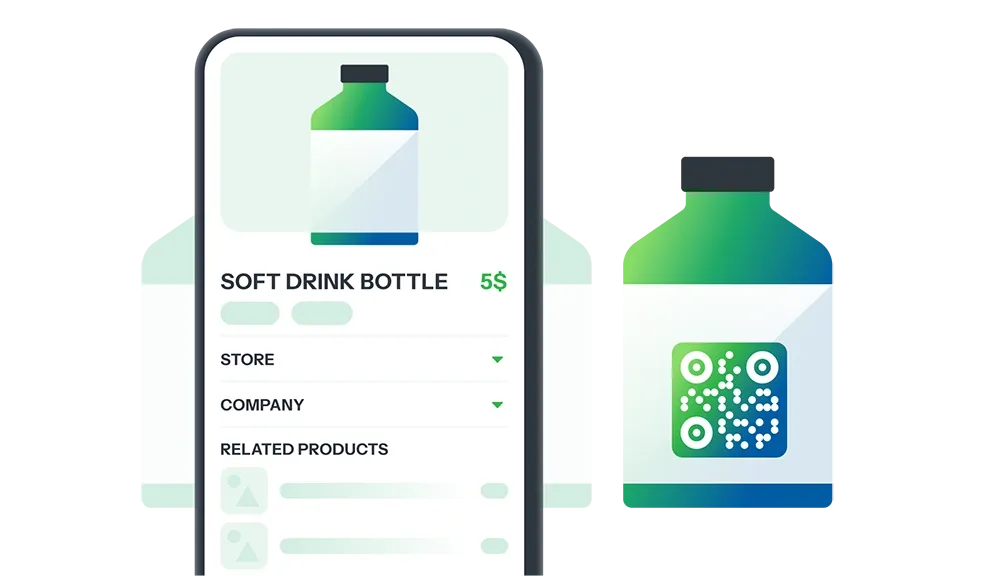
Transforma cualquier embalaje de producto en un punto de contacto único

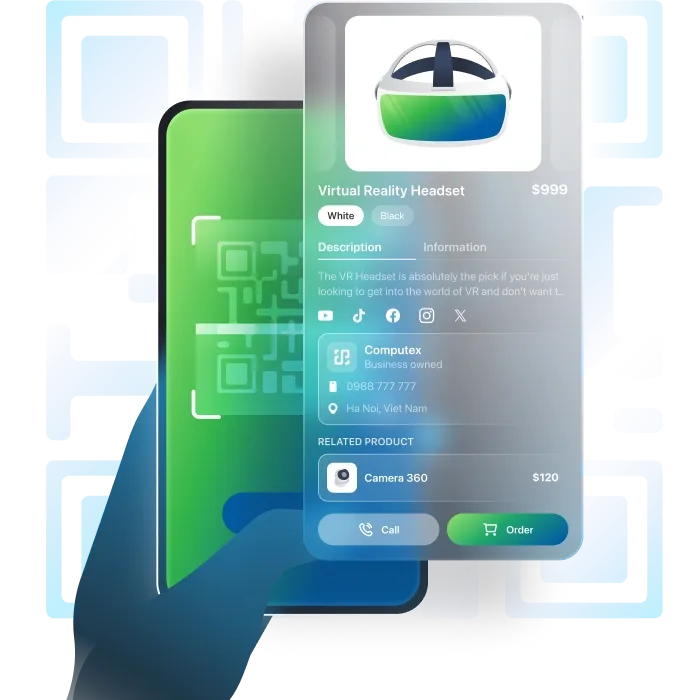
Atrae clientes y construye confianza con un código QR que comparte detalles del producto, origen, beneficios y promociones, todo en un solo escaneo.

Generar código QR
ProductProducto DEMO
Company

Empresa

Pro

Company

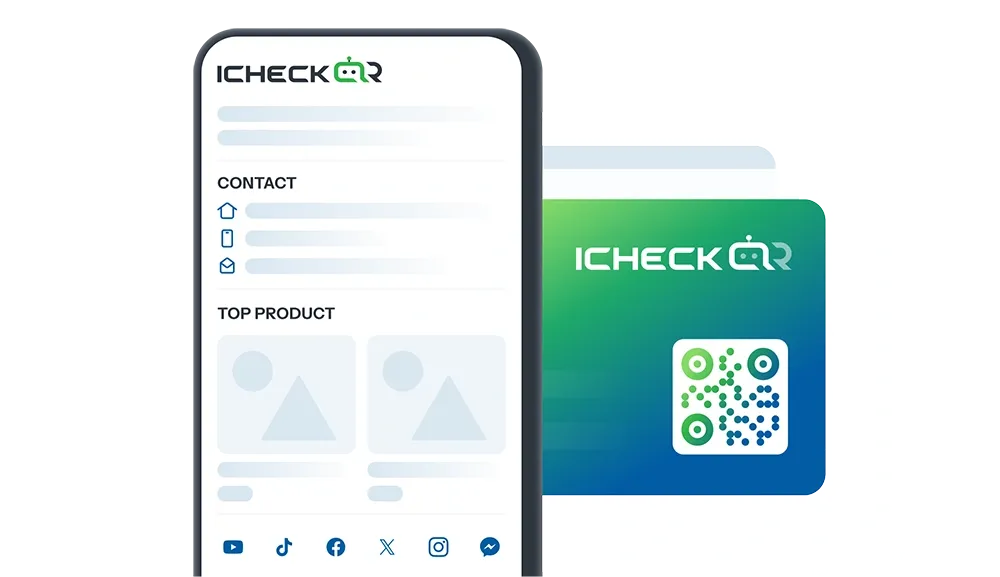
Presenta tu empresa de manera más profesional

Usa el código QR para compartir detalles esenciales: información legal, productos/servicios, visión y misión, logros, información de contacto

Generar código QR
CompanyEmpresa DEMO
Store

Tienda

Pro

Store

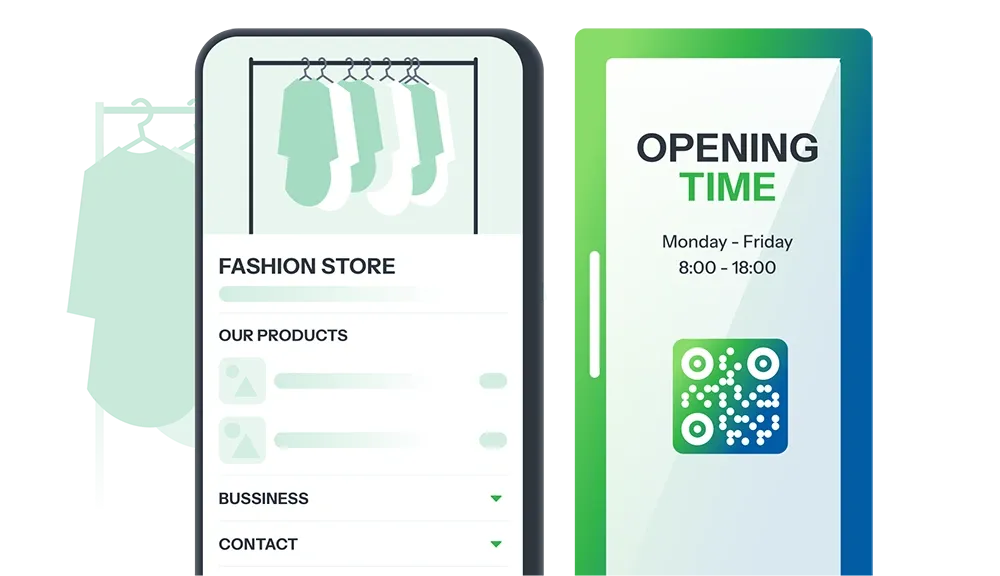
Presenta tu tienda de manera fluida y efectiva

Código QR comparte información de la tienda: detalles de contacto, información de productos/servicios, políticas de envío, promociones.

Generar código QR
StoreTienda DEMO
Personal

Personal

Pro

Personal

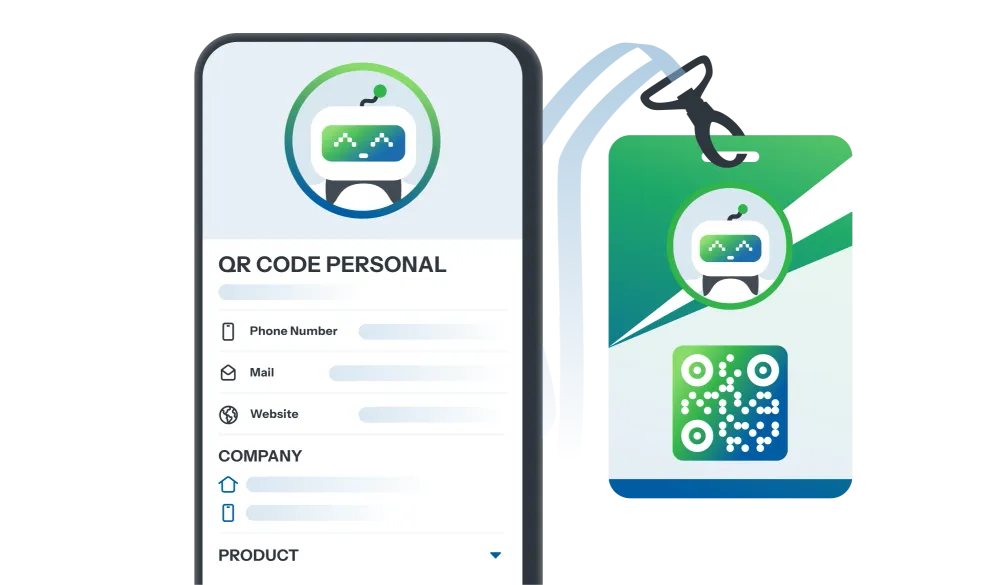
Construye una imagen personal profesional

Código QR comparte tu información personal: detalles de contacto, profesión, logros, contenido creativo.

Generar código QR
PersonalPersonal DEMO
Event

Evento

Pro

Event

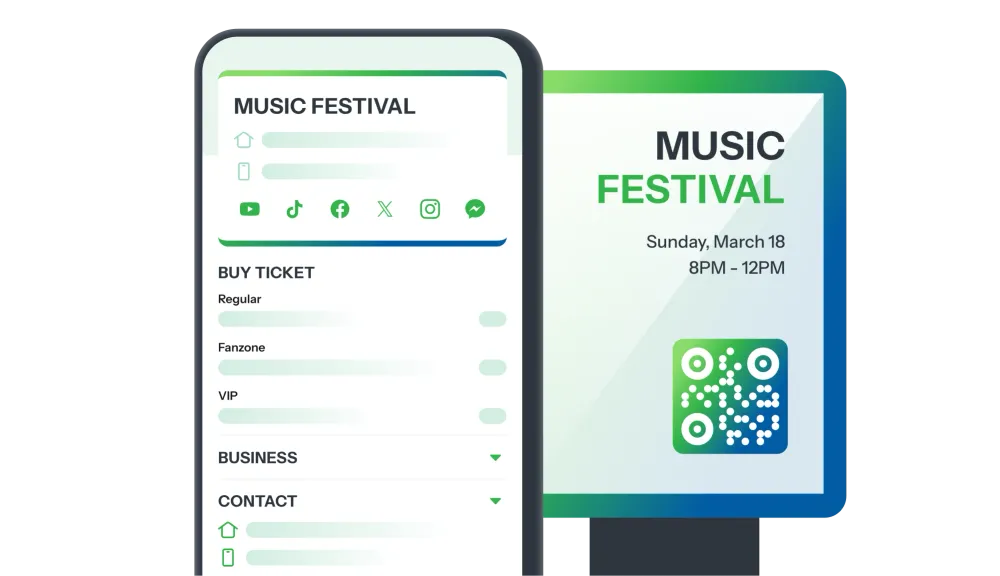
Presenta tu evento de manera más profesional

Haz una impresión con un código QR que comparte detalles del evento: programación, descripción, ubicación, registro fácil.

Generar código QR

EventEvento DEMO
Survey

Encuesta

Pro

Survey

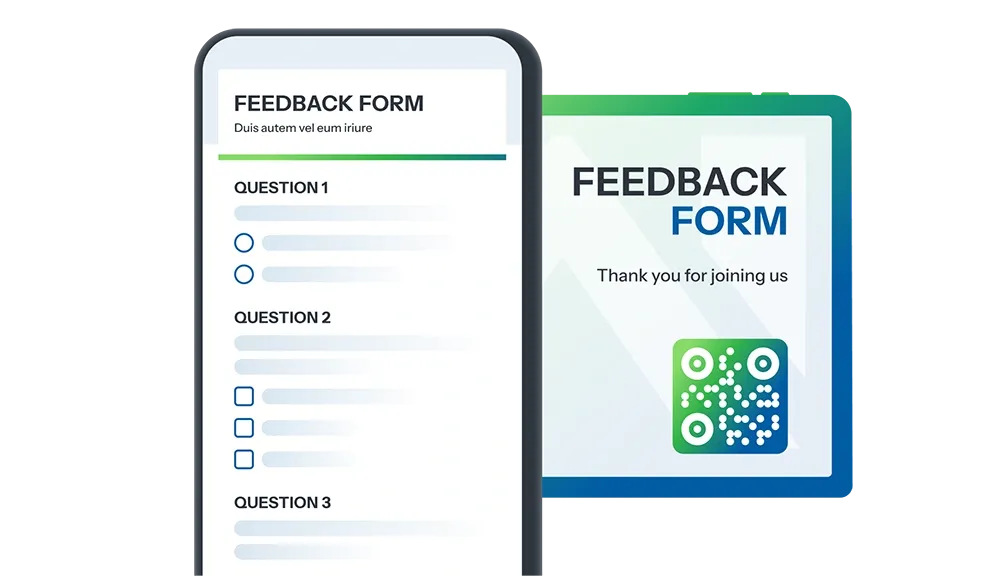
¡Recoger comentarios nunca ha sido tan fácil!

Código QR comparte encuestas de clientes, comentarios sobre eventos, reseñas de servicios, investigación de mercado, y más.

Generar código QR
SurveyEncuesta DEMO
Game

HAZLO TUYO

Mercado de minijuegos

Descubre una rica colección de minijuegos constantemente actualizados, con un diseño realista para todas las industrias.

Convierte cada campaña tuya en un campo de juego atractivo para impulsar la interacción y atraer a clientes potenciales.

Explorar
Layout

HAZLO TUYO

Mercado de aterrizaje

Descubre una colección diversa de plantillas de páginas de destino personalizables, optimizadas para cada industria.

Elige el diseño perfecto para tus objetivos de marketing y negocio, y crea un código QR al instante!

Explorar
Millones en todo el mundo confían en nuestra tecnología de códigos QR
0M+

El código QR ha sido creado

0+

Uso global feliz de QR

0K+

Calificación

Explora nuestras increíbles funciones

Todo lo que tu equipo está buscando.

La flexibilidad especial de iCheckQR puede satisfacer todas tus necesidades de códigos QR. Nunca dejamos de innovar para servirte mejor.

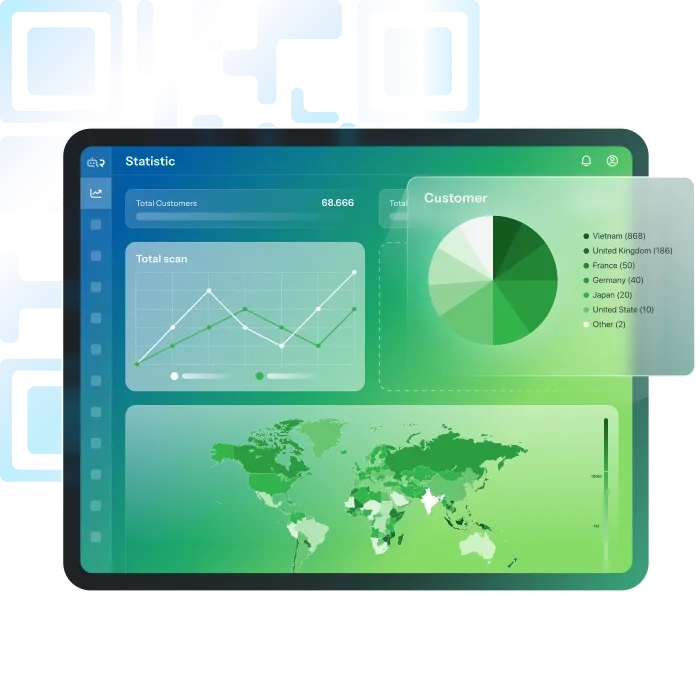
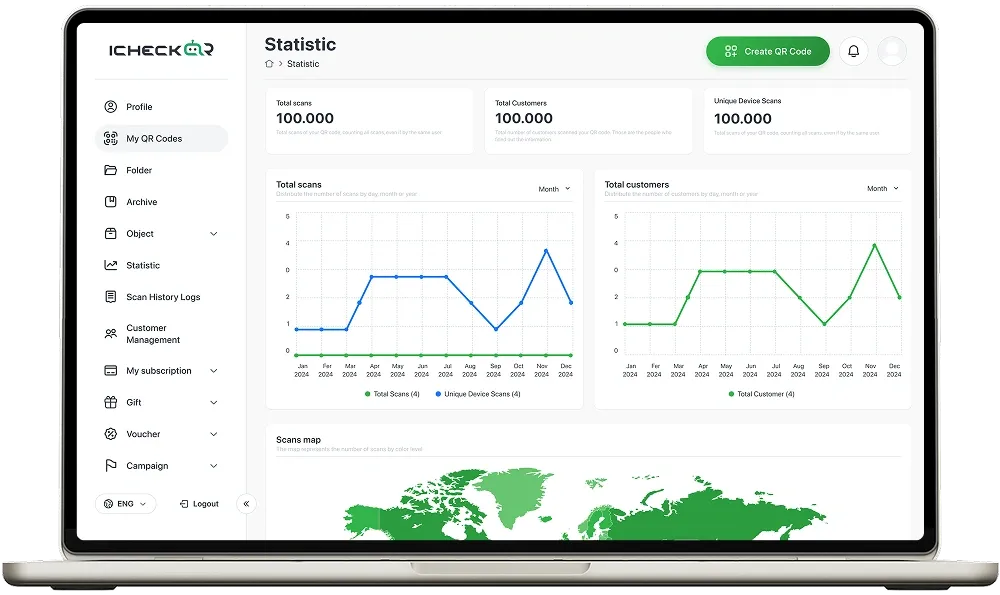
Análisis de códigos QR

¿Te preguntas si tu código QR es realmente efectivo?

iCheckQR ofrece análisis detallados de escaneo, incluyendo:

  • Número de escaneos
  • Tiempo y ubicación de los escaneos
  • Dispositivos y sistemas operativos
  • Recopilación de datos de clientes: nombre, número de teléfono, dirección, última actualización

Beneficios:

  • Entender el nivel de interacción y comportamiento de los clientes
  • Medir el ROI y optimizar la estrategia comercial
Confiado por equipos de todos los tamaños

“Realmente impresionado con la interfaz fluida de iCheckQR. Personalizar mi código QR fue muy fácil.”

Gareth Pronovost
Gareth Pronovost
Consultor de automatización

“El código QR final de iCheckQR se escanea rápidamente y se ve genial en mis materiales de marketing.”

Richard Chamberlain
Richard Chamberlain
Consultor de Automatización

“¡Rápido y eficaz! iCheck hizo que la creación de códigos QR fuera simple y directa.”

An R Beevers
An R Beevers
Consultor de Automatización

“¡Me encanta la variedad de opciones de diseño en iCheckQR! Me ayudó a que mi código QR destacara.”

Emma Ford
Emma Ford
Asistente de ventas

“iCheckQR es asequible y eficiente. Perfecto para pequeñas empresas que necesitan soluciones rápidas de QR.”

Robert Powers
Robert Powers
Editor

“Tuve un problema al descargar mi código QR, pero el servicio al cliente fue rápido en ayudarme. ¡Gran soporte!”

Charles Pringle
Charles Pringle
Ilustrador

“Realmente impresionado con la interfaz fluida de iCheckQR. Personalizar mi código QR fue muy fácil.”

Gareth Pronovost
Gareth Pronovost
Consultor de automatización

“El código QR final de iCheckQR se escanea rápidamente y se ve genial en mis materiales de marketing.”

Richard Chamberlain
Richard Chamberlain
Consultor de Automatización

“¡Rápido y eficaz! iCheck hizo que la creación de códigos QR fuera simple y directa.”

An R Beevers
An R Beevers
Consultor de Automatización

“¡Me encanta la variedad de opciones de diseño en iCheckQR! Me ayudó a que mi código QR destacara.”

Emma Ford
Emma Ford
Asistente de ventas

“iCheckQR es asequible y eficiente. Perfecto para pequeñas empresas que necesitan soluciones rápidas de QR.”

Robert Powers
Robert Powers
Editor

“Tuve un problema al descargar mi código QR, pero el servicio al cliente fue rápido en ayudarme. ¡Gran soporte!”

Charles Pringle
Charles Pringle
Ilustrador

“Realmente impresionado con la interfaz fluida de iCheckQR. Personalizar mi código QR fue muy fácil.”

Gareth Pronovost
Gareth Pronovost
Consultor de automatización

“El código QR final de iCheckQR se escanea rápidamente y se ve genial en mis materiales de marketing.”

Richard Chamberlain
Richard Chamberlain
Consultor de Automatización

“¡Rápido y eficaz! iCheck hizo que la creación de códigos QR fuera simple y directa.”

An R Beevers
An R Beevers
Consultor de Automatización

“¡Me encanta la variedad de opciones de diseño en iCheckQR! Me ayudó a que mi código QR destacara.”

Emma Ford
Emma Ford
Asistente de ventas

“iCheckQR es asequible y eficiente. Perfecto para pequeñas empresas que necesitan soluciones rápidas de QR.”

Robert Powers
Robert Powers
Editor

“Tuve un problema al descargar mi código QR, pero el servicio al cliente fue rápido en ayudarme. ¡Gran soporte!”

Charles Pringle
Charles Pringle
Ilustrador

“Realmente impresionado con la interfaz fluida de iCheckQR. Personalizar mi código QR fue muy fácil.”

Gareth Pronovost
Gareth Pronovost
Consultor de automatización

“El código QR final de iCheckQR se escanea rápidamente y se ve genial en mis materiales de marketing.”

Richard Chamberlain
Richard Chamberlain
Consultor de Automatización

“¡Rápido y eficaz! iCheck hizo que la creación de códigos QR fuera simple y directa.”

An R Beevers
An R Beevers
Consultor de Automatización

“¡Me encanta la variedad de opciones de diseño en iCheckQR! Me ayudó a que mi código QR destacara.”

Emma Ford
Emma Ford
Asistente de ventas

“iCheckQR es asequible y eficiente. Perfecto para pequeñas empresas que necesitan soluciones rápidas de QR.”

Robert Powers
Robert Powers
Editor

“Tuve un problema al descargar mi código QR, pero el servicio al cliente fue rápido en ayudarme. ¡Gran soporte!”

Charles Pringle
Charles Pringle
Ilustrador

“Realmente impresionado con la interfaz fluida de iCheckQR. Personalizar mi código QR fue muy fácil.”

Gareth Pronovost
Gareth Pronovost
Consultor de automatización

“El código QR final de iCheckQR se escanea rápidamente y se ve genial en mis materiales de marketing.”

Richard Chamberlain
Richard Chamberlain
Consultor de Automatización

“¡Rápido y eficaz! iCheck hizo que la creación de códigos QR fuera simple y directa.”

An R Beevers
An R Beevers
Consultor de Automatización

“¡Me encanta la variedad de opciones de diseño en iCheckQR! Me ayudó a que mi código QR destacara.”

Emma Ford
Emma Ford
Asistente de ventas

“iCheckQR es asequible y eficiente. Perfecto para pequeñas empresas que necesitan soluciones rápidas de QR.”

Robert Powers
Robert Powers
Editor

“Tuve un problema al descargar mi código QR, pero el servicio al cliente fue rápido en ayudarme. ¡Gran soporte!”

Charles Pringle
Charles Pringle
Ilustrador

“Realmente impresionado con la interfaz fluida de iCheckQR. Personalizar mi código QR fue muy fácil.”

Gareth Pronovost
Gareth Pronovost
Consultor de automatización

“El código QR final de iCheckQR se escanea rápidamente y se ve genial en mis materiales de marketing.”

Richard Chamberlain
Richard Chamberlain
Consultor de Automatización

“¡Rápido y eficaz! iCheck hizo que la creación de códigos QR fuera simple y directa.”

An R Beevers
An R Beevers
Consultor de Automatización

“¡Me encanta la variedad de opciones de diseño en iCheckQR! Me ayudó a que mi código QR destacara.”

Emma Ford
Emma Ford
Asistente de ventas

“iCheckQR es asequible y eficiente. Perfecto para pequeñas empresas que necesitan soluciones rápidas de QR.”

Robert Powers
Robert Powers
Editor

“Tuve un problema al descargar mi código QR, pero el servicio al cliente fue rápido en ayudarme. ¡Gran soporte!”

Charles Pringle
Charles Pringle
Ilustrador

“Realmente impresionado con la interfaz fluida de iCheckQR. Personalizar mi código QR fue muy fácil.”

Gareth Pronovost
Gareth Pronovost
Consultor de automatización

“El código QR final de iCheckQR se escanea rápidamente y se ve genial en mis materiales de marketing.”

Richard Chamberlain
Richard Chamberlain
Consultor de Automatización

“¡Rápido y eficaz! iCheck hizo que la creación de códigos QR fuera simple y directa.”

An R Beevers
An R Beevers
Consultor de Automatización

“¡Me encanta la variedad de opciones de diseño en iCheckQR! Me ayudó a que mi código QR destacara.”

Emma Ford
Emma Ford
Asistente de ventas

“iCheckQR es asequible y eficiente. Perfecto para pequeñas empresas que necesitan soluciones rápidas de QR.”

Robert Powers
Robert Powers
Editor

“Tuve un problema al descargar mi código QR, pero el servicio al cliente fue rápido en ayudarme. ¡Gran soporte!”

Charles Pringle
Charles Pringle
Ilustrador

“Realmente impresionado con la interfaz fluida de iCheckQR. Personalizar mi código QR fue muy fácil.”

Gareth Pronovost
Gareth Pronovost
Consultor de automatización

“El código QR final de iCheckQR se escanea rápidamente y se ve genial en mis materiales de marketing.”

Richard Chamberlain
Richard Chamberlain
Consultor de Automatización

“¡Rápido y eficaz! iCheck hizo que la creación de códigos QR fuera simple y directa.”

An R Beevers
An R Beevers
Consultor de Automatización

“¡Me encanta la variedad de opciones de diseño en iCheckQR! Me ayudó a que mi código QR destacara.”

Emma Ford
Emma Ford
Asistente de ventas

“iCheckQR es asequible y eficiente. Perfecto para pequeñas empresas que necesitan soluciones rápidas de QR.”

Robert Powers
Robert Powers
Editor

“Tuve un problema al descargar mi código QR, pero el servicio al cliente fue rápido en ayudarme. ¡Gran soporte!”

Charles Pringle
Charles Pringle
Ilustrador

“Realmente impresionado con la interfaz fluida de iCheckQR. Personalizar mi código QR fue muy fácil.”

Gareth Pronovost
Gareth Pronovost
Consultor de automatización

“El código QR final de iCheckQR se escanea rápidamente y se ve genial en mis materiales de marketing.”

Richard Chamberlain
Richard Chamberlain
Consultor de Automatización

“¡Rápido y eficaz! iCheck hizo que la creación de códigos QR fuera simple y directa.”

An R Beevers
An R Beevers
Consultor de Automatización

“¡Me encanta la variedad de opciones de diseño en iCheckQR! Me ayudó a que mi código QR destacara.”

Emma Ford
Emma Ford
Asistente de ventas

“iCheckQR es asequible y eficiente. Perfecto para pequeñas empresas que necesitan soluciones rápidas de QR.”

Robert Powers
Robert Powers
Editor

“Tuve un problema al descargar mi código QR, pero el servicio al cliente fue rápido en ayudarme. ¡Gran soporte!”

Charles Pringle
Charles Pringle
Ilustrador

“Realmente impresionado con la interfaz fluida de iCheckQR. Personalizar mi código QR fue muy fácil.”

Gareth Pronovost
Gareth Pronovost
Consultor de automatización

“El código QR final de iCheckQR se escanea rápidamente y se ve genial en mis materiales de marketing.”

Richard Chamberlain
Richard Chamberlain
Consultor de Automatización

“¡Rápido y eficaz! iCheck hizo que la creación de códigos QR fuera simple y directa.”

An R Beevers
An R Beevers
Consultor de Automatización

“¡Me encanta la variedad de opciones de diseño en iCheckQR! Me ayudó a que mi código QR destacara.”

Emma Ford
Emma Ford
Asistente de ventas

“iCheckQR es asequible y eficiente. Perfecto para pequeñas empresas que necesitan soluciones rápidas de QR.”

Robert Powers
Robert Powers
Editor

“Tuve un problema al descargar mi código QR, pero el servicio al cliente fue rápido en ayudarme. ¡Gran soporte!”

Charles Pringle
Charles Pringle
Ilustrador

“Comodidad y flexibilidad. Fácil de generar códigos QR rápidamente. Es una herramienta valiosa tanto para personas como para empresas.”

Markus Müller
Markus Müller
Traductor

“La plataforma permite una alta personalización, lo que permite a los usuarios crear códigos QR que coincidan con la estética de su marca.”

Nora Ingalls
Nora Ingalls
Atención al cliente

“Admite una amplia variedad de tipos de códigos QR, incluidos URL, datos de contacto y conexiones WiFi.”

Linda Pronovost
Linda Pronovost
Banquera

“Con sus planes de precios asequibles, iCheckQR ofrece una gran relación calidad-precio, especialmente para pequeñas empresas.”

Henry Halley
Henry Halley
Diseñador UX/UI

“Los códigos QR se generan en alta calidad, lo que garantiza que se puedan escanear fácilmente.”

Paul McKellen
Paul McKellen
Profesor

“El soporte al cliente es rápido y útil, y resuelve los problemas con eficiencia.”

Sara Bartholomew
Sara Bartholomew
Planificadora de eventos

“Comodidad y flexibilidad. Fácil de generar códigos QR rápidamente. Es una herramienta valiosa tanto para personas como para empresas.”

Markus Müller
Markus Müller
Traductor

“La plataforma permite una alta personalización, lo que permite a los usuarios crear códigos QR que coincidan con la estética de su marca.”

Nora Ingalls
Nora Ingalls
Atención al cliente

“Admite una amplia variedad de tipos de códigos QR, incluidos URL, datos de contacto y conexiones WiFi.”

Linda Pronovost
Linda Pronovost
Banquera

“Con sus planes de precios asequibles, iCheckQR ofrece una gran relación calidad-precio, especialmente para pequeñas empresas.”

Henry Halley
Henry Halley
Diseñador UX/UI

“Los códigos QR se generan en alta calidad, lo que garantiza que se puedan escanear fácilmente.”

Paul McKellen
Paul McKellen
Profesor

“El soporte al cliente es rápido y útil, y resuelve los problemas con eficiencia.”

Sara Bartholomew
Sara Bartholomew
Planificadora de eventos
“Comodidad y flexibilidad. Fácil de generar códigos QR rápidamente. Es una herramienta valiosa tanto para personas como para empresas.”

Markus Müller
Markus Müller
Traductor

“La plataforma permite una alta personalización, lo que permite a los usuarios crear códigos QR que coincidan con la estética de su marca.”

Nora Ingalls
Nora Ingalls
Atención al cliente

“Admite una amplia variedad de tipos de códigos QR, incluidos URL, datos de contacto y conexiones WiFi.”

Linda Pronovost
Linda Pronovost
Banquera

“Con sus planes de precios asequibles, iCheckQR ofrece una gran relación calidad-precio, especialmente para pequeñas empresas.”

Henry Halley
Henry Halley
Diseñador UX/UI

“Los códigos QR se generan en alta calidad, lo que garantiza que se puedan escanear fácilmente.”

Paul McKellen
Paul McKellen
Profesor

“El soporte al cliente es rápido y útil, y resuelve los problemas con eficiencia.”

Sara Bartholomew
Sara Bartholomew
Planificadora de eventos

“Comodidad y flexibilidad. Fácil de generar códigos QR rápidamente. Es una herramienta valiosa tanto para personas como para empresas.”

Markus Müller
Markus Müller
Traductor

“La plataforma permite una alta personalización, lo que permite a los usuarios crear códigos QR que coincidan con la estética de su marca.”

Nora Ingalls
Nora Ingalls
Atención al cliente

“Admite una amplia variedad de tipos de códigos QR, incluidos URL, datos de contacto y conexiones WiFi.”

Linda Pronovost
Linda Pronovost
Banquera

“Con sus planes de precios asequibles, iCheckQR ofrece una gran relación calidad-precio, especialmente para pequeñas empresas.”

Henry Halley
Henry Halley
Diseñador UX/UI

“Los códigos QR se generan en alta calidad, lo que garantiza que se puedan escanear fácilmente.”

Paul McKellen
Paul McKellen
Profesor

“El soporte al cliente es rápido y útil, y resuelve los problemas con eficiencia.”

Sara Bartholomew
Sara Bartholomew
Planificadora de eventos

“Comodidad y flexibilidad. Fácil de generar códigos QR rápidamente. Es una herramienta valiosa tanto para personas como para empresas.”

Markus Müller
Markus Müller
Traductor

“La plataforma permite una alta personalización, lo que permite a los usuarios crear códigos QR que coincidan con la estética de su marca.”

Nora Ingalls
Nora Ingalls
Atención al cliente

“Admite una amplia variedad de tipos de códigos QR, incluidos URL, datos de contacto y conexiones WiFi.”

Linda Pronovost
Linda Pronovost
Banquera

“Con sus planes de precios asequibles, iCheckQR ofrece una gran relación calidad-precio, especialmente para pequeñas empresas.”

Henry Halley
Henry Halley
Diseñador UX/UI

“Los códigos QR se generan en alta calidad, lo que garantiza que se puedan escanear fácilmente.”

Paul McKellen
Paul McKellen
Profesor

“El soporte al cliente es rápido y útil, y resuelve los problemas con eficiencia.”

Sara Bartholomew
Sara Bartholomew
Planificadora de eventos

“Comodidad y flexibilidad. Fácil de generar códigos QR rápidamente. Es una herramienta valiosa tanto para personas como para empresas.”

Markus Müller
Markus Müller
Traductor

“La plataforma permite una alta personalización, lo que permite a los usuarios crear códigos QR que coincidan con la estética de su marca.”

Nora Ingalls
Nora Ingalls
Atención al cliente

“Admite una amplia variedad de tipos de códigos QR, incluidos URL, datos de contacto y conexiones WiFi.”

Linda Pronovost
Linda Pronovost
Banquera

“Con sus planes de precios asequibles, iCheckQR ofrece una gran relación calidad-precio, especialmente para pequeñas empresas.”

Henry Halley
Henry Halley
Diseñador UX/UI

“Los códigos QR se generan en alta calidad, lo que garantiza que se puedan escanear fácilmente.”

Paul McKellen
Paul McKellen
Profesor

“El soporte al cliente es rápido y útil, y resuelve los problemas con eficiencia.”

Sara Bartholomew
Sara Bartholomew
Planificadora de eventos

“Comodidad y flexibilidad. Fácil de generar códigos QR rápidamente. Es una herramienta valiosa tanto para personas como para empresas.”

Markus Müller
Markus Müller
Traductor

“La plataforma permite una alta personalización, lo que permite a los usuarios crear códigos QR que coincidan con la estética de su marca.”

Nora Ingalls
Nora Ingalls
Atención al cliente

“Admite una amplia variedad de tipos de códigos QR, incluidos URL, datos de contacto y conexiones WiFi.”

Linda Pronovost
Linda Pronovost
Banquera

“Con sus planes de precios asequibles, iCheckQR ofrece una gran relación calidad-precio, especialmente para pequeñas empresas.”

Henry Halley
Henry Halley
Diseñador UX/UI

“Los códigos QR se generan en alta calidad, lo que garantiza que se puedan escanear fácilmente.”

Paul McKellen
Paul McKellen
Profesor

“El soporte al cliente es rápido y útil, y resuelve los problemas con eficiencia.”

Sara Bartholomew
Sara Bartholomew
Planificadora de eventos

“Comodidad y flexibilidad. Fácil de generar códigos QR rápidamente. Es una herramienta valiosa tanto para personas como para empresas.”

Markus Müller
Markus Müller
Traductor

“La plataforma permite una alta personalización, lo que permite a los usuarios crear códigos QR que coincidan con la estética de su marca.”

Nora Ingalls
Nora Ingalls
Atención al cliente

“Admite una amplia variedad de tipos de códigos QR, incluidos URL, datos de contacto y conexiones WiFi.”

Linda Pronovost
Linda Pronovost
Banquera

“Con sus planes de precios asequibles, iCheckQR ofrece una gran relación calidad-precio, especialmente para pequeñas empresas.”

Henry Halley
Henry Halley
Diseñador UX/UI

“Los códigos QR se generan en alta calidad, lo que garantiza que se puedan escanear fácilmente.”

Paul McKellen
Paul McKellen
Profesor

“El soporte al cliente es rápido y útil, y resuelve los problemas con eficiencia.”

Sara Bartholomew
Sara Bartholomew
Planificadora de eventos

“Comodidad y flexibilidad. Fácil de generar códigos QR rápidamente. Es una herramienta valiosa tanto para personas como para empresas.”

Markus Müller
Markus Müller
Traductor

“La plataforma permite una alta personalización, lo que permite a los usuarios crear códigos QR que coincidan con la estética de su marca.”

Nora Ingalls
Nora Ingalls
Atención al cliente

“Admite una amplia variedad de tipos de códigos QR, incluidos URL, datos de contacto y conexiones WiFi.”

Linda Pronovost
Linda Pronovost
Banquera

“Con sus planes de precios asequibles, iCheckQR ofrece una gran relación calidad-precio, especialmente para pequeñas empresas.”

Henry Halley
Henry Halley
Diseñador UX/UI

“Los códigos QR se generan en alta calidad, lo que garantiza que se puedan escanear fácilmente.”

Paul McKellen
Paul McKellen
Profesor

“El soporte al cliente es rápido y útil, y resuelve los problemas con eficiencia.”

Sara Bartholomew
Sara Bartholomew
Planificadora de eventos

“Comodidad y flexibilidad. Fácil de generar códigos QR rápidamente. Es una herramienta valiosa tanto para personas como para empresas.”

Markus Müller
Markus Müller
Traductor

“La plataforma permite una alta personalización, lo que permite a los usuarios crear códigos QR que coincidan con la estética de su marca.”

Nora Ingalls
Nora Ingalls
Atención al cliente

“Admite una amplia variedad de tipos de códigos QR, incluidos URL, datos de contacto y conexiones WiFi.”

Linda Pronovost
Linda Pronovost
Banquera

“Con sus planes de precios asequibles, iCheckQR ofrece una gran relación calidad-precio, especialmente para pequeñas empresas.”

Henry Halley
Henry Halley
Diseñador UX/UI

“Los códigos QR se generan en alta calidad, lo que garantiza que se puedan escanear fácilmente.”

Paul McKellen
Paul McKellen
Profesor

“El soporte al cliente es rápido y útil, y resuelve los problemas con eficiencia.”

Sara Bartholomew
Sara Bartholomew
Planificadora de eventos
https://assets.icheck.vn/image/2025/app/10/16/33258238ed514769bc718ba04648ce60.jpg
6 Simple and Easy Ways to Create a Zalo QR Code
6 Simple and Easy Ways to Create a Zalo QR CodeDo you want to create a Zalo QR Code to add friends, invite members to a group, share documents, or promote your business’s Zalo Official Account (OA)? A Zalo QR Code is exactly the tool you need to get it all done quickly and effortlessly. Let’s explore with iCheckQR 6 detailed, easy, and completely free ways to create your own Zalo QR Code below.1. Overview of the Zalo QR CodeA Zalo QR Code is a unique identifier created for each Zalo account — whether it’s a personal account, group, or Zalo Official Account (OA). When someone scans this code, they can instantly add friends, send messages, share documents, or join a Zalo group without having to manually enter a phone number.For businesses, the Zalo QR Code is an effective marketing tool — it can be printed on packaging, posters, or standees, or shared on social media so that customers can easily access your OA, follow updates, products, and promotions.2. 6 Simple and Effective Ways to Create a Zalo QR CodeCreate a Personal Zalo QR Code EasilyDo you want to add friends, chat, or share your personal Zalo account within seconds? Below is how to get your own Zalo QR Code quickly, simply, and completely free. With just a few steps, you’ll have your personal Zalo QR Code ready to share with friends, partners, or customers.Steps to follow:Step 1: Open the Zalo app → tap the QR code icon on the right side of the screen.Step 2: Select “My QR Code” to display your personal QR.Step 3: After customizing the title and color, tap “Share” or “Save.”Just a few simple steps, and you’ll have your own Zalo QR Code ready to use.Create a Zalo Group QR Code QuicklyA Zalo group QR Code is the easiest way to add members to a chat group, study group, or sales group without sending manual invite links. Users only need to scan the code to join immediately — saving time and adding professionalism when managing a community.Steps to follow:Step 1: Open the Zalo group you want to share.Step 2: Tap the menu icon (☰).Step 3: Select “Group Link.”Step 4: Tap “Copy,” “Share,” or “Save QR Code” to send it to others.With this method, you can get your group’s Zalo QR Code anytime, anywhere — allowing others to connect instantly, much faster than entering a phone number.Create a Zalo QR Code for Documents AccuratelyInstead of sending files manually, turn your documents into a convenient QR code in just a few seconds. Below is a detailed guide on how to create a Zalo QR code for documents quickly and accurately.Steps to follow:Step 1: Visit qr.zalo.me.Step 2: Paste the document link you want to generate a QR code for into the “Enter website link” box.Step 3: Customize your QR code, then click “Download” or “Copy.”If you want to create a more accurate and branded QR code for your documents, try iCheckQR — a tool that allows you to customize colors, add your logo, and download your QR code in high-quality PNG or PDF formats.You can create QR codes for various types of documents directly on iCheckQR, including: PDF QR Code – Easily share PDF files such as reports, manuals, or study materials. File QR Code – Upload and share any type of file with just one scan. PPTX QR Code – Turn your PowerPoint presentation into an accessible online link. Google Sheets QR Code – Conveniently share spreadsheets or online data. Google Forms QR Code – Instantly share surveys or collect responses with ease. Google Docs QR Code – Share documents online so others can view or download them easily.Create a Zalo QR Code on Desktop ConvenientlyWorking on a computer and want to create a Zalo QR Code quickly without using your phone? Zalo Web provides a direct QR creation tool, helping you easily share website links or personal information with just a few clicks — perfect for office workers, marketers, or businesses.Steps to follow:Step 1: Visit qr.zalo.me.Step 2: Paste the website link you want to generate a QR code for into the “Enter website link” box.Step 3: Customize your QR code, then click “Download” or “Copy.”Additionally, you can visit the QR code generator for links by iCheckQR to create Zalo QR codes on desktop easily, with advanced customization options such as adding logos, colors, and branded borders.Create a Zalo QR Code by Phone Number EasilyThis is the fastest way to generate a Zalo QR Code using your phone number — allowing others to add or contact you with a single scan, without memorizing or typing your number.It’s ideal for online sellers or anyone who frequently communicates via Zalo.Steps to follow:Step 1: Visit https://icheckqr.com/vi/qrcode/Phone.Step 2: Enter your phone number.Step 3: Customize your QR’s color, logo, and frame, then click “Create QR Code.”Create a Zalo OA (Official Account) QR Code for BusinessesFor businesses, stores, or brands, creating a Zalo OA QR Code is an essential step in marketing campaigns. The QR Code helps customers easily access your OA page, follow products, and receive promotions — especially effective when printed on packaging, standees, or social media posts.Steps to follow:Step 1: Open Zalo OA Manager (on web or app).Step 2: Select “OA Information” → “OA QR Code.”Step 3: The QR code will appear — download it or add your logo before printing.3. Common Errors & How to Fix ThemError 1: Scanning the Zalo QR code doesn’t display information.Recreate the QR code with higher resolution or take a clearer photo under good lighting.Error 2: Zalo group QR code is no longer valid.The group was deleted or the invite link was changed. Go back to the group → select “Group QR Code” to generate a new one.Error 3: QR code created by phone number doesn’t link to the Zalo account.Double-check the phone number before creating. The error may be due to incorrect syntax or an unregistered Zalo number.Error 4: QR code looks broken when printed or shared online.Download the QR code from iCheckQR in PNG or PDF format and avoid resizing it too small.4. FAQIs creating a Zalo QR Code free?Yes. You can create a Zalo QR Code for free directly on the Zalo app or through tools like iCheckQR.Do Zalo QR Codes expire?No. Zalo personal, group, or OA QR Codes have no expiration date and remain active as long as the account exists.Can I change the content of a Zalo QR Code after it’s created?Not with a static QR Code. If you want to edit the link without generating a new code, use a dynamic QR on iCheckQR.Can I manage multiple Zalo QR Codes at once?Yes. With Zalo OA or professional QR creation tools, you can create and store multiple QR Codes for easy management.ConclusionNow you know 6 quick and easy ways to create a Zalo QR Code — for personal accounts, Zalo groups, documents, OA pages, or even by phone number and desktop. Each method helps you connect, communicate, and promote more efficiently and professionally.Visit iCheckQR today to create professional, secure, and easy-to-use Zalo QR Codes for your personal or business needs!
https://assets.icheck.vn/image/2025/app/5/22/060b763be4552fb1fafd821827dff79f.jpg
Instructions for creating QR code for Vietcombank bank account
Vietcombank QR code is a modern utility that helps users make money transfers quickly, accurately and safely.with just one scan. Instead of having to manually enter the account number, recipient name and transfer content, the QR code automatically encodes all the necessary information,minimize errors. This article iCheckQR will provide detailed instructions on creating QR codes on the VCB Digibank application for individuals, and for work using support tools like VietQR, helping you easily share encryption and receive money. Important notes when using QR codes and how to resolve errors will also be mentioned in the article.1. How to create QR code on VCB Digibank application for individualsStep 1 – Log in to VCB Digibank applicationEnterUsername and password, or useFace ID/fingerprintif activated.Click “Login” to access the main interface.Note: Check stable Internet connection before logging in.Step 2 – Access the “QR Service” functionFrom the home screen, select"Utilities"or drag the horizontal menu to find the item“QR Service”Click on the QR icon to start generating the code.Step 3 – Select “My QR Code” and enter informationSelect feature“My QR Code”.Enteramountneed to move (if want to fix),transfer content(optional).Check the information entered.You can leave the content blank if you want the sender to fill it in when paying.Step 4 – Generate and save QR codeAfter filling in the information, press the button“Generate QR code”.The QR code will appear on the screen immediately.Select “Save to device”, sharevia Zalo, Messenger or print to paste at the payment point.Note: Make sure the QR code is not blurred or broken when printed.2. How to create QR code on VCB DigiBiz for businessStep 1 – Log in to VCB DigiBizAccess the application VCB DigiBiz on mobile device or web browser.Enter Username and password, then select "Log in".Can be authenticated via token or Smart OTPdepending on business configuration.Step 2 – Go to the “Utilities” tab and select “Generate QR Code”After logging in, select the tab"Utilities"on the main menu bar.Click on the item “Generate QR code”to access the functionStep 3 – Enter information and generate QR codeEnter amount to be paid (can be left blank if you want the payer to enter it proactively).Enter transfer content (eg: “Pay Order #123”).Confirm the information, then select “Generate QR code”.Note:The clearer the information, the less mistakes the sender makes.QR codes are generated according to standards VietQR, compatible with many banks.Step 4 – Download or share the QR codeAfter successfully generating the code, the system displays the QR code.Press “Download” to save the photo to your device or select "Share" via email, Zalo, Messenger,...Businesses can print QR codes to place at the cash register or insert into invoices.3. Create Vietcombank QR code using support tools outside the appIn addition to using the VCB Digibank or VCB DigiBiz application, users can also create QR codes for Vietcombank transfers through external support tools. Below is a comparison of the 3 most popular tools today:ToolsDescribe Advantage DisadvantagesVCB QR Generator (online)Official QR code generator from Vietcombank, enter account number and informationSimple, reliable, exclusively for VCB accountsOnly support VietcombankQRCode MonkeyInternational platform supports QR code generation for multiple purposes, with logo customizationHighly customizable, add your business logoNot specific to bank transfersVietQR (by NAPAS, supports many banks)Standard tool from NAPAS, supports generating QR codes for multi-bank transfersVietQR standard, supports many banksInterface is a bit technical for beginnersIllustration photo of creating Vietcombank QR code with VietQR4. How to use QR code to receive moneyShare QR codeAfter creating a QR code on the banking app or via the VietQR tool, you can Save QR code as image.Share this QR code via apps like:ZaloFacebook MessengerViberEmailOr Print and post at the checkout counter(for business households)Receive money via QR codeThe sender only needs to:Open a banking app that supports QR scanning (most do).Click on“Scan QR code” or “Transfer money via QR code”.Point your camera at the QR code you shared.Confirm the content, enter the amount (if the QR code is not available), then transfer.Benefit:No worries about entering the wrong account number.Save time.Increase professionalism when receiving money from customers or partners.5. Notes when using Vietcombank QR codeDo not share QR codes publicly:If it contains the amount or transfer content.Do not use QR codes from unknown sources:Make sure you generate the QR code from the VCB Digibank or VCB DigiBiz app itself, or from the official VietQR page.Always update VCB Digibank application: To ensure the QR code features work stably and security is updated regularly.QR code image security:If you use it to receive recurring payments. Avoid storing QR codes on insecure platforms like public Google Drive, social networks..Warning when users share information6. Frequently Asked Questions (FAQ)Can Vietcombank QR code be used multiple times?Yes. If you generate a QR code based on your account number (without the amount attached), the code can be usedmany timesto receive money from others.Can I create a Vietcombank QR code on my computer?Currently, Vietcombankdoes not support creating QR codes directly on the VCB Digibank web platformHowever, businesses useVCB DigiBiz (web version)You can log in and generate QR codes right on your computer atUtilities > Generate QR code.Does Vietcombank QR code expire?Static QR Code(no amount attached) will not expire and can be used forever.Dynamic QR Code(with a specific amount or content attached) usually hasshort shelf life, only valid for 1 session or a few hours depending on the bank's systemReferences:Vietcombank. (2022).Instructions for creating codes and transferring money using QR on VCB Digibank application. https://portal.vietcombank.com.vn/content/personal/KhoAnh/20221130_HDSD%20VCB%20DIGIBANK/Tao%20ma%20va%20chuyen%20tien%20bang%20QR.pdf
https://assets.icheck.vn/image/2025/app/5/22/e42cce674c5a05b1cabc0aa6a9030361.jpg
Instructions for creating QR codes for MB Bank bank accounts simply
In today's digital age, the trend of cashless payments is increasingly popular. MB Bank is one of the leading banks in supporting customers to create QR codes for quick and secure payments. This article iCheckQR will provide detailed instructions on how to create QR codes for MB Bank accounts suitable for personal and business needs.1. What is MB Bank QR code? What types are there?MB Bank QR Code is a two-dimensional barcode (QR - Quick Response) provided by MB Bank to encode payment information such as: Recipient account number, amount to be transferred (if predetermined), specific transaction content.Users just need to scan the code with a banking application (such as MB Bank, Vietcombank, VietinBank...) to make a transfer. Fast – accurate – no manual entry required.MB Bank QR Code ClassificationQR code typeIntended useSuitable ObjectFeaturesQR code by account numberShare receiving accountIndividualFlexible sharing, self-filling money, contentTransaction-specific QR codesRequest to transfer correct amount/contentPersonal sales, serviceUniform transaction, available information and amount, contentQR code for business householdsAccept cashless payments at the counterBusiness household, shopRevenue transaction management, system linkageIllustration of MB Bank codes2. Benefits of using MB Bank QR codeConvenient and fast in transactions:No need to manually enter account number, amount or transfer content. Reduce manual operations, save time. Limit errors.Enhanced information security:Encrypt account information, limit account number leakage when sharing. Limit sending to the wrong person, wrong contentIn line with the trend of cashless payments:Supported by most major banks and e-wallets (MB Bank, Vietcombank, MoMo, ZaloPay…). Optimize payment experience for both individuals and businesses.Easily manage and track transactions:All QR code transactions are recorded in the MB Bank app. Transaction history can be extracted by date, by specific QR code.3. Conditions for creating MB Bank QR codeHave an account at MB Bank.The account is a personal account or a business household account issued by MB Bank.Registered to use e-banking service on MB Bank application.Registered to use e-banking service on MB Bank application.MB Bank application login information is required (user/password or login with Face ID).Fully enabled money transfer, scan/generate QR code.If you have not registered for eBanking, you can quickly register on the app or at an MB Bank branch.4. Detailed instructions on how to create MB Bank QR code4.1 Generate QR code by account numberStep 1: Log inMB Bank application.Step 2: Select "Scan QR code" on the main interface.Step 3: Select "VietQR Management".Step 4: Select "Generate QR code by account".Step 5: A QR code will be generated, you cansave or sharethis codeSteps to create QR code by account number4.2 Generate QR codes for specific transactionsStep 1: Log inMB Bank application.Step 2: Select "Scan QR code" on the main interface.Step 3: Select "VietQR Management".Step 4: Select "Generate QR code for each transaction"Enter information such as amount, content, then select“Generate QR code”.Step 5: Then click Save information to successfully create MB Bank QR code for specific transaction.Steps to create QR code for specific transaction4.3 Generate QR codes for business paymentsStep 1: Login MB Bank application.Step 2: Click the icon"Pay "on the selection toolbar “VietQR Management”Step 3: Select the option “Generate QR code for business”Step 4: Fill in information business and registration.Enter information including:Business nameTax code (if any)Business addressContact phone numberEmail (if required)Confirm and complete registrationThe generated QR code will carry the full legal identity of the business household.Step 5: A QR code will be generated, you can save or share this codeSteps to create QR code for business payment5. How to save and share MB Bank QR codeInstructions on how to save QR codes to your device.After successfully generating the QR code, the app will display the options:“Download” or “Save image”Click to save the QR code tophone photo albumQR codes are saved asPNG or JPG image, can be reused at any timeHow to share QR codes across different platforms.In the QR code management section, select:“Share” > choose platform like:Zalo – share via message or groupFacebook – send via Messenger or post on FanpageEmail – send attached files to customersTelegram, Viber, Google Drive, v.v.MB Bank app allows direct sharing without leaving the app.Note when printing QR codes for use at checkout.Codes should be printed at high resolution (300 dpi or higher) to ensure easy scanningDo not stick QR codes on curved, reflective surfaces (like glass jars, bright screens)Print attached Account name or business name below code for added reliabilityNo blurring or distortion of proportions of QR codeShould be printed on white or light colored background, avoid dark backgrounds or backgrounds with busy patterns6.Notes when using MB Bank QR codeCheck information before sharing QR code: Make sure the account number, amount (if any), and content are correct before sending the QR code to others.Protect personal information when using QR codes: Do not share QR codes publicly on social media if they contain sensitive information such as amount, transfer content or full name.Update MB Bank app regularly: Helps ensure QR code generation and scanning functions work smoothly, limiting technical errors in transactions.Illustration of MB Bank warning when using the app7. Frequently asked questions about MB Bank QR codeCan MB Bank QR code be used for other banks? Have. MB Bank support VietQR standard interbank, so the code can be scanned by apps from many other banks such as Vietcombank, BIDV, Techcombank, etc.Is there a fee to create an MB Bank QR code?Are not. MB Bank currently100% freewhen creating and using QR codes via the app.Does MB Bank QR code have an expiration date?Account number code: No deadline.Code with specific amount: May have short duration if set (depending on batch created or transaction purpose).Is it possible to generate multiple QR codes for the same account?Absolutely possible.You can: Create multiple codes with different content (transaction, amount, etc.)8. ConcludeUsage MB Bank QR code is a solution Modern, secure and convenientfor both individuals and businesses. You can generate free code, flexible sharing, and fast payment with just a few taps on your phone.If you are an MB Bank user, please Apply the above instructions immediately to create your own QR code, improve the efficiency of cashless transactions!
https://assets.icheck.vn/image/2025/app/5/22/4b0eeeafae1589f69e6e7d566bf46609.jpg
Quick and Easy Guide to Creating a BIDV Bank Account QR Code
The BIDV QR code generation process has become a popular search term in today’s era of digital payments. With just a single scan, you can pay for utilities, receive transfers, or even withdraw cash from ATMs. But how do you create a BIDV QR code accurately, securely, and in just a few steps?In this article, iCheckQR will provide a complete, A-to-Z guide: from definitions and benefits to step-by-step instructions on how to generate a BIDV QR code via both the mobile app and the website, along with clear illustrations that even beginners can follow with ease.1. What Is a BIDV QR Code?DefinitionA BIDV QR code is a type of 2D barcode issued by the Bank for Investment and Development of Vietnam (BIDV). This code contains account details such as account number, account holder name, and may include a transaction amount or description.Applications in BankingThe BIDV QR code is widely used across various banking services, offering numerous benefits:Quick transfers: Create a QR code with your account info for others to scan and send money—no need to manually enter details.Bill payments: Pay utility bills (electricity, water, internet, etc.) by scanning a QR code on the invoice using the BIDV SmartBanking app.ATM withdrawals: Some ATMs support QR-based withdrawals, enabling cardless transactions.In-store payments: Pay at any retailer that supports QR code payments by scanning the code at checkout.2. Benefits of Using BIDV QR CodesSave Time on TransactionsNo more manual data entry—just scan and go. Creating a BIDV QR code lets you transfer money or pay bills in seconds.Minimize Input ErrorsScanning a QR code reduces the risk of input mistakes, such as entering the wrong account number or recipient name. With a QR code, your transactions become more accurate and reliable.Enhanced Security and ConvenienceQR codes help safeguard your account information by minimizing manual input and reducing the risk of exposing sensitive data. With BIDV’s QR code solution, you can enjoy secure and seamless payments in one scan.3. How to Create a BIDV QR Code on the BIDV SmartBanking AppHere is a detailed step-by-step guide to generating a BIDV QR code using the BIDV SmartBanking app:Step 1: Log InOpen the BIDV SmartBanking app on your smartphone and log in with your username and password.Step 2: Select “Scan QR”From the home screen, tap on “Scan QR”, then tap “Create QR” to begin generating your personalized code.Step 3: Enter Transaction DetailsWant your QR code linked to a specific payment? Just enter the desired amount and transaction description. The system will automatically generate a QR code based on your inputs.Step 4: Save or Share Your QR CodeYou can save the QR code to your photo gallery or share it via Zalo, Messenger, or any app of your choice.4. How to Generate a BIDV QR Code via the Official WebsiteCreate a BIDV QR Code via bidv.com.vnOpen your browser and go to: bidv.com.vnYou’ll see two options: “One-time QR” and “Batch QR”.Select the appropriate option:One-time QR: Enter details like account holder name, BIDV account number, branch, store name/address (optional), and customized account name.Batch QR: Upload an Excel file with your QR data. Notes:Works best with Chrome on desktop.File must be in .xlsx format using the provided template.Limited to 50 QR codes per batch (only the first 50 rows are processed).Output is a .zip file with image files of each QR code. Generation time may vary (up to 5 minutes).Agree to the terms and conditions and click “Generate QR Code”Choose a QR template, right-click or tap and hold the QR image, then save it to your device.If using batch creation, download the .zip file, extract it, and use the QR codes for printing, sharing, or storage.Create a BIDV QR Code Using WikiciVisit https://wikici.comFrom the homepage, go to “Online Tools” → “QR Code Generator”.Select BIDV - BIDV from the list of supported banksEnter your account information and choose a QR code templateClick “Generate QR Code”Download your generated QR codeCreate a BIDV QR Code Using VietQRVisit https://vietqr.netLook for “VietQR Code Generator” on the homepage.Enter the required information (Receiving bank, Account number, Account holder name), and tick “I agree to the terms and conditions”.Click “Generate Code”Finally, choose to “Print QR” or “Save Image”5. Notes When Using BIDV QR CodesTo ensure secure and effective transactions, keep these important tips in mind:Double-check information before sharing: Always verify account number, amount, and content before sending your QR code to others.Do not share publicly: Avoid posting QR codes on public platforms or social media to prevent unauthorized use or fraud.Update your app regularly: Always use the latest version of BIDV SmartBanking to benefit from the newest features and enhanced security.6. FAQs About BIDV QR Code CreationIs there a fee to generate a BIDV QR code?No. Creating a QR code through BIDV SmartBanking or the official website is completely free.Do BIDV QR codes expire?No. Once created, BIDV QR codes do not have an expiration date and can be reused indefinitely.How can I print my BIDV QR code?After generating a QR code via the BIDV app, save the image and print it using a connected phone or computer printer.ConclusionUsing a BIDV QR code significantly shortens transaction time, enhances security, and minimizes errors. With the comprehensive instructions in this article, you can generate and use your QR code effortlessly—whether via app or website, for personal use or business.Start using your BIDV QR code today to enjoy smarter, faster, and more convenient banking in every transaction.References:BIDV. (2023, December 21). How to create a free and easy bank account QR code. https://bidv.com.vn/bidv/bidv-blog/bao-mat/tao-ma-qr-ngan-hang
https://assets.icheck.vn/image/2025/app/5/22/2952f6454d14d54299ff98cc24beecb6.jpg
Detailed and Fast Guide to Creating VietinBank QR Codes
Are you looking for a quick way to create a VietinBank QR code to transfer money without having to enter the account number every time?In the digital age, QR codes are no longer unfamiliar—they’ve become a smart, convenient, and highly popular payment method. Notably, VietinBank has integrated a QR code generation feature directly within its iPay app, allowing you to perform transactions quickly, accurately, and securely in just a few steps.In this article, iCheckQR will provide a detailed guide on how to create a VietinBank QR code easily, effectively, and quickly—for both personal and business use.1. Introduction to QR Codes in Banking TransactionsA QR code (Quick Response Code) is a type of two-dimensional barcode that can store information in the form of characters, numbers, or URLs.In the banking sector, QR codes are widely used to carry out financial transactions quickly and securely. Customers simply need to scan the QR code using their mobile banking app to transfer money, pay bills, or top up their account—without manually entering account details.At VietinBank, QR codes are integrated into the iPay application, allowing customers to make transfers or payments easily without typing in information manually. This reduces errors and enhances security. Businesses and individual merchants can also generate QR codes to receive payments from customers conveniently, accurately, and professionally.2. Benefits of Using VietinBank QR CodesSave time on transfersCustomers only need to scan a QR code instead of manually entering the account number, recipient name, and transfer details—making the process faster and more convenient. Creating a VietinBank QR code for your bank account significantly shortens transaction time, especially in situations requiring urgent transfers.Minimize information errorsThe QR code contains predefined information (account number, recipient name, description, etc.), helping avoid mistakes or incorrect data entry during transactions. Generating a VietinBank bank account QR code ensures a high level of accuracy for every financial transaction.Convenient for recipients—especially in businessIndividuals, small business owners, and enterprises can create VietinBank QR codes to display at the point of sale, allowing customers to make payments easily—without needing a POS machine or cash.Interbank compatibilityVietinBank QR codes use the VietQR standard by Napas, which supports money transfers between various banks through mobile banking apps, enhancing flexibility.Creating a VietinBank QR code is not only convenient within the VietinBank system but also compatible with most major banks in Vietnam.Safe and secureAll information in the QR code is encrypted and processed through the official banking app, ensuring safety for both senders and recipients.As a result, VietinBank QR codes are a reliable choice for individuals and businesses looking to transact securely and professionally.3. How to Create a VietinBank QR Code via the iPay AppBelow are step-by-step instructions for generating a VietinBank account QR code using the VietinBank iPay mobile application.Step 1: Download and log in to the VietinBank iPay appGo to CH Play (for Android) or the App Store (for iOS) and download the “VietinBank iPay” app.Once installed, open the app and log in using your registered iPay account.If you don’t have an account, you can register directly in the app using your phone number.Step 2: Select the "Scan QR Code" featureAfter logging in, select the QR Pay feature on the main screen.Step 3: Choose "Create QR Code" and enter the required informationOn the displayed QR code scanning screen, tap on 'Personal QR Code' and enter the following information:Receiving account: Select the bank account to receive the money.Amount (optional): Enter a fixed amount if desired.Transfer message (optional): Add a message for the transaction if needed.Step 4: Save or share the generated QR codeAfter entering all necessary details, tap “Generate QR Code.” You can:Save the QR code to your device for later use.Share the QR code via platforms like Zalo, Facebook, Email, etc.4. How to Create a VietinBank QR Code via WebsiteHere is a step-by-step guide for generating a VietinBank QR code using two popular online platforms: Wikici and VietQR. The steps are clearly outlined with visuals for ease of use.Generate VietinBank QR Code Using WikiciStep 1: Open your browser and go to wikici.comStep 2: On the homepage, select “Online Tools” → “Generate QR Code”Step 3: From the supported bank list, choose VietinBank – ICBStep 4: Enter the necessary details: Account number, and select a templateStep 5: Click the “Generate QR Code” button to create your code based on the entered informationStep 6: Download the generated QR codeGenerate VietinBank QR Code Using VietQRStep 1: Open your browser and go to vietqr.netStep 2: On the homepage, locate the “VietQR Code Generation System” sectionStep 3: In the “VietQR Setup Information” section, enter the required fields:Beneficiary bankBeneficiary account numberAccount holder’s nameThen, tick the box to agree to the terms and conditions.Step 4: Click the “Generate Code” buttonStep 5: Finally, you can choose to “Print QR” or “Save Image” for use5. How to Print VietinBank QR Codes for UseHere’s a detailed guide to printing your VietinBank QR code for use at stores or transaction points—ensuring it’s clear, scannable, and professional.Step 1: Generate and save the QR codeCreate the QR code using the VietinBank iPay app or online platforms like VietQR.net or Wikici.Save the QR code as a high-quality image file (e.g., PNG or JPG) to ensure print clarity.Step 2: Print the QR codeChoose a suitable printer:Inkjet or laser printers: Ideal for printing on A4 or A5 paper.Barcode printers: Suitable for printing on labels or plastic cards.Select print material:Regular paper: Cost-effective and easy to print.Glossy paper or plastic: Increases durability and water resistance—great for humid environments.Print size: Ensure the QR code is at least 5x5 cm for easy scanning from a distance.Step 3: Preserve and display the QR codeUse lamination or a plastic frame to protect against dust, moisture, and physical damage.Place the QR code in a visible area—such as the checkout counter, entrance, or table—for easy access.Print multiple copies for backup or display in different store locations.6. Important Notes When Using VietinBank QR CodesTo ensure safe and efficient transactions, keep the following tips in mind when using VietinBank QR codes:Protect your QR code information: Your QR code contains your bank account details. Share it only with trusted individuals and for legitimate transactions to avoid misuse.Avoid public sharing unless necessary: Do not post your QR code on public forums, social media, or websites unless needed—this could expose your account to unauthorized access.Double-check before sharing: Always verify the details in the QR code (account number, name, amount, description) before sharing to prevent errors.Use official platforms to generate QR codes: Generate your code via VietinBank iPay or trusted websites like VietQR.net to ensure data security.Avoid outdated QR codes: Old or long-stored QR codes may become blurry or contain outdated info. Create a new one when necessary for accuracy and readability.7. Frequently Asked Questions about Creating VietinBank QR CodesDoes a VietinBank QR code have an expiration date?No. A QR code without dynamic fields (e.g., fixed amount or message) does not expire. However, periodic checks are recommended to ensure the information is still valid.Can I edit a VietinBank QR code after it’s created?No. Once generated, a VietinBank QR code cannot be edited. If changes are needed (e.g., amount, message), a new QR code must be created.Is it safe to create a VietinBank QR code for transfers?Yes. VietinBank QR codes only contain basic payment information (no passwords or sensitive data) and are encrypted when created via official platforms like iPay or VietQR.net—ensuring high security.Can the VietinBank QR code be scanned by any banking app?Yes. If created using the VietQR standard by Napas, the QR code can be scanned and processed by over 50 banking apps in Vietnam that support QR-based transfers.ConclusionCreating a VietinBank QR code helps shorten transaction times, reduce errors, and enhance convenience and professionalism across all types of payments—from personal transfers to point-of-sale collections.With multiple methods available (via the iPay app or websites like VietQR.net and Wikici), anyone can easily generate and use a VietinBank QR code securely.Start using VietinBank QR codes today to enjoy seamless, smart, and safe transactions in every aspect of your financial activities.

Preguntas Frecuentes

Mostrar todo

iCheckQR is an online QR code generation platform developed by iCheck Joint Stock Company, enabling users to create QR codes for free, manage dynamic QR codes, and easily track scan activity.

Mostrar todo
mascosmascos

Registro para consultoría

+84